How to Structure a Voice AI Knowledge Base : 9 Easy Steps
Date
Aug 25, 26
Reading Time
10 Minutes
Category
AI Voice Agents
Share


TL;DR
- Audit every source before indexing it. Remove outdated, duplicated, or conflicting information.
- Format content in Markdown with spoken-language headings and self-contained sections.
- Start with 512-token chunks, 10–15% overlap, and keep full procedures together.
- Tag each chunk by product, version, region, audience, verification date, and compliance scope.
- Set a retrieval threshold of at least 0.65 and return only three to five relevant chunks.
- Instruct the agent to refuse unsupported answers and offer a human transfer.
- Refresh URL sources, version files in Git, and review content older than 90 days.
- Test retrieval with real caller questions before adding LLM generation.
- Use node-level knowledge bases when workflows, caller types, or compliance requirements differ.
- Monitor retrieval logs, similarity scores, and metadata filters after launch.
Your voice agent tells a caller they qualify for a bereavement discount. Your policy doesn't have one. The agent invented it, delivered it like it was fact, and now you're in a dispute.
That's the failure mode a Voice AI Knowledge Base prevents. It's the verified document layer the agent retrieves from before generating a response. The difference between reading from your source of truth and pulling from its training data.
A structured voice agent knowledge base matters more for AI voice agents than any other AI channel. And the reason is simple: callers can't scroll back or re-read a wrong step. A bad instruction on a live call triggers a physical action in real time. Text gives you a chance to catch the error. Voice doesn't.
Getting your Voice AI Knowledge Base right is the foundation. If you haven't figured out how to build an AI voice agent yet, start there first. This guide assumes you have one running and need it to stop guessing.
Why Voice AI Knowledge Bases Work Differently Than Chatbot KBs
Most teams copy their chatbot Knowledge Base setup and paste it into their voice agent. Then they wonder why the agent keeps going off script.
The constraints aren't even close.
Your voice agent has about 600ms to generate a full response. Retrieval gets 100ms of that. A chatbot KB has no such clock. You can retrieve 10 chunks, run a rerank, take 800ms, and a text user won't notice. On a phone call, they will.
Then there's the correction problem. A chatbot user who reads a wrong answer can scroll up, re-read it, or push back. A caller following a voice instruction is already doing the thing by the time they realize it's wrong. They pressed the button. Confirmed the transaction. There's no undo.
And the phrasing problem is the one I see teams miss most. Callers don't say "configure two-factor authentication." They say "how do I turn on that extra login thing." A voice agent knowledge base built with search-bar headings retrieves the wrong chunk on queries like that. Voice KB headings need to match natural speech, not documentation language.
AI voice agents for customer service also split across inbound and outbound call types with different retrieval priorities. One Voice AI Knowledge Base design doesn't serve both.
And that's before you get into how AI voice agents compare to human agents on accuracy. When the Voice AI Knowledge Base structure is right, that comparison changes.
How Do You Build a Voice AI Knowledge Base That Stays Accurate?
Building a Voice AI Knowledge Base that stays accurate isn't a one-time setup. It's nine decisions made in the right order. Each one blocks a specific failure mode. And for most teams, the voice agent knowledge base breaks down somewhere in the first three steps.
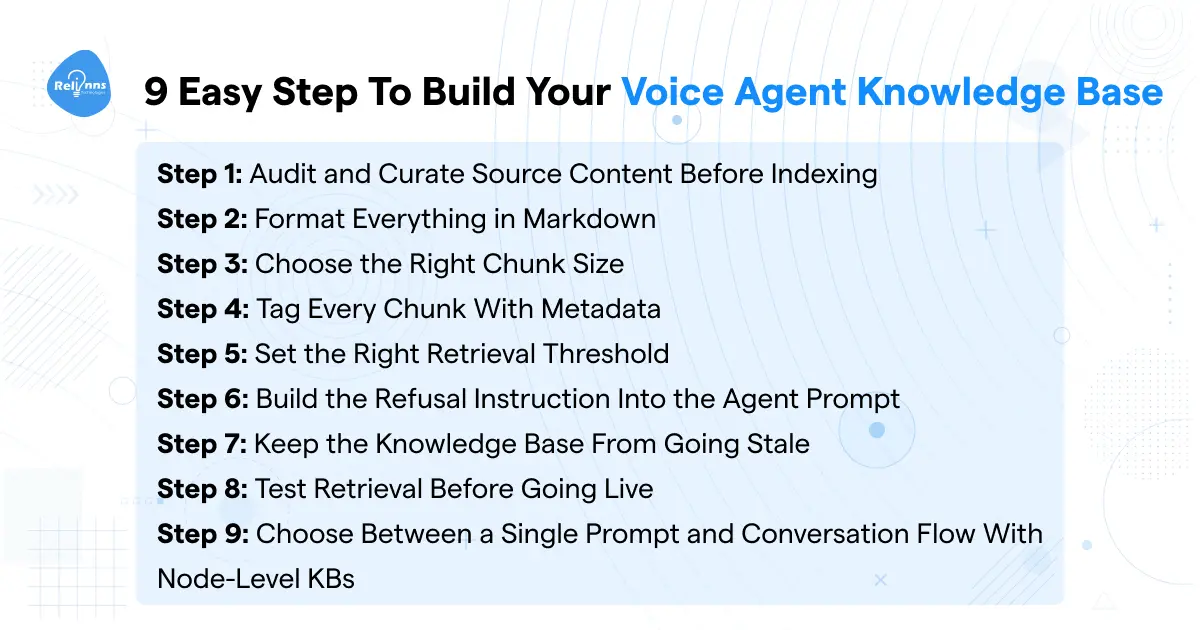
Step 1: Audit and Curate Source Content Before Indexing
This is the step most teams skip. They upload whatever lives in the help centre and wonder why the agent sounds confident and wrong.
If two pages in your Voice AI Knowledge Base disagree on the refund window, the retriever picks whichever chunk scores higher on similarity. The LLM reads it and delivers it without hesitation. Now you have an agent making promises your policies don't support.
Before indexing anything in your Voice AI Knowledge Base, pull every document, FAQ, and help article you plan to include. Ask three questions for each:
- Is it current this quarter?
- Is it the single source of truth for its topic?
- Does it match what your best support rep actually says on calls?
If a document would embarrass you sent verbatim to a customer, it doesn't belong in the voice agent knowledge base. Resolve contradictory documents before indexing, not after. That's an editorial fix, not a technical one.
The output: a curated folder you'd be comfortable using as a legal reference.
Step 2: Format Everything in Markdown
Most teams copy-paste from their help centre. Help centre pages are designed for humans on a screen, not for chunking pipelines.
Markdown survives the chunking pipeline best. One H1 per document. One H2 per resolvable question. For a Voice AI Knowledge Base, those heading boundaries are where the chunker splits cleanly. When the structure is right, the retriever pulls from the correct content instead of fighting structural noise.
Eliminate every "see above" or "click here." The chunker retrieves each chunk without its neighbors, so it has to stand alone.
Lead headings with the user's goal. "Turn on two-step login" matches spoken queries. "Configure two-factor authentication" doesn't. That gap matters in a voice agent knowledge base. And rewrite tables as prose. Understanding how generative AI processes text explains why structured Markdown outperforms plain .txt in RAG for voice agents. "The Pro plan supports 50 users" retrieves. A split table cell doesn't.
Most retrieval failures in a Voice AI Knowledge Base start here, not in the retrieval settings.
Step 3: Choose the Right Chunk Size
The default: 512-token recursive chunks with 10–15% overlap, splitting on Markdown headings first, then paragraphs, then sentences.
That's the benchmark-validated starting point for any Voice AI Knowledge Base build, and it holds up in production.
Chunks above 1,024 tokens pad the LLM context window with noise. The model reads irrelevant paragraphs alongside the answer. Chunks under 200 tokens fragment multi-step instructions. The retriever pulls Step 3 without Step 4, and the agent skips an action mid-call.
A numbered procedure must never split across two chunks. Half the instructions retrieved means half the instructions delivered.
Chunk size connects directly to voice agent latency. Larger chunks mean more tokens per retrieval and a slower response. 512 tokens keeps your Voice AI Knowledge Base retrieval under the 100ms budget. That's the ceiling a voice agent knowledge base runs on.
Step 4: Tag Every Chunk With Metadata
This is the step that stops a Texas caller from hearing California return policies.
Every chunk in your Voice AI Knowledge Base needs at minimum five tags: product, version, region, audience, and last_verified_date. At runtime, the agent passes these as query filters. Only chunks matching the caller's context enter retrieval, via dynamic variables collected earlier in the call.
And add compliance_scope for regulated industries. Not optional.
AI voice agents in healthcare need HIPAA-scoped metadata so clinical content never surfaces in the wrong call context. The HIPAA-compliant AI voice agent guide covers the full architecture.AI voice agents for insurance use compliance_scope to gate policy terms and underwriting content to the right caller tier.
The output: a metadata schema where any chunk in your voice agent knowledge base maps to one specific caller context. That's what a production Voice AI Knowledge Base actually requires.
Step 5: Set the Right Retrieval Threshold
A retrieval system that always returns something is a hallucination machine. This is one of the most overlooked settings, and most teams never change it.
Set similarity threshold to 0.65 or higher. Leave it at the platform default and your Voice AI Knowledge Base will hallucinate on edge-case calls. For healthcare and insurance, raise it to 0.70.
The mechanism: a caller asks about something you haven't documented. The retriever still surfaces the closest semantic match. The LLM builds a confident, wrong answer from it. That's voice AI hallucination driven by retrieval configuration, not model failure. The threshold rejects those marginal matches before they reach the LLM.
Limit retrieval to 3–5 chunks. Three for standard content. Five when queries span multiple topics.
Agentic RAG takes this further with dynamic retrieval that adjusts based on conversation state. And the best LLM for voice agents matters here. Not every model respects your Voice AI Knowledge Base refusal instructions. Some fall back on training data regardless of what your voice agent knowledge base configuration says.
Step 6: Build the Refusal Instruction Into the Agent Prompt
Drop this exact line into your agent prompt:
"Only answer using the information in ## Related Knowledge Base Contexts. If that section is missing or does not contain relevant information, say there is no related information available and offer to transfer the call."
That instruction is the highest-leverage anti-hallucination control in any Voice AI Knowledge Base.
Air Canada's chatbot invented a bereavement discount that didn't exist. The customer relied on it. Air Canada got held liable. The agent sounded helpful. That was the problem.
Without this instruction, the LLM reaches into its training data when your Voice AI Knowledge Base retrieval comes back empty. A confident wrong answer is worse than no answer on a high-stakes call.
Check the voice AI prompting guide for the full prompt structure. For custom AI agents in healthcare or insurance, add a compliance variant on top. Your voice agent knowledge base in those industries should refuse to speculate on clinical or policy guidance entirely.
Step 7: Keep the Knowledge Base From Going Stale
Stale content doesn't sit still. Every product update or policy change you ship without touching the Voice AI Knowledge Base makes your agent more wrong with each passing week.
Auto-refresh handles the easy part. Enable it on URL sources so the platform re-fetches every 24 hours. New help centre articles get indexed as they're published, without anyone remembering to upload them.
Version your Markdown files in Git. When a retrieval failure shows up, you can trace it to the exact commit that changed the source document. Without version control, debugging a voice agent knowledge base regression is a guessing game.
Set a quarterly review for any file with a last_verified_date over 90 days. Assign it to a specific person. Not a team.
Custom AI development teams wrap Voice AI Knowledge Base refresh in a CI/CD pipeline tied directly to the docs repo. For most mid-market deployments, auto-refresh plus the 90-day review handles it.
Step 8: Test Retrieval Before Going Live
Most teams test their Voice AI Knowledge Base by having conversations with the agent. That's the wrong test.
The LLM compensates for retrieval failures by pulling from training data. You get a fluent answer. Retrieval failed in the background. You won't know until a caller acts on something wrong.
Test the retrieval layer before any LLM generation happens. Pull 50 real caller questions from your last 30 days of support tickets. For each query, check three things: Is the right chunk in the top 3? Is the score above threshold? Could a human answer it from just those chunks?
When a query fails, fix the source. Missing content, a split procedure, a metadata filter blocking the right chunk. Don't patch it in the prompt.
Target 90%+ retrieval accuracy before you deploy. Check the guide on making AI voice sound human. An agent responding from accurate chunks in a well-built voice agent knowledge base sounds more natural than one patching gaps from training data. Voice AI Knowledge Base quality and voice quality are the same problem.
Step 9: Choose Between a Single Prompt and Conversation Flow With Node-Level KBs
A flat Voice AI Knowledge Base under a single prompt works for narrow use cases. One product, one FAQ topic, one call type. Once that splits, it breaks down.
Node-level design is more accurate and easier to debug.
Each conversation state retrieves from a focused slice of documentation. A troubleshooting node loads troubleshooting content. An account-lookup node calls an API, not a KB.
This mirrors how AI agents route multi-step tasks. Agentic chatbots use the same pattern on text channels. And WebRTC vs SIP affects how dynamic variables pass between nodes, so your call infrastructure choice matters before you design the flow.
A single-prompt voice agent knowledge base is a fine starting point. Build your Voice AI Knowledge Base at the node level when your call types diverge.
How to Structure the Knowledge Base Itself: A Three-Tier Model
The nine steps above tell you how to build your Voice AI Knowledge Base. This tells you how to organize it.
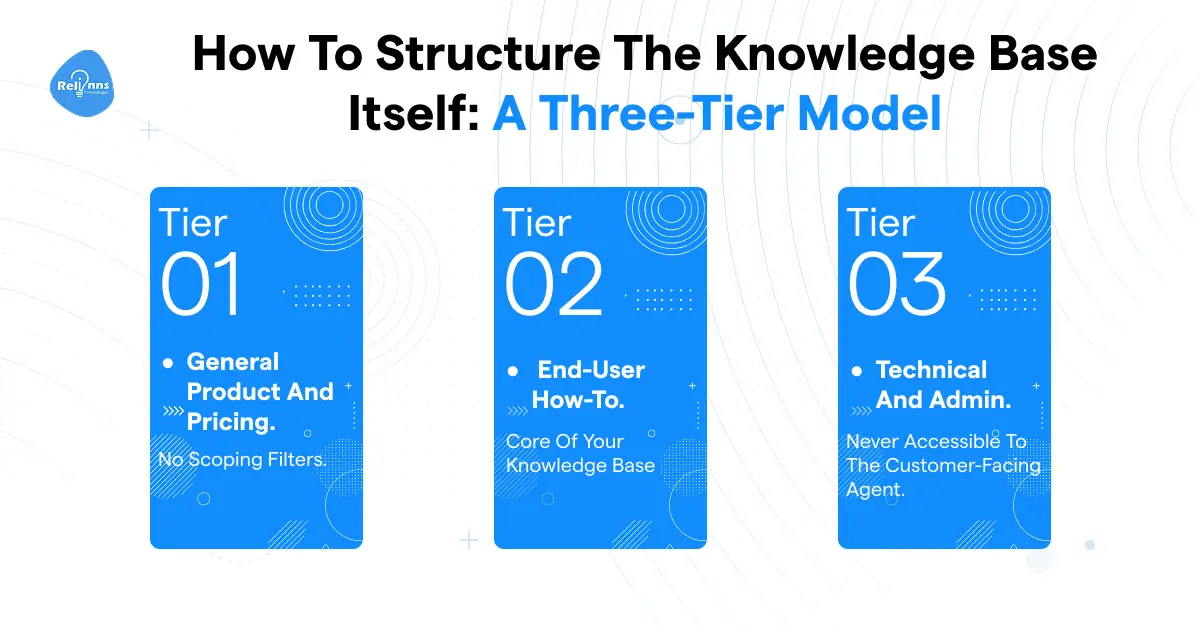
The failure mode is flat structure. Every document in your Voice AI Knowledge Base competes for retrieval on every call. A 4,000-chunk KB where only 50 chunks matter for any caller gives the retriever 80x more noise.
The fix is tiering.
Tier 1: General product and pricing
Public-facing facts any caller might ask. Tag audience: all. No scoping filters.
Tier 2: End-user how-to
Procedures for the standard caller, scoped by product and region. 70–80% of retrieval traffic flows through here in most deployments. It's the core of your voice agent knowledge base.
Tier 3: Technical and admin
Configuration, edge cases, integrations. Tag audience: admin. Only retrieved after the agent confirms the caller is an admin via a dynamic variable collected earlier in the call.
Internal runbooks and engineering notes go in a separate KB. Never accessible to the customer-facing agent.
For AI in insurance deployments, add a compliance tier between Tier 2 and Tier 3. Policy terms and claims procedures get their own audience tag, retrieved only after caller identity is confirmed.AI in life insurance adds a separate layer for beneficiary content. In regulated industries, KB tiering is a compliance requirement.
Best Practices Once the Knowledge Base Is Live
- Keep agent instructions out of the KB.
The KB supplies information. Behavior belongs in the prompt. Mix them and the retriever starts surfacing instruction content when a caller asks something factual. - Write headings the way callers speak.
"Turn on two-step login" retrieves on a spoken query. "Configure two-factor authentication" doesn't. Your Voice AI Knowledge Base matches against natural speech, not search bar language. - Make every chunk self-contained.
Replace every pronoun with the full product name. Don't write "if you're using the admin console" once and assume it carries through five steps. Each chunk in your voice agent knowledge base gets retrieved without its neighbors. It needs to make sense independently. - Build a FAQ override layer.
When call logs show the agent answering something wrong, don't rewrite the source document. Add a FAQ entry: the exact question, the exact answer you want. FAQs are a governance mechanism, not extra content. Use them for pricing, policies, and legal disclaimers where you need the exact answer every time. - Debug hallucinations from the retrieval log, not the transcript.
The transcript shows what the agent said. The retrieval log shows why. Capture chunks, similarity scores, and metadata filters on every call. Most hallucinations trace back to a ranking problem, not a generation one. - Upload structured data as separate CSV files, not embedded tables.
Pricing tiers, service areas, SKU lists. A table cell split from its column header retrieves as nonsense. The Voice AI Knowledge Base handles prose and structured files cleanly. Markdown tables don't survive the chunking pipeline.
Common Pitfalls and How to Avoid Them
- Dumping the entire help centre into one KB.
A 4,000-chunk Voice AI Knowledge Base where 50 chunks are relevant for any given caller gives the retriever 80x more noise than a focused 500-chunk KB. It can't tell what matters for this call. Build narrow KBs per workflow and attach them at the node level. - Patching hallucinations in the prompt.
When the agent says something wrong, the reflex is to add "do not say X." Three of those and the prompt starts contradicting itself. Patch the source, not the prompt. Either a chunk suggested the wrong answer, or missing content forced a fallback to training data. Teams comparing custom AI vs off-the-shelf AI hit this faster with off-the-shelf platforms, where source-level access is restricted. - Over-retrieving.
Setting chunks to retrieve at 10 because more context feels safer is wrong. Each extra chunk adds tokens and milliseconds. Stay at 3 for standard support content. - Treating your voice agent knowledge base like a chatbot KB.
WhatsApp AI agents, text chatbots, and voice agents have different latency ceilings, different query phrasing patterns, and different consequence windows. A KB built for WhatsApp won't perform the same on a phone call. Chunk size, heading language, and retrieval thresholds all shift by channel. Don't copy-paste across them. - Not re-testing after source updates.
Adding one document changes the retrieval landscape for every existing query. A chunk that ranked first yesterday may rank third today. Keep your 50-question test set automated and run it after any meaningful update to your Voice AI Knowledge Base.
What to Do Next
The Voice AI Knowledge Base architecture in this guide works. Teams who ship it correctly get voice agents that refuse to hallucinate, not agents that sound confident while being wrong. That's the actual goal.
If you're building in-house, the adjacent decisions (prompting, LLM selection, latency, telephony) all have links woven into the steps above. Use them.
If you're still deciding whether to build or buy, read the custom AI vs off-the-shelf AI breakdown before you commit. Off-the-shelf platforms get you running faster. A custom-built voice agent knowledge base gives you the source-level control that regulated industries and complex deployments actually require. That tradeoff is worth understanding before you pick a platform.
And if you'd rather have a team audit or build the KB architecture for you, the best AI consulting firms and top machine learning consulting companies lists are a good starting point.
Your Voice AI Knowledge Base is only as good as the team that structures it.