AI Voice Agent Regression Testing: The Complete 2026 Guide
Date
Aug 31, 26
Reading Time
8 Minutes
Category
AI Voice Agents
Share


TL;DR
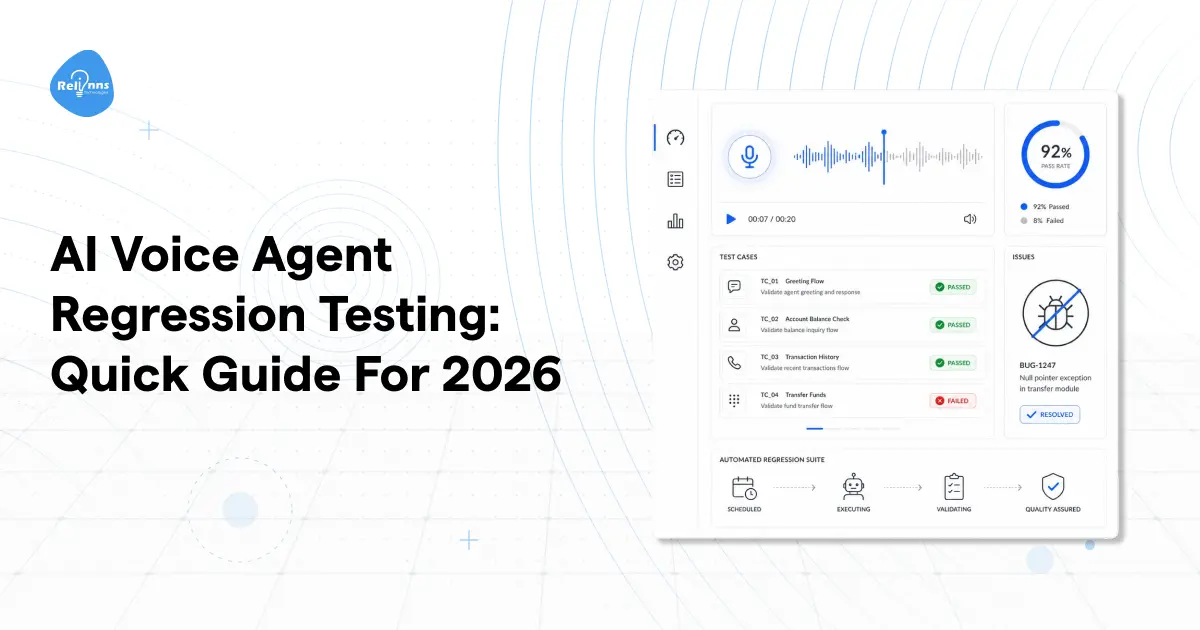
- Voice agent regression testing detects when previously working behavior starts drifting.
- Test after prompt, LLM, ASR, TTS, integration, or provider-side changes.
- Baseline task completion, WER, latency, barge-in, escalations, and compliance behavior.
- Replay real audio and compare results by accent, device, and call flow.
- Add every discovered failure to the permanent test suite before shipping again.
Most teams ship a voice agent, run it through QA, and call it stable. The tests passed. The system works.
Then someone changes four words in a prompt. "How can I help you today?" becomes "What can I help you with?" Same meaning, same agent. Two days later, booking completion drops 12%. The new phrasing triggered a different intent classification path, so the agent started asking for the appointment type before collecting the date. Users who'd been booking smoothly for months suddenly had to repeat information.
Nobody introduced broken code. The system passed voice agent testing last week. And something still broke.
Passing a test and staying stable are two different things. That gap is what voice agent regression testing is built to close.
AI voice agents run on layered probabilistic models. They don't self-correct when something drifts. Unlike human agents who pick up on caller confusion mid-conversation and adapt, a voice agent just keeps executing the wrong path at scale. Voice agent regression testing exists because the scale makes the damage invisible until it's already cost you something.
So what exactly is a regression, and why is voice so uniquely prone to it?
This Isn't a Bug. It's Something That Used to Work.
A regression isn't a new failure. It's a failure in something that used to work. That distinction matters more than it sounds.
Standard voice agent testing checks whether a system handles expected inputs correctly at a given point in time. Voice agent regression testing asks a harder question: Did this system's behavior change after this update? Not pass/fail. Not binary. You're tracking behavioral drift on a spectrum, and that spectrum is what makes it slippery.
Voice agent failure is never clear and obvious. A response might be semantically correct but arrive 400ms slower. That doesn't look like a failure in a test log. But a caller sitting through two seconds of silence before the agent responds experiences it as a broken system.
This is where the stack creates the problem. When you build a voice agent, you're layering ASR → NLU → LLM → TTS. A small drift in ASR changes the transcript. That changed transcript fires the wrong intent. That intent takes the dialogue down a path nobody has tested. By the time the caller notices something is off, the root cause is three layers back.
The full-voice AI stack is exactly why voice agent regression testing isn't about checking a single model in isolation. It's about catching where a change at one layer cascades through everything downstream.
The stack creates the vulnerability. But what actually triggers a regression in the first place?
Five Changes That Look Harmless and Break Everything
These are the five triggers that most often come up in voice agent regression testing. None of them looks dangerous when you make them.
The prompt edit catches most teams off guard. It doesn't feel like a system change. It feels like copy editing. But how you write a voice agent prompt directly controls intent classification, and a single rephrasing can silently reroute thousands of calls.
LLM version bumps are the other quiet killer. You often don't trigger the update yourself. The provider does. And suddenly, the agent handles edge cases differently, skips a step in a regulated flow, or starts refusing requests it handled fine the day before. Your provider's model update counts as your regression event, too. Most teams don't treat it that way.
Voice agent regression testing needs to cover provider-side changes, not just your own code pushes. Voice agent stress testing scoped only to internal deployments misses four out of five of these triggers entirely.
Any of these can start a regression. But where it actually shows up in a live conversation is a different question. Four failure modes account for most of the production damage.
Four Places a Voice Agent Breaks Without Telling You
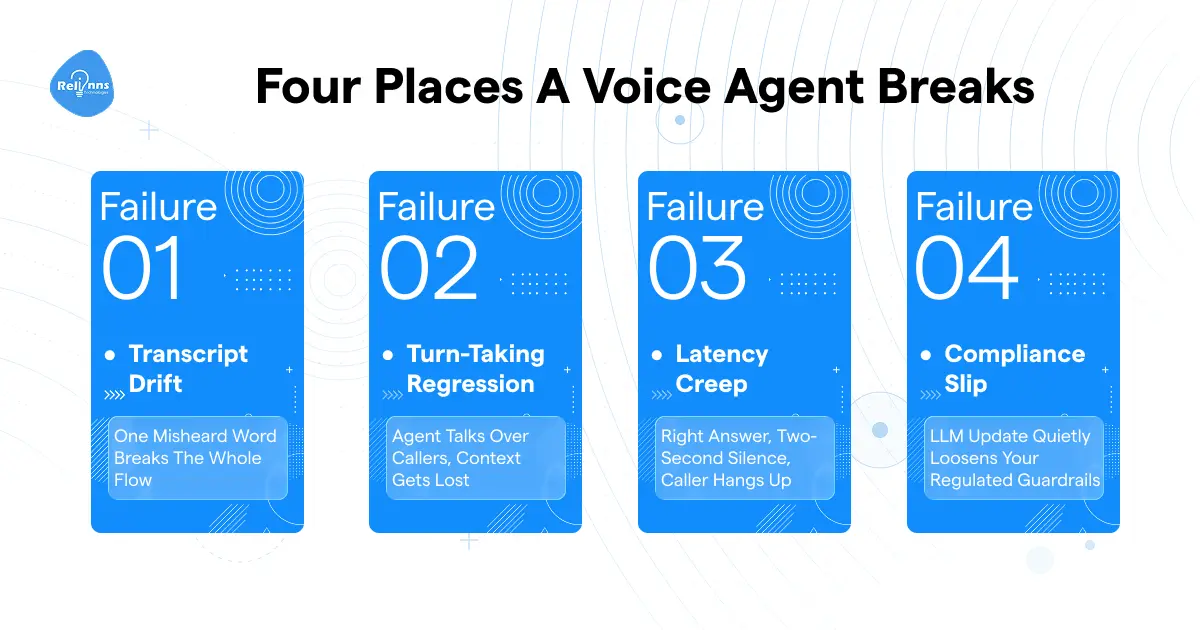
Regressions don't announce themselves. They show up as degraded metrics, confused callers, and support tickets that take a week to trace back to a change you made 10 days ago. Four failure modes account for the bulk of what voice agent regression testing actually catches. Standard voice agent testing in isolation usually misses at least two of them.
Turn-taking regression
Barge-in handling breaks, and the agent keeps talking over the caller. Or the opposite: it starts cutting off mid-response because turn detection got oversensitive after an update. Both versions erode the caller's trust quickly, and frustration compounds because callers who interrupt are often already annoyed before the call even starts.
Latency creep
The answers are correct. The logic is fine. But the agent takes 2.2 seconds to respond, down from 0.8.
"A voice agent that gives the right answer after a long pause behaves like a failure in a live call."
The caller doesn't experience correct reasoning. They experience silence and assume something broke. Latency in voice AI is a usability issue, not just a performance metric.
Compliance slip
An LLM version update loosens a guardrail. The agent starts surfacing information that it had previously blocked. In healthcare or insurance, that's a liability, not just a bug. Guardrail checks belong in every post-update test run. HIPAA-compliant voice agents are particularly exposed here, and healthcare deployments tend to feel this one hardest because the stakes of a missed guardrail are highest.
The same logic applies one layer up. A slightly worse ASR transcript can quietly misroute a call without ever throwing an error, and catching that kind of drift as it happens is a monitoring problem more than a testing one.
Voice agent regression testing catches all four of these. But only if you have something concrete to compare the current build against. That's what a baseline actually is.
Most Teams Skip This Step. That's Why They Miss the Drift.
Most teams skip this step. And it's the reason voice agent regression testing produces noise instead of a signal when a change lands.
A baseline isn't a screenshot of a passing test. It's a documented snapshot of how your agent behaves across critical call flows, captured before any changes go out. A passing test confirms behavior at one moment. A baseline gives you something to measure drift against over time. Those are different things.
The honest reason teams skip it: the first deployment worked, and nobody stopped to write down what "working" looked like. So when performance degrades three months later, there's nothing to compare against. Voice agent testing without a baseline is just running checks and hoping the results feel right.
Building out your voice agent's knowledge base informs exactly what scenarios your baseline should cover. Start with the call flows your agent handles most often.
Your minimum baseline should include:
- WER threshold per acoustic condition
- Task completion rate per critical call flow
- P95 latency across pipeline stages
- Escalation and transfer-to-human rate
- Barge-in context loss rate
The baseline becomes more valuable as call volume grows. At 100 calls a day, a 5% drop in task completion is 5 calls. At scale, it's thousands of failed interactions before anyone connects it back to a change made two weeks ago.
Once the baseline exists, voice agent regression testing becomes a defined process rather than a judgment call. Here's what that looks like in practice.
What a Regression Test Actually Looks Like in Practice
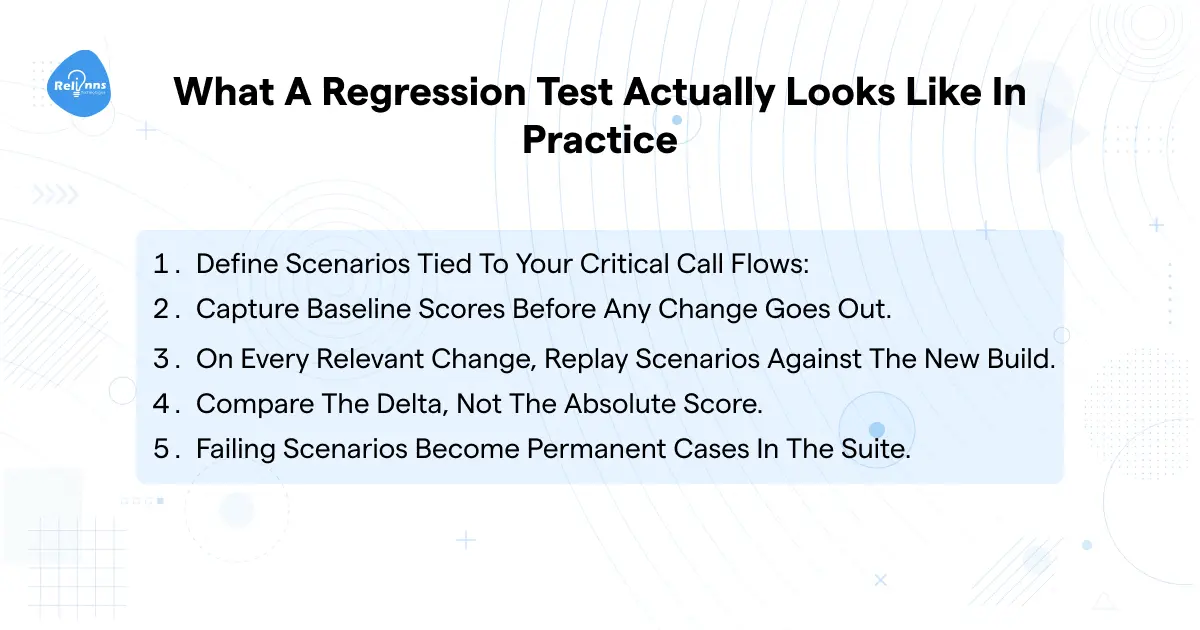
The process isn't complicated. Once your baseline exists, voice agent regression testing follows a repeatable pattern.
- Define scenarios tied to your critical call flows: booking, payment recovery, escalation, and FAQ. Inbound and outbound flows have different regression surfaces, so treat them as separate scenario sets. A customer service agent and a lead qualification agent both need their own scenario libraries.
- Capture baseline scores before any change goes out. ASR accuracy, task completion, P50/P90/P95 latency, and barge-in handling. Write it down.
- On every relevant change, replay scenarios against the new build. Not selectively. Every change that touches the stack.
- Compare the delta, not the absolute score. This is the core principle behind voice agent regression testing. A 2-point ASR drop on noisy-mobile callers is a flag, even if overall WER still looks acceptable.
- Failing scenarios become permanent cases in the suite. Every production failure you catch is a test you didn't have. Add it.
Trigger a regression run on:
Prompt edit / LLM version bump / ASR or TTS provider change / any integration update / post-deployment production anomaly
Voice agent testing isn't the hard part once this process is in place. Running the suite takes minutes. Knowing which numbers actually mean something is where most teams get stuck.
The Numbers That Tell You the Agent Drifted Before Users Do
Not all metrics are equally useful in voice agent regression testing. These six are the ones that actually move when something breaks.
WER is the most misread metric on this list. If you have multilingual or accent-diverse callers, global WER will look fine even as a specific cohort degrades badly. Always break it out by acoustic condition and caller profile, not just overall.
"Overall, WER can stay flat while a specific accent or device cohort silently fails. Averages hide the worst user experiences."
Task completion is the most honest signal you have. It doesn't care about individual steps in the dialogue. It asks whether the call did what it was supposed to do. In ecommerce, that's cart recovery or order confirmation. The threshold shifts vertically, but 85% is a reasonable floor before you start investigating.
The compliance signal row is the one most teams skip until an incident forces the conversation. In insurance, a guardrail that loosens after an LLM update is a regulatory event, not just a product bug. Voice agent monitoring belongs in your regression scope before something goes wrong, not after.
Voice agent regression testing that only watches global averages misses the failures hitting specific cohorts. Voice agent testing broken down by accent group, device type, or call flow is the difference between catching something in your test suite and catching it in your support queue.
The metrics exist to tell you when something drifted. But most teams still manage to miss the signal. Five mistakes keep coming up.
What Teams Get Wrong When They Finally Start Testing
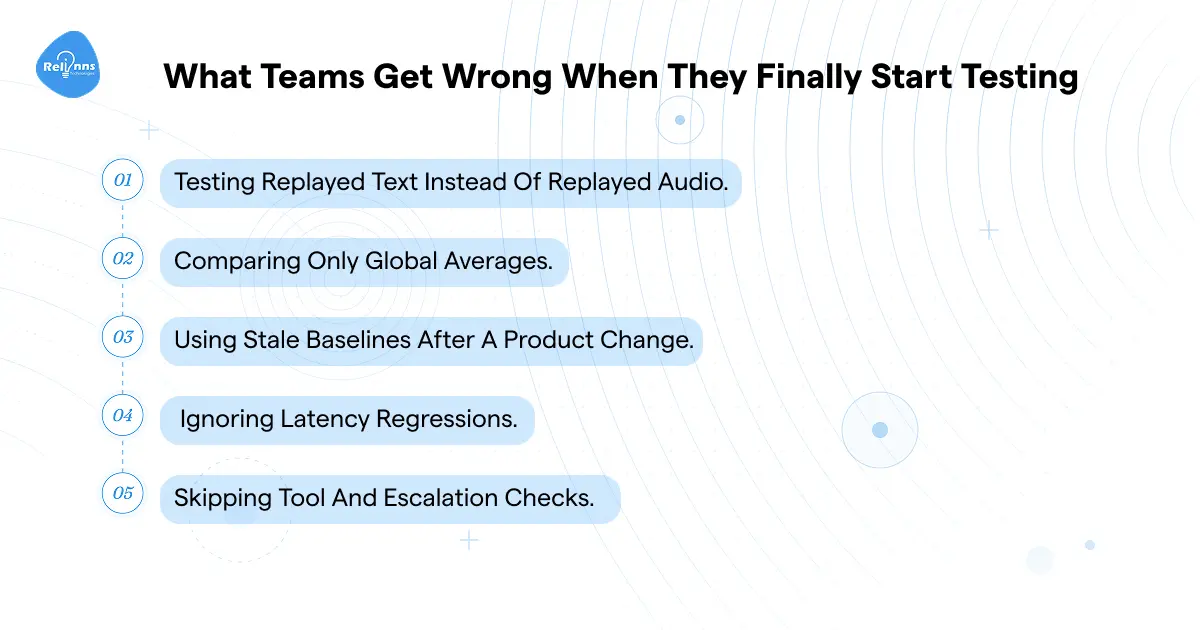
Most teams eventually build some form of voice agent regression testing. The mistakes they make when they start are pretty consistent.
1. Testing replayed text instead of replayed audio.
The most common setup mistake. Text replay misses entirely: ASR accuracy, codec issues, and endpointing problems. Everything that happens in the audio pipeline before transcription stays invisible. Getting that audio layer right is a prerequisite for any result to mean anything.
2. Comparing only global averages.
A system-level WER of 8% can mask a 22% WER on mobile callers in a noisy environment. Cohort-level breakdowns are where real failures hide.
3. Using stale baselines after a product change.
A new call flow needs a new baseline. Keeping old thresholds and suppressing alerts isn't testing; it's just hiding the problem.
4. Ignoring latency regressions.
Correct answers delivered at 2.5 seconds feel broken to the caller. This one gets skipped because it doesn't appear as a failure in the test log.
5. Skipping tool and escalation checks.
Good transcription doesn't mean the agent picked the right action. Switching TTS or ASR providers without re-checking downstream tool selection is exactly where this mistake lands.
Voice agent testing at a surface level, without covering these five gaps, misses most of what matters in production. Voice agent regression testing done right closes all five.
Before shipping any change to a voice agent:
- The regression suite has run against this build
- Baseline covers every call flow this change touches
- Latency tracked at P50, P90, P95, not average
- Escalation and compliance behavior verified
- Every new failure is added to the permanent test suite