10 Tips to Make AI Voice Agents Sound More Human
Date
Sep 02, 26
Reading Time
13 Minutes
Category
AI Voice Agents
Share


TL;DR
- Natural AI voice comes from more than a good TTS model: conversational scripts, scenario-specific tone, pacing, pronunciation, and caller context all matter.
- Write prompts and fallback lines as spoken language. Use contractions, shorter sentences, and phrasing a real person would use.
- Match the voice and delivery to the use case: healthcare needs calm patience; logistics needs concise clarity; financial calls need authority.
- Tune pauses, turn-taking, pitch, and pronunciation before launch. One mispronounced medication, policy, or brand name can damage trust quickly.
- Test calls with people who did not build the agent, then use abandonment, escalation, and post-call sentiment to find what still feels robotic.
- Do not chase “perfectly human.” Aim for a voice experience that feels trustworthy, understands context, and knows when to hand off.
Your AI voice agent has only a few seconds to earn trust. If the timing feels off, the pauses feel unnatural, or every word carries the same weight, callers quickly sense that something is robotic.
The goal is not simply to make AI voice sound human. The goal is to make the voice feel natural enough for the caller to stay, respond, and complete the task, whether that means booking an appointment, checking a claim, confirming a delivery, or speaking to support.
This guide focuses first on live AI voice agents, where timing, turn-taking, fallback phrases, pronunciation, and backend context matter most. It also includes a few voice generator tips that help improve naturalness.
Why AI voices still sound robotic in 2026
The technology has gotten good. Really good. But "technically correct" and "sounds natural" are still two different things, and most deployments confuse the two.
Prosody is the gap. It's the rhythm, stress, and timing of speech that tells a listener what you mean beyond the words themselves. A human saying "the appointment is confirmed" sounds different from the same human saying it to someone who's been on hold for 12 minutes. The words are identical. The delivery is not. AI models, unless trained and configured carefully, flatten all of that into one even, pleasant, unconvincing tone.
The tips in this post aren't general advice. Each one targets a specific failure point, from how you write the script to how your agent handles silence when a caller stops mid-sentence.
Why does my AI voice agent still sound robotic even after adjusting the settings?
Because settings fix symptoms. The actual problem is usually one of three things: the script reads like it was written for text, not speech; the voice model isn't suited to your use case or caller demographic; or the agent has no context about who it's talking to, so every response sounds generic.
Tweaking responsiveness or turning on backchanneling helps at the edges. But if the underlying prompt is written in formal complete sentences, and the agent doesn't know the caller's name or reason for calling, it will still sound robotic, regardless of what the settings say.
The tips that fix this are in the first 4 tips of the next section, and the backend context section toward the end.
10 Tips To Make Your Voice Agent Sound More Human
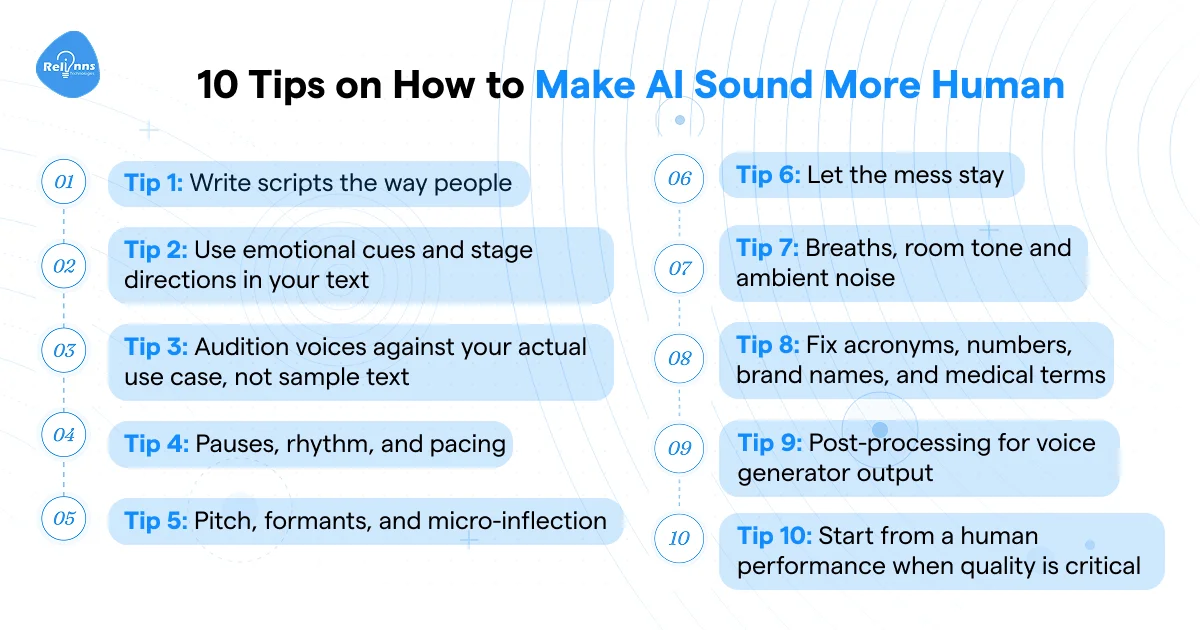
Tip 1: Write scripts the way people talk
Most AI voice problems start here, not in the settings.
The script is upstream of everything. If your text reads like a terms-and-conditions page, no amount of voice tuning will save it. Creators in the r/aitubers community on Reddit put it well: script writing is 80% of the battle for natural-sounding AI voiceovers.
The fix is simple. Use contractions. "I'm" instead of "I am." "It's" instead of "It is." Write short sentences. Let fragments breathe. A real person doesn't speak in long, perfectly structured paragraphs, and your agent shouldn't either.
For agent builders specifically, this isn't just about pre-written scripts. Your system prompt is a script. Your fallback responses are scripts. If those are written in formal, complete sentences, the agent will sound stiff regardless of which voice model you pick.
Read it aloud before you ship it. If it feels awkward when you say it, the agent will feel awkward when it delivers it.
Tip 2: Use emotional cues and stage directions in your text
AI voice models take direction. Most people just don't give them any.
You can emphasize specific words with ALL CAPS and most neural voice models will stress them naturally. Some platforms support explicit emotion tags like [excited] or [calm] directly in the text. Varying sentence length also pulls weight here: a short sentence after two longer ones naturally lands with more gravity.
But for voice agents, this goes deeper than word-level tweaks. Your prompt needs to specify tone per scenario, not just task. A collections reminder and an appointment confirmation are both "informational." They should sound nothing alike.
A collections call needs calm, clear, and slightly firm. An appointment confirmation for a clinic should sound warm and unhurried. A delivery status update should be fast and factual. If your system prompt doesn't distinguish between these registers, your agent won't either. It'll pick one default tone and apply it everywhere, which is exactly what makes it sound robotic.
What tips 1 and 2 look like in practice
Here's a before/after of a system prompt for a healthcare receptionist agent. Same task. Very different delivery.
Before:
"You are a virtual receptionist for Greenfield Medical Centre. Your role is to assist patients with appointment scheduling, provide information about clinic services, and direct queries to the appropriate department. Please respond in a professional and helpful manner at all times."
Technically fine. Sounds like a job description. The voice agent will deliver every response in the same polite, flat, corporate tone whether a patient is calling to book a routine check-up or calling back for the third time because their results still haven't arrived.
After:
“You are the front desk receptionist at Greenfield Medical Centre. You're warm, patient, and calm, even when callers are stressed or confused. For routine bookings, keep your tone friendly and efficient. For callers who sound anxious or are following up on test results, slow down, use the patient's name, and don't rush to fill silence. Never use formal language like 'I am unable to assist.' Say 'I can't pull that up right now, but let me help you find the right person.'”
Same agent. Same voice model. Completely different caller experience.
The second version tells the agent not just what to do, but how to sound doing it. That's the difference between an agent that completes tasks and one that callers actually trust.
Tip 3: Audition voices against your actual use case, not sample text
Most platforms give you a demo clip to audition voices. Ignore it. The demo is optimized to sound impressive. Your use case is not a demo.
Pull 10 lines from your actual script, including the awkward ones, the long ones, and the ones with numbers or proper nouns. Run every voice candidate through those. That's your audition. Expect to test 20 or more before you find one that holds up across the full range of your content.
The model matters too. Neural and premium voice models handle prosody and emotion far better than older TTS engines. If your platform is still running a non-neural voice, that's where the robotic quality is coming from, not the script.
Which voice works for which industry
This is the question nobody in the "making AI sound more human" conversation actually answers. Voice selection gets treated as a personal preference. It isn't. The right voice for your use case depends on what your caller needs to feel in order to take action.
Healthcare and mental health: Warm, measured, unhurried. Callers are often anxious. A fast, upbeat voice reads as dismissive. Give them something that slows down and doesn't fill every silence immediately.
QSR and quick commerce: Short, upbeat, decisive. These callers want confirmation fast. A warm, conversational tone wastes their time. Get to the point.
Insurance and lending: Clear, calm, authoritative. The caller needs to trust that the agent knows what it's talking about. Any hesitation or overly casual tone and the credibility drops. This is also one of the contexts where a slight formality actually helps.
Logistics and courier: Neutral, factual, efficient. The caller wants a status update, not a relationship. Keep it tight. Any warmth here reads as filler.
The wrong voice in the wrong context doesn't just sound off. It signals to the caller that whoever built this didn't think about them specifically. And that's exactly the kind of detail that separates a production-grade deployment from a proof of concept someone is still maintaining.
Does an AI voice agent need to sound perfectly human to work?
No. And chasing "perfectly human" can actually backfire.
In financial services and healthcare particularly, some callers feel more comfortable knowing they're talking to an AI. There's no judgment, no impatience, and the interaction is on record. The bar isn't human-sounding. It's trustworthy enough to complete the action, whether that's confirming an appointment, paying an EMI, or checking a claim status.
Naturalness is a means to trust. Don't confuse the two.
Tip 4: Pauses, rhythm, and pacing
Pacing is the most noticeable giveaway. Not the voice quality, not the vocabulary. The timing.
AI defaults to uniform spacing between sentences. Real speech doesn't work that way. A short beat after a key number lands differently than the same beat after a routine greeting. That variation is what makes speech feel alive.
For voice generators, you control this through punctuation. Commas force micro-pauses. Ellipses stretch them. A period followed by a new short sentence creates a natural stop. After generating, go into your editor and manually adjust the silence regions. Some pauses should be longer. Some shorter. The asymmetry is the point.
For agent builders, this translates to response latency and turn-taking settings. In platforms like Retell AI, responsiveness controls how quickly the agent replies after a caller stops speaking. Set it too fast and the agent feels like it's not listening. Too slow, and callers fill the silence by repeating themselves. The right setting depends on your use case. A QSR ordering agent should be snappier. A healthcare receptionist should breathe a little more.
Tip 5: Pitch, formants, and micro-inflection
This one is more relevant if you're producing voice content than running a live agent, but it's worth understanding either way.
Flat pitch is the "GPS voice" problem. Every phrase delivered at the same tonal level, regardless of what it's saying. Humans naturally drop pitch at the end of statements, raise it slightly mid-thought, and compress or expand it on words that carry emotional weight.
For voice generator work, tools like Little AlterBoy or Dialogue Contour let you automate pitch curves across a phrase. The most effective method is recording yourself reading the same lines and comparing phrase by phrase. Then nudge the AI's pitch and timing to match your natural delivery. It sounds tedious. It produces noticeably better output.
For agent platforms, some expose formant and pitch controls at the voice level. Most don't. But if your platform lets you adjust these, test them on emotionally loaded lines first, like a payment reminder or a claim status update. Those are the moments where flat delivery costs you caller trust the fastest.
Tip 6: Let the mess stay
Corporate polish is the enemy of natural speech.
Real people self-correct. They add informal asides. They say "the thing is" before making a point. A voice that sounds like it was written by a legal team will never sound like a person, no matter how good the underlying model is.
This doesn't mean making your agent sound sloppy. It means resisting the urge to over-clean. Leave in the occasional informal phrase. Write "look, here's what I can do" instead of "I would be happy to assist you with that." Let a sentence end a little abruptly sometimes.
For agent builders, audit your fallback responses specifically. Those are usually the worst offenders. Phrases like "I'm sorry, I didn't quite catch that. Could you please repeat your query?" are the exact lines that make callers realize they're talking to a machine. "Sorry, I missed that. Can you say it again?" does the same job and sounds like a person.
Tip 7: Breaths, room tone, and ambient noise
Silence is uncanny. Not the dramatic kind, the acoustic kind.
A voice with zero background noise doesn't sound clean. It sounds wrong. Human speech always exists inside a physical space. There's a room. There's air. There are micro-sounds the brain uses as proof of physical presence. Strip all of that out and you're left with something technically perfect and perceptually fake.
For voice generator work, layer short breath samples before or after sentences at low volume. Add a room tone track around 30 dB below the voice. Keep it subtle. The goal isn't audible background noise, it's the absence of total silence.
For agent platforms, tools like Retell AI have a background noise setting that handles this directly. The "office" or "call center" preset adds light environmental sound that puts the agent in a physical space. The principle behind it is simple: callers trust what feels real, and real environments make noise. Start at low volume and test against your actual caller demographic before going live.
How do I know if my AI voice agent sounds human enough?
Stop asking colleagues who built it. They've heard it too many times.
Here's a measurement framework that actually tells you something:
- Caller abandonment rate before the first CTA. If callers are dropping off before the agent even reaches its first ask, naturalness is likely the problem, not the script logic.
- Escalation-to-human rate on calls where the agent handled the opener. A spike here means callers lost confidence early.
- Post-call CSAT or callback sentiment. Even a one-question post-call SMS gives you signal.
- The cold listen test. Play a call recording to someone who didn't build it and has never heard it. Don't tell them it's AI. Ask what they thought of the person they heard. Their reaction in the first 10 seconds tells you more than any internal review.
The last one is free, and most teams never do it.
Tip 8: Fix acronyms, numbers, brand names, and medical terms
This is the one that destroys trust fastest. And it's completely preventable.
When an AI voice agent mispronounces a medication name, a policy product, or a carrier brand, the caller stops trusting everything it says after that. It doesn't matter how natural the pacing is or how warm the tone sounds. One wrong pronunciation signals that whoever built this didn't think carefully about the people it's talking to.
AI voice models stumble on acronyms, technical terms, and proper nouns because they weren't trained on your specific vocabulary. The fix is straightforward: write them the way they're meant to be spoken. "U-S-A" instead of "USA" when you want individual letters. "Twenty twenty-six" instead of "2026." "Ten-thirty p.m." instead of "10:30 PM."
For agent platforms, most give you a pronunciation dictionary. Use it. This is especially non-negotiable in healthcare, insurance, and logistics, where your agent will regularly say medication names, policy product names, and courier service names that generic models get wrong.
A dermatology clinic tracked by GrowwStacks saw a 42% reduction in call escalations after configuring correct pronunciation for 58 medication names and skin conditions their previous AI agent consistently mispronounced. That's not a voice quality win. That's a trust win. And trust is what converts callers.
For realistic pronunciation of complex terms, build your dictionary before you go live, not after complaints come in.
Tip 9: Post-processing for voice generator output
This section is specifically for voice generator work. If you're running a live voice agent, post-processing doesn't apply to real-time calls. Skip ahead.
For generated audio, three things make a meaningful difference without tipping into over-processed territory.
Light compression smooths volume variation and makes the recording feel like it was captured in a controlled environment rather than rendered by a machine.
A gentle EQ pass removes whatever harshness or muddiness the specific voice model introduces. Every model has its own sonic fingerprint and a quick high or low shelf often cleans it up significantly.
Subtle room reverb puts the voice in a physical space. Not a cathedral, not a bathroom. Just enough that it doesn't sound like it was generated in a void.
Keep all three effects minimal. Heavy processing doesn't sound polished. It sounds processed. And processed is its own version of robotic.
Most teams spend weeks tuning the voice and almost no time on what the agent actually knows. That's backwards. A well-configured agent with no caller context will always feel robotic, regardless of how natural it sounds.
Tip 10: Start from a human performance when quality is critical
For high-stakes content where the voice needs to hold up under close listening, skip pure text-to-speech entirely.
Voice cloning and speech-to-speech conversion both start from a real human performance. An actor delivers the lines with full emotional context. The AI converts the voice identity while keeping the original timing, breath patterns, and delivery intact. What you get is naturalness that no amount of prompt engineering can replicate, because it was captured from a person, not generated from text.
This approach is more relevant for premium agent voices, high-production content, or any context where the voice will be heard repeatedly by the same audience. The actor's choices about where to pause, how to weight a word, and when to let silence sit are what make the output feel real.
Can an AI voice agent handle emotional or angry callers without sounding robotic?
Badly configured agents can't. And this is where most deployments quietly fail.
Naturalness degrades fastest at the edges. When a caller is frustrated, raises their voice, or goes off-script, most agents fall into a confused loop of repeated prompts. That loop is worse than sounding robotic. It signals complete incompetence to a caller who is already unhappy.
Backchanneling helps in neutral conversations. "Mm-hmm" and "I see" signal that the agent is listening. But they ring hollow when someone is actually angry. The most effective thing an agent can do with an emotional caller is hand off cleanly. A single, confident "let me get someone who can help you with this" delivered without hesitation sounds more human than any amount of empathy scripting. It also protects the relationship.
Build your escalation path before you build anything else. An agent that fails gracefully earns more trust than one that keeps trying.
Connect your agent to backend context
Think about the last time you called a company and the person on the other end already knew who you were, why you were probably calling, and what happened last time. The call felt different. Not because they spoke better. Because they knew you.
Your voice agent can do the same thing. When it pulls the caller's name from your CRM, knows their last appointment or order status, and understands what stage they're at in a process, the whole interaction shifts from generic to specific. And specific sounds human. Generic doesn't.
The uncanny feeling callers get from AI agents often isn't the voice quality. It's the agent responding as if it has no idea who it's talking to, even when all that information exists somewhere in your systems. A healthcare receptionist agent that greets a returning patient by name and says "I can see you've got an appointment with Dr. Ahmed on Thursday, are you calling about that?" sounds more natural than any amount of voice tuning alone.
CRM integration isn't a nice-to-have for voice agents. It's what separates a production-grade deployment from a demo.
Bonus Tip: Treat it as a production process, not a one-time setup
Most teams test the agent at launch, get comfortable with it, and never listen to it again. That's how small problems compound into real ones.
Your agent needs a review cadence, not a one-time sign-off. Pull real call recordings every two weeks. Listen specifically for where callers hesitate, repeat themselves, or go quiet. Those are the friction points. Fix only those. Don't rebuild what's working.
For voice generator work, the same principle applies. Generate short sections, listen critically, change only the lines that feel off. One creator described doing several hundred generations on a single 30-second segment before it stopped triggering the uncanny feeling. That's not obsession. That's production discipline.
The multilingual problem nobody is talking about
Every tip in this post assumes your caller speaks fluent English. Most deployments outside the US and UK can't make that assumption.
In markets like the UAE, Saudi Arabia, and Malaysia, callers routinely switch between Arabic and English mid-sentence. A generic English voice model doesn't just sound slightly off in these markets. It sounds foreign. And a voice that feels foreign to the caller creates distance before the agent says a single useful thing.
Standard tuning tips don't fix this. You can't punctuation-engineer your way to a natural Arabic-English code-switching experience. What actually works is using regional voice models, testing with native speakers before launch, and accepting that some markets need a purpose-built voice rather than an English model with adjusted settings. If you're deploying in GCC or Southeast Asia and you haven't tested with a native speaker from that market, you haven't really tested it.
What "human enough" actually means
The industry is optimising for the wrong thing.
Human-sounding is table stakes. Any decent neural voice model clears that bar in 2026. The real metric is whether the caller felt heard and left with their problem solved. A caller who books an appointment, confirms a delivery, or completes a payment doesn't care whether they detected a slight synthetic quality in the voice. They care that the interaction worked.
Stop asking "does it sound like AI?" Start asking "did the caller do what they called to do?"
That's the bar worth building toward.
If you're running into the limits of off-the-shelf voice AI solutions and need something built for your specific industry, your callers, and your backend systems, that's exactly what we do at Relinns. You focus on growing the business. We handle the build, the integrations, and everything that breaks in production.