What Are AI Agents and How Do They Work? A Complete Guide for 2026
Date
May 15, 26
Reading Time
18 Minutes
Category
AI Agents
Share


Your support team answered 400 tickets last week. Roughly 250 were "where's my order," or "what's my claim status," or something similar. A person typed or responded to every single response.
That's the problem AI agents solve.
And they go far beyond a chatbot. AI agents checks your database, finds the issue, drafts the response, and escalates if it can't close it. The whole sequence runs without a human touching it.
That's the real shift here:
Bots respond. AI agents act.
They carry memory across a conversation. They reason through multi-step problems. They call these external tools your CRM, order management system, or claims database. And they learn from outcomes over time.
Learn how AI agents work, where they fit, and how to build one.
What Is an AI Agent?
An AI agent observes its environment, reasons through the information, and takes action. Without waiting to be told what to do at each step.
That last part is what separates it from everything you've used before.
A script follows a fixed path. A chatbot responds to inputs. An AI agent pursues a goal. Give it a goal and tools. It plans the steps, adapts when conditions change, and improves with every run.
Three groups shape how any agent behaves:
- Developers build and train the underlying system, defining what it can and can't do.
- Deployers (the businesses putting it to work) configure it for a context and connect it to tools and data.
- Users set the actual goal the agent needs to accomplish
Each layer adds specificity. By the time the agent acts, it's carrying instructions from all three. That's why AI agents are flexible across industries but controlled enough to be safe.
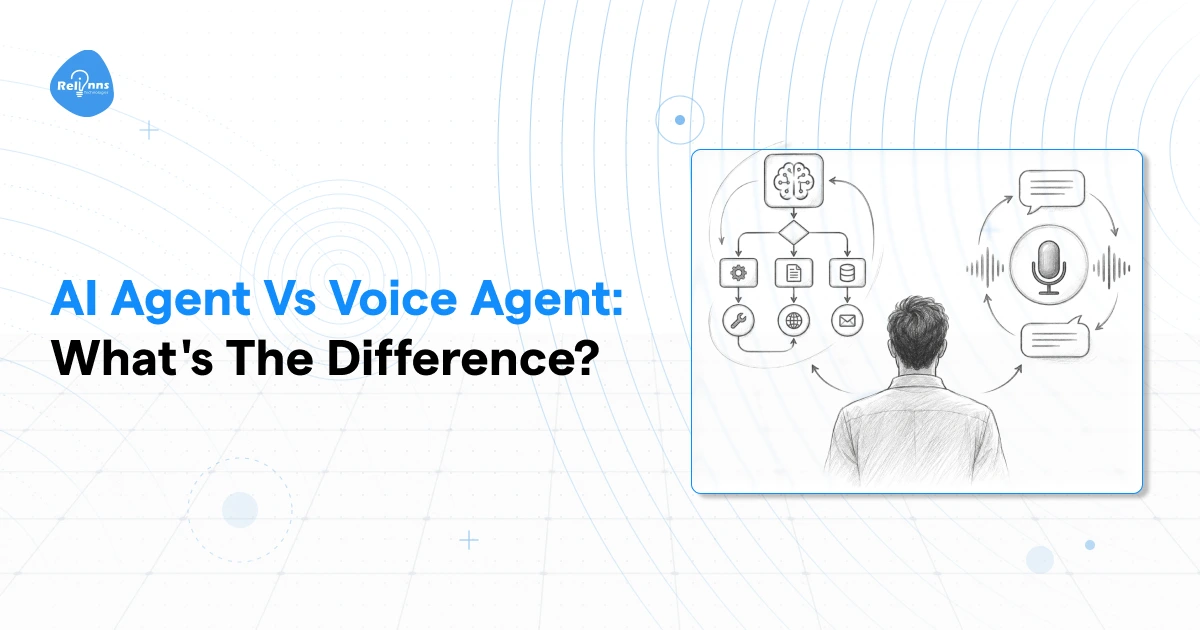
AI Agent vs AI Assistant vs Bot: What's the Difference?
People use these three terms interchangeably. They shouldn't, because the gap between them is what determines whether you're automating a task or just routing it.
A bot follows rules. It waits for a trigger, fires a pre-programmed response, and stops. No memory, no judgment, no deviation from the script. Good for simple, predictable interactions.
An AI assistant handles more complexity, but the human stays in the decision seat. It responds, recommends, and surfaces options. The user approves every meaningful action. Think of it as capable support, not independent execution.
An AI agent acts. It takes a goal, builds a plan, calls the tools it needs, and executes the full sequence with minimal hand-holding. The human sets the objective. The agent handles the rest.
| Bot | AI Assistant | AI Agent | |
| Autonomy | None | Low | High |
| Decision-making | Pre-programmed rules | Human decides | Agent decides |
| Memory | None | Limited | Short and long-term |
| Task complexity | Simple, single-step | Moderate | Complex, multi-step |
| Learning | No | Sometimes | Yes |
If your use case involves a repetitive, predictable trigger, a bot works. If your team needs help drafting or researching, an assistant fits. If you want entire workflows running without someone managing each step, you need an AI agent.
How AI Agents Evolved
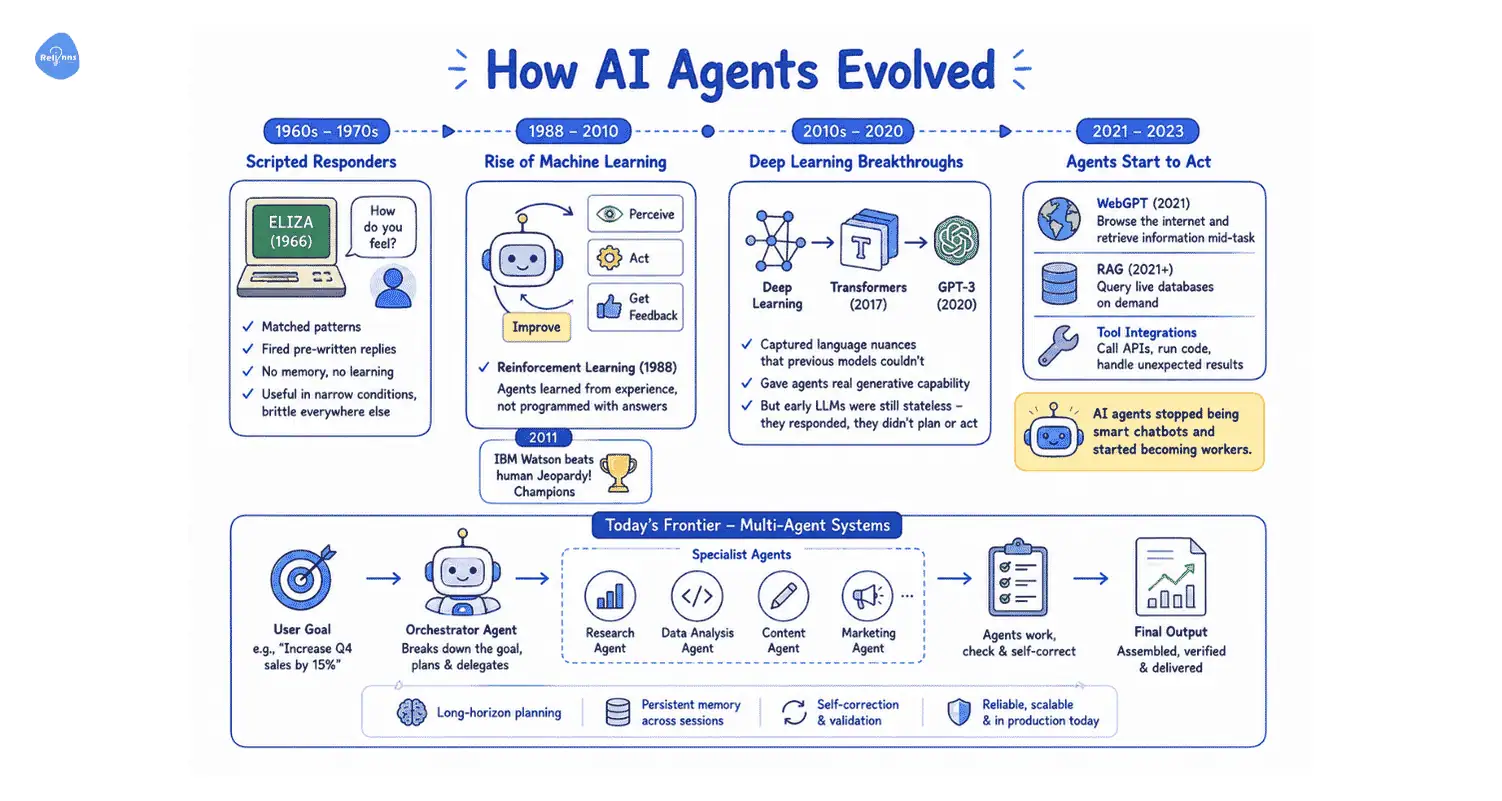
The earliest systems, like ELIZA (1966) and MYCIN (1970s), were scripted responders. They matched patterns and fired pre-written replies. No memory, no learning, no ability to handle anything outside their rulebook. Useful in narrow conditions. Brittle everywhere else.
Machine learning changed the fundamental approach. In 1988, Reinforcement learning came which allowed AI to: perceive, act, get feedback, improve. Agents stopped being programmed with answers and started learning from experience. IBM Watson beating human Jeopardy! Champions in 2011 showed what that shift could produce at scale.
Deep learning pushed further in the 2010s. In 2017, Transformers captured language nuances that previous models couldn't. GPT-3 in 2020 gave agents real generative capability. But early LLMs were still stateless. They responded. They didn't plan or act.
The real leap happened between 2021 and 2023:
- OpenAI's WebGPT could browse the internet and retrieve information mid-task
- RAG (Retrieval-Augmented Generation) lets agents query live databases on demand
- Tool integrations let models call APIs, run code, and handle unexpected results.
That's when AI agents stopped being smart chatbots and started becoming workers.
Today's frontier is multi-agent systems. Networks of specialized agents that plan, delegate, and check each other's work. An orchestrator breaks down a goal, hands subtasks to specialist agents, and assembles the final output. Long-horizon planning, self-correction, persistent memory across sessions. That's the architecture running in production right now.
How Do AI Agents Work?
You give an AI agent a goal. It figures out the rest.
That sounds simple. But the mechanism behind it is what separates a well-built agent from an expensive chatbot with extra steps.
When you set an objective, the agent doesn't execute it as a single instruction. It breaks the goal into subtasks, sequences them, and works through them. A hospital receptionist agent books appointments. It checks patient history, confirms the right doctor, verifies availability, sends confirmation, and schedules a reminder. Each step triggers the next.
Where it hits a knowledge gap, it reaches for tools. A live database call. A web search. An API query. Sometimes another specialized agent. It pulls what it needs, updates its understanding, and keeps moving. This is what makes AI agents actually useful for enterprise workflows. They operate on live data, not static training knowledge.
After acting, the agent reflects. It stores what it learned, compares outcomes against the goal, and adjusts. The agent who handled 50 appointment calls today handles the 51st better.
The Components Inside an AI Agent
Four things sit inside every agent worth deploying:
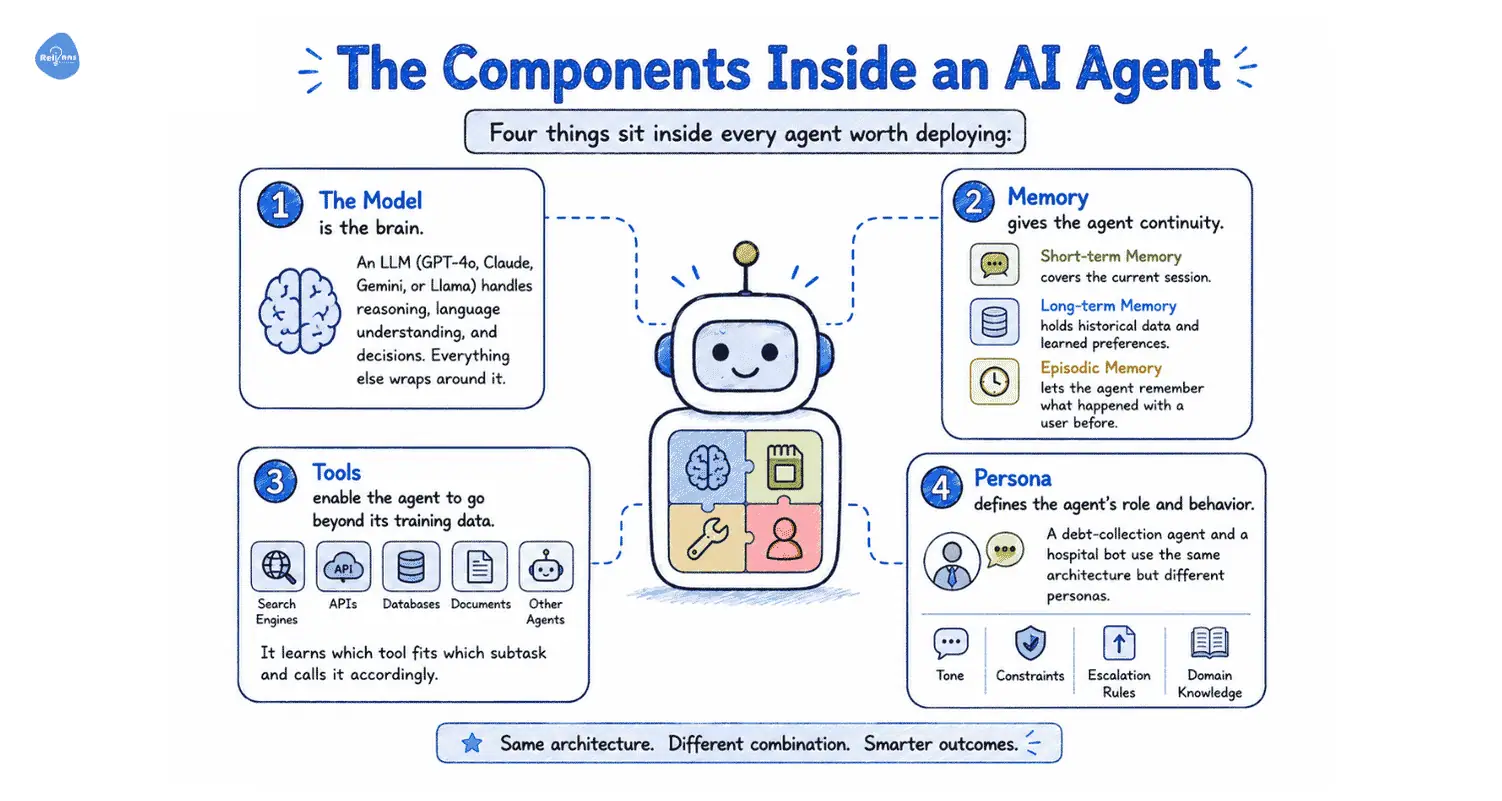
- The model is the brain. An LLM (GPT-4o, Claude, Gemini, or Llama) handles reasoning, language understanding, and decisions. Everything else wraps around it.
- Memory gives the agent continuity. Short-term memory covers the current session. Long-term memory holds historical data and learned preferences. Episodic memory lets the agent remember what happened with a user before.
- Tools enable the agent to go beyond its training data. APIs, search engines, internal databases, document repositories, and other agents. It learns which tool fits which subtask and calls it accordingly.
- Persona defines the agent's role and behavior. A debt-collection agent and a hospital bot use the same architecture but different personas. Persona sets tone, constraints, escalation rules, and domain knowledge.
How Agents Reason: ReAct vs ReWOO
Two reasoning approaches dominate production deployments, and the choice between them directly affects performance and cost.
ReAct runs a continuous loop: think, act, observe, repeat. After each tool call, the agent reassesses its plan before taking the next step. This works well for unpredictable tasks where the path forward depends on the last tool's output. Customer support, research tasks, and clinical triage routing. Anything where intermediate results shape the next move fits ReAct. The tradeoff is token usage. Each reasoning step costs compute, and complex tasks add up fast.
ReWOO plans upfront. The agent maps out its full sequence of tool calls before executing any of them, then pairs the plan with collected outputs to produce a response. No mid-task reassessment. This cuts token usage and handles tool failures more gracefully. For structured workflows like insurance renewals, order lookups, or document collection, ReWOO runs faster and costs less. Enterprise compliance teams also tend to appreciate that the plan can be reviewed before execution.
Most production systems use both, routing task types to whichever approach fits them.
What Are the 5 Types of AI Agents?
Not all AI agents are built the same. Simple agents handle straightforward tasks. Complex agents handle hard ones. Pick the right fit.
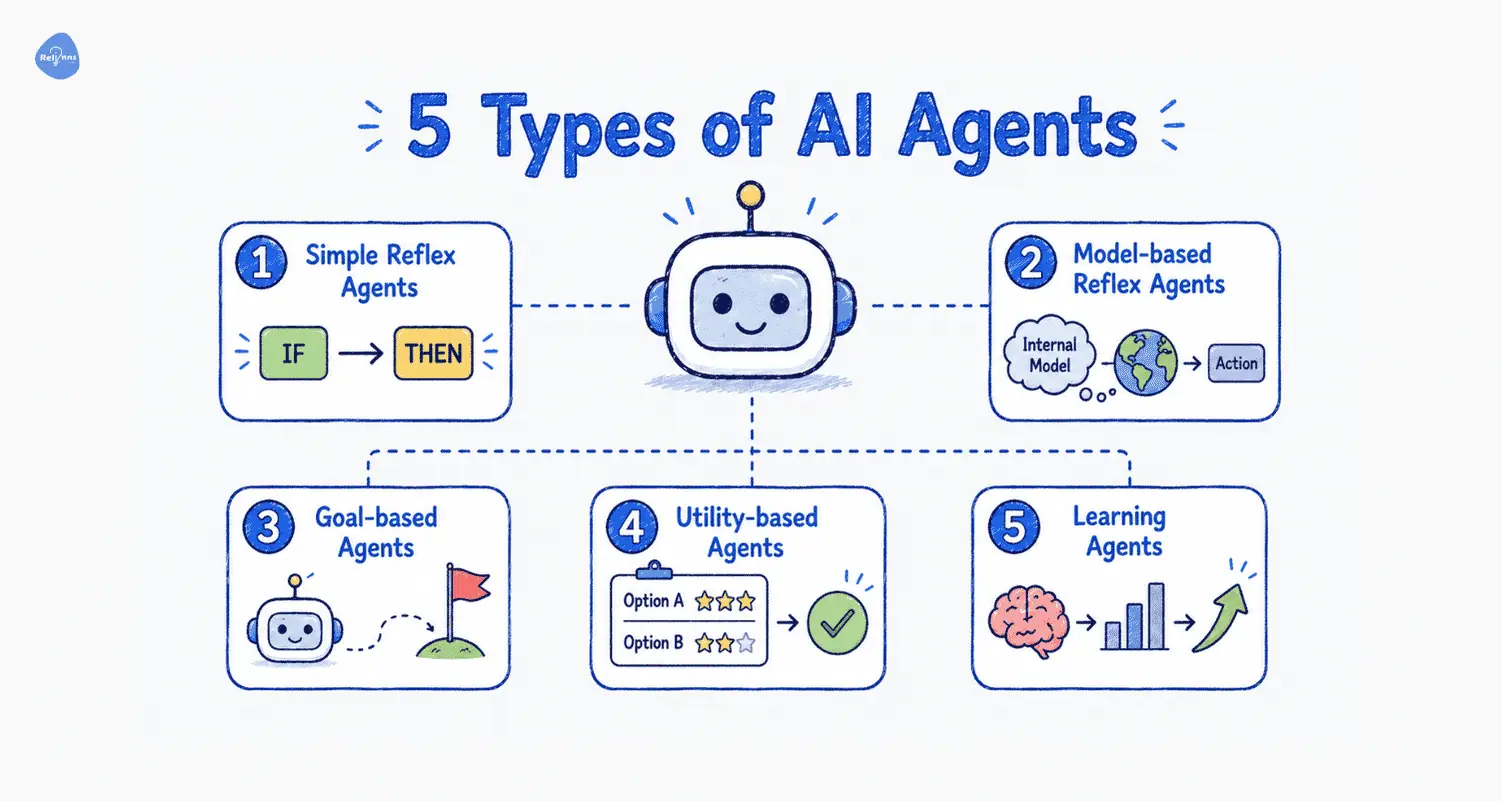
- Simple reflex agents read a condition and fire a response. No memory, no reasoning, no awareness of what happened before. A thermostat that switches heating on at 8pm is one. Fast and cheap to build, but useless the moment the environment changes in a way they weren't programmed for.
- Model-based reflex agents carry an internal picture of the world that updates as new information arrives. A robot vacuum that maps which areas it's cleaned and steers around furniture runs on this logic. Better than pure reflex, but still constrained by rules.
- Goal-based agents add planning. They know what outcome they're working toward and sequence their actions to get there. A logistics agent that calculates routes based on delivery windows and vehicle capacity is goal-based. The destination is fixed. The path is computed.
- Utility-based agents go further. Multiple routes might all reach the goal. A utility-based agent selects the option that scores highest across a set of criteria such as time, cost, and risk. Autonomous trading systems work this way.
- Learning agents sit at the top. They hold the same capabilities as the other types but improve with every cycle. New experiences feed back into the knowledge base. An ecommerce agent that learns from user behavior and improves suggestions is a learning agent. Most production enterprise deployments aim for this tier.
But How Do They Operate?
The five-type framework describes capability. This one describes deployment, and for an enterprise buyer, it's often the more useful lens.
Interactive agents
These agents interact directly with the customer or employee. They're conversational, triggered by a user message or voice input, and respond in real time. An AI receptionist books appointments. A WhatsApp agent collects KYC documents. A support bot resolves order queries. The user drives the interaction. The agent handles the execution.
Background agents
These agents run without anyone having to talk to them. They're event-driven, activated by a system trigger rather than a human request. An agent that monitors warehouse inventory and raises a replenishment order when stock drops below a threshold. An agent that scans a portfolio every hour and flags anomalies. No interface, no conversation. Just work is happening quietly in the background.
The single-agent vs. multi-agent distinction cuts across both. A single agent handles a well-defined, bounded task well. But complex workflows spanning multiple domains benefit from a multi-agent setup. An orchestrator agent manages the workflow and delegates to specialists. Each specialist runs a narrow task. The failure of a single node doesn't bring down the entire operation.
Most mature enterprise deployments combine all three. Interactive agents handle the front-facing work. Background agents run the operations layer. And below, a multi-agent architecture ensures the right specialist picks up each task.
Top 10 Tips for Building AI Agents
- You might not actually need an agent.
If your workflow is clearly defined, a simple LangChain chain or direct LLM API call will serve you far better than a full agent. Save agents for truly unpredictable problems, such as dynamic research or chatbots.
- Focus on the outcome, not the hype.
Reverse-engineer from the job you need done. Ask "what does this agent actually accomplish?" and build the simplest path to that. The agent isn't there to impress anyone.
- Start small - one task, one agent.
Your first instinct to build a mega-brain that does everything is a trap. Start simple. Fetch data, classify messages, answer from a knowledge base. Add complexity later.
- Give each LLM call a single responsibility.
One call for writing, another for translation. This makes your agent easier to test, debug, and optimize. It also reduces token costs and yields better-structured outputs.
- Always use structured output.
Force LLMs to produce JSON schemas. It saves tokens, makes data passing reliable, and stops free-form responses from breaking your pipeline. Use libraries like OpenAI's Python client for this.
- Set hard API spend limits immediately.
Agents loop more than you expect. Set max-iterations and a dollar cap per run before testing anything real. One engineer accidentally cost a client hundreds this way.
- Avoid shiny object syndrome.
New frameworks and models pop up weekly. If CrewAI or n8n gets the job done, stick with it until you have a real reason to switch. Tool-hopping means you never ship anything useful.
- Start with read-only tools first.
Limit early projects to summarizing, classifying, and drafting. Save write actions, like sending emails or updating records, for later after you trust your logs.
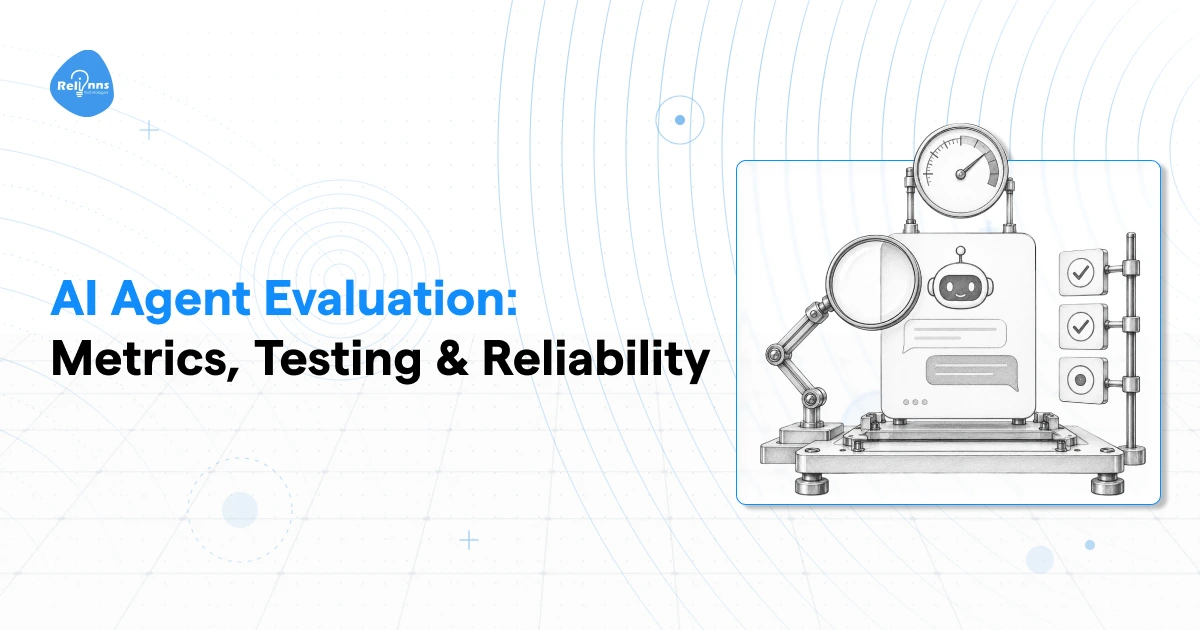
- Build evals and guardrails early.
Skipping evals is the biggest beginner mistake. Use simple test cases to check expected behavior. Agents fail in creative ways; catch them before scaling.
- Prioritize transparency log planning steps.
Show and log every reasoning and decision step. When things go wrong, trace exactly where. This is critical for multi-agent setups where errors cascade.
What Can AI Agents Do?
AI agents fall into six functional categories. Some face your customers. Some run quietly in the background. Some sit inside your team's daily workflow. The right mix depends on where your operations leak the most time and money.
Customer-Facing Agents
The highest-volume use case, and the one with the fastest ROI, is customer interaction. Most inbound contact at scale is repetitive. Status queries, booking requests, complaints, and account questions. A trained human handles these fines. But at 300 calls a day or 1,000 support tickets a week, the math stops working.
AI agents handle that load without adding headcount:
- A hospital voice agent cuts call volume 60%, recovers no-show slots, and sends pre-visit instructions.
- A courier chatbot handles 50-70% of shipment queries, freeing agents for complex cases.
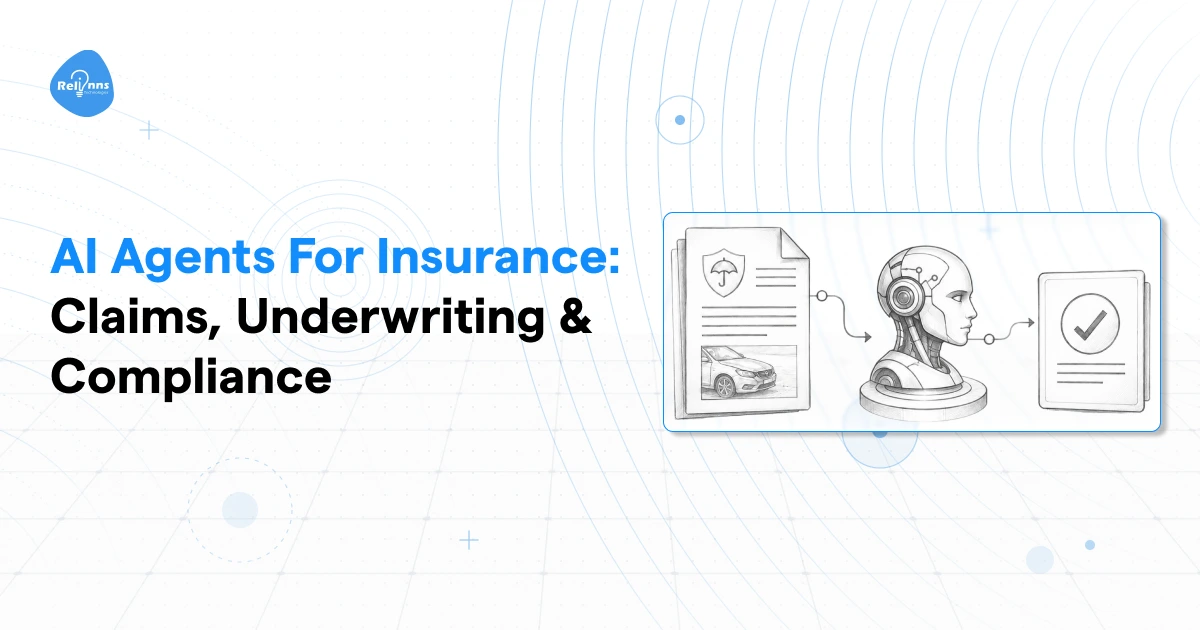
- An insurer using a WhatsApp agent for claim status updates stops routing those queries entirely through a call center.
The channel depends on the market. Voice for high-intent interactions. Web chat for discovery and support. WhatsApp for GCC markets, where it carries more customer communication than any other platform.
Employee and Operations Agents
Customer-facing agents get the attention. Operations agents move more money.
Manual warehouse coordination over WhatsApp and phone calls creates errors fast. Stock discrepancies, missed receiving windows, and retraining costs from high picker turnover. An operations agent tracks inbound shipments, flags exceptions, routes approvals, and keeps the floor team on SOPs.
Fleet operators spend weeks onboarding new drivers because document verification is manual. An agent collects documents over WhatsApp, verifies formats, chases missing items, and flags the completed file for a human to approve. A process that took two weeks runs in two days.
Loan processing is the finance version of the same problem. MSME borrowers submit incomplete applications. Operations staff spend hours chasing documentation. An agent handles the entire intake sequence and passes a complete file to underwriting.
Data and Insight Agents
Most enterprises have the knowledge. Nobody can find it fast enough.
SOPs are buried in shared drives. Policy documents are scattered across three versioned PDFs. Clinical protocols that change quarterly. A RAG-based agent fixes this by connecting to your document library and letting your team query it in plain language.
An insurance operations team asks, "What's the pre-auth requirement for day surgery under Plan B?" and gets the answer in seconds, citing the right document. A hospital floor team queries discharge protocols without calling a supervisor. A logistics control tower pulls exception handling SOPs mid-shift.
The underlying documents stay exactly where they are. The agent just makes them accessible.
Code and Development Agents
For engineering teams, code agents cut the grunt work out of the development cycle. They generate boilerplate, review code for common errors, write test cases, and help developers ramp up on unfamiliar codebases faster. Not a replacement for engineering judgment. But a real reduction in time spent on low-value work.
Security and Compliance Agents
Regulated industries carry specific risk here. A health insurer processing thousands of claims monthly needs continuous anomaly detection, not a quarterly audit. A lending platform with high application volume needs fraud signals caught at intake, before disbursement. A pharma warehouse with cold chain requirements needs temperature excursion alerts that trigger immediate escalation.
Security agents monitor, flag, and escalate. They don't replace a compliance team. They give that team a filtered view of what actually needs attention.
Creative and Communication Agents
Content is where generative AI agents reduce operational drag for teams producing at volume. An ecommerce platform with 10,000 SKUs needs product descriptions that are accurate, consistent, and channel-appropriate. Writing those manually doesn't scale. A healthcare platform sending post-consultation care plans needs personalized content for each patient pathway.
Generative agents handle the production layer. A human sets the brief and reviews the output. The agent handles drafting, formatting, and variation generation across the full catalog.
Real Business Outcomes: What AI Agents Deliver
The case for AI agents isn't theoretical anymore. Large enterprises have been running them in production long enough to report real numbers.
- Dynamiq built a multi-agent legal research system for a major insurance client on IBM's platform. The system routes incoming legal queries through a classifier first, escalating only complex cases to a deeper research agent. Contract review time dropped from 90 minutes to 45. Every decision stayed auditable. The cost per review fell because the expensive model only handled the cases that actually needed it.
- Amazon's recommendation engine runs on learning agents that track browsing behavior, purchase history, and product interactions across hundreds of millions of users. The engine accounts for a significant share of Amazon's total revenue. The logic is simple: the more interactions the agent processes, the sharper the recommendations get. Engagement compounds.
- BlackRock's Aladdin platform uses AI agents to monitor market data, assess portfolio risk, and flag exposures across one of the largest asset management operations in the world. The agents run continuously, suggesting adjustments faster than any analyst team could. The scale of assets Aladdin supports wouldn't be operationally possible without it.
- Bank of America's virtual assistant Erica handles tens of millions of customer interactions. Balance queries, transaction history, payment scheduling, and fraud alerts. Interactions that used to require a call center agent now close in seconds. Human agents pick up the cases that need judgment. Erica handles everything else.
These are large enterprises with significant budgets. But the same agent architecture applied to a mid-sized hospital network, a regional insurer, or a 3PL operator with 20 merchant clients produces comparable leverage. The complexity of the operation doesn't change the logic. It just changes the configuration.
If you want to see what this looks like for your specific vertical, we can walk you through it.
What Guardrails Should You Set for AI Agents?
An AI agent operating without oversight isn't an efficiency tool. It's a liability. The same autonomy that makes agents valuable exposes them when the action is wrong, unauthorized, or based on bad data.
These are the controls every enterprise deployment needs before an agent touches a live workflow.
Human-in-the-Loop Checkpoints
Not every agent action needs a human sign-off. Status queries, document collection, and appointment reminders can run fully automated. But certain action types carry enough consequence that a human needs to approve before execution.
Any action that's hard to reverse or affects a large number of people at once should require explicit human confirmation. That includes mass outbound communications, financial transactions above a set threshold, clinical flags that could affect a treatment decision, and claim approvals or rejections.
This matters most in Healthcare, Insurance, and Financial Services, where a single erroneous automated action can trigger regulatory exposure, patient harm, or significant financial loss. Build the checkpoint into the workflow before deployment. Retrofitting it after an incident is a much worse conversation.
Activity Logs and Auditability
Every tool call an agent makes, every external query it runs, every decision step it takes, should be logged in a format a human can read and reconstruct.
Logs serve two purposes. They surface errors before they compound, a loop that looks fine at step two can be clearly broken at step seven if someone checks. And they build organizational trust. Teams adopt agents faster when they can see exactly what the agent did and why.
In regulated industries, logs aren't optional. Build logging into the architecture from the start.
Interruption Controls
Agents need defined stop conditions. A task that can't be completed should escalate to a human, not recurse indefinitely through the same failing loop.
Infinite feedback loops are a real failure mode. An agent that can't retrieve a document keeps calling the same tool. An agent that can't resolve a query keeps generating responses that don't close the ticket. In high-volume deployments, these loops can run longer than anyone realizes.
- Set a maximum number of attempts per subtask.
- Define what escalation looks like before deployment.
- Give human operators the ability to shut down a specific agent run without terminating the entire system.
Data Privacy and Access Boundaries
Define precisely which data sources each agent can access, under what conditions, and for what purpose. An appointment booking agent needs calendar access. It doesn't need the patient's medical history. A collections agent needs payment records. It shouldn't touch unrelated account data.
Least-privilege access applies to agents the same way it applies to human employees. Encrypt data in transit and at rest. Set access controls at the data source level, not just at the agent configuration level. For deployments in the GCC, UK, or EU, confirm that your agent's infrastructure meets local data-residency requirements before you go live.
Unique Agent Identifiers and Accountability
Tag every agent with an identifier that traces back to its developer, its deployer, and the user context it operates in. When something goes wrong, and at scale something eventually will, you need to know exactly which agent took which action, in which configuration, at what time.
Identifiers also limit misuse. An agent that must authenticate against a registry before accessing external systems is harder to repurpose for unintended tasks.
Bias and Hallucination Mitigation
Base LLMs hallucinate. They generate confident, plausible-sounding responses that are factually wrong. In a consumer chatbot, that's an inconvenience. In a clinical knowledge assistant or an insurance policy agent, it's a serious problem.
Ground your agents in verified internal knowledge through RAG. The agent queries your actual documents, your current policies, and your live SOPs, rather than relying on what the underlying model thinks it knows. Answers come with citations. Errors become traceable.
Before deployment, run evaluation frameworks such as RAGAS or LangSmith on a representative sample of queries. Measure retrieval accuracy, answer faithfulness, and response relevance. Set a minimum threshold and don't go live until the agent clears it.
Regulatory Compliance by Vertical
Guardrails aren't universal. The specific requirements depend on the industry the agent operates in:
- Healthcare deployments need HIPAA-compliant data handling, audit trails for all clinical decision support outputs, and a clear separation between agent-generated information and clinical judgment. An agent can surface a protocol. A clinician makes the call.
- Insurance and finance deployments need auditable records of every claim decision, loan assessment, and renewal action the agent touches. KYC and AML obligations don't pause because the process is automated.
- Logistics deployments crossing international borders need documentation accuracy that meets customs requirements. Cold chain operators need temperature log integrity that satisfies pharma regulatory standards.
Build compliance into the architecture, not onto it afterward. Know your regulatory environment before you scope the agent.
Limitations and Challenges of AI Agents
AI agents are capable. They're not infallible. Any vendor that skips this conversation is selling, not advising.
Where Humans Still Win
Empathy and ethical judgment have a ceiling.
An agent can route a distressed customer to the right department. It can't replace a clinician's decision about whether a patient's symptoms warrant escalation, or a lawyer's judgment about whether a contract creates liability.
If a decision carries real-world consequences or moral weight, it stays with a human. Agents support those decisions. They don't own them.
Multi-Agent Systems Can Break
Multi-agent workflows sound powerful. They are. But they break at the weakest node.
If you orchestrate a workflow across five agents and agent three fails, everything downstream gets affected. If multiple agents share the same foundation model, they often share the same blind spots. One error can cascade across the system.
Without failure handling at each step, you don't get partial failure. You get confident, wrong outputs.
Costs Add Up Fast
Compute costs are not linear. They scale with complexity.
A simple support agent handling thousands of chats is cheap. A multi-agent system running long reasoning chains, multiple tool calls, and large context windows is not.
Infrastructure cost is a real line item. Not something you figure out after deployment.
Edge Cases Still Break Agents
Agents perform well in structured environments. The moment things get messy, performance drops.
An unusual complaint. A logistics issue with multiple failures at once. A clinical case that doesn't match standard protocols.
Agents struggle outside the scenarios they've seen before. And unlike humans, they don't "improvise" well in unfamiliar territory.
Bad Data = Bad Agent
This is where most deployments quietly fail.
Agents rely on your data. Even if your documents are outdated, inconsistent, or scattered across systems, the agent will still provide answers. They just won't be reliable.
An AI agent doesn't fix bad data. It exposes it.
If your SOPs are messy, your agent becomes confidently wrong at scale.
None of these limitations makes AI agents a bad investment. But they do change how you should approach them.
The value comes from correctly scoping the problem, not from forcing an agent into every workflow.
Custom AI Agent Development: How Relinns Builds Enterprise Agents
What "Custom" Actually Means
Off-the-shelf agents are built for average problems. Your problems aren't average.
A generic AI agent doesn't know your appointment booking logic, your claims escalation rules, or the specific fields your WMS uses to track inbound shipments. It handles the easy 20% and falls apart on everything else. That's not a deployment. That's a demo that never grew up.
Custom AI agent development means the agent is built around your workflows, your data, and your systems. Not adapted from a template. Built from the ground up to connect to the tools your teams actually use, EHRs, WMS platforms, insurance TPAs, CRMs, logistics management systems, and to operate within your regulatory constraints from day one.
The difference shows up fast. A custom agent for a hospital network knows how to handle a patient who wants to reschedule with a specific doctor, check insurance coverage, and send pre-visit instructions in the right language. A generic agent asks them to call back during business hours.
What We Build
AI Agent Development is the core of what we do. Multi-step workflow agents for operations, collections, onboarding, and anything else that currently requires a human to move data between systems or make a low-complexity decision 200 times a day.
AI Voice Agents handle inbound and outbound calls autonomously. Built on Retell AI, these agents book appointments, chase EMI payments, follow up on claims, and answer FAQs without a human on the line. They don't sound robotic. They escalate when the conversation needs judgment.
AI Chatbot Development covers every written channel. Website, WhatsApp, Instagram, Teams. If your customers or employees type questions into a box somewhere, we can put an agent behind it to resolve the query instead of redirecting to a help page.
RAG System Development is for the knowledge problem. Your SOPs, policies, and product documentation are in place. Your team just can't find them fast enough. We connect an agent to your document library so anyone can query it in plain language and get a cited answer in seconds.
Custom AI Development handles the more complex builds. MCP servers, AI-powered dashboards, compliance-aware pipelines, and custom data scraping for model training. If it involves AI and it doesn't fit a standard category, this is where it lands.
WhatsApp AI Solutions are built specifically for GCC markets. In the UAE, Saudi Arabia, and Qatar, WhatsApp is where your customers already are. No app download, no friction, no channel switch. We build agents that live entirely inside WhatsApp and handle full workflows there.
Industries We've Built For
Healthcare. Appointment booking agents that handle rescheduling, no-show recovery, and pre-visit instruction delivery. Post-consultation follow-up agents that reduce readmission risk. Pre-auth coordination agents that cut the back-and-forth between clinical staff, TPAs, and payers.
Insurance and Finance. Renewal reminder agents that call policyholders without a human dialing. FNOL intake agents that collect claim details at first notice and route them correctly. EMI collection agents that recover missed payments through voice and WhatsApp before the account escalates.
Logistics and Supply Chain. WISMO agents that deflect 60% of inbound support contacts before they reach a human. Warehouse inbound coordination agents that replace the WhatsApp group your operations team uses to track receiving. Driver onboarding agents that collect, verify, and chase documents over WhatsApp in a fraction of the time manual onboarding takes.
Ecommerce and Retail. Cart recovery agents that re-engage abandoning customers with context, not generic discount blasts. Seller onboarding agents for marketplaces that compress a two-week manual process. Order support agents that close WISMO tickets without a human touching them.
Our Stack for
For orchestration, we use LangChain, LlamaIndex, CrewAI, AutoGen, and many more, depending on the complexity of the agent architecture. Foundation models are selected by use case: OpenAI, Claude, Gemini, and Llama for the core reasoning layer. RAG deployments use Pinecone, Qdrant, or Weaviate for vector storage. Voice agents run on Retell AI, ElevenLabs, and Twilio. Chatbot and WhatsApp channel deployments are built on BotPenguin.
We don't lock you into a single model or platform. The stack is chosen to fit your compliance requirements, latency needs, and budget, not to suit our preferred vendor.
How to Get Started
Come to the first call with three things: the workflow you want automated, the systems it needs to connect to, and the compliance constraints it has to respect. That's enough for us to scope the build and tell you what's realistic.
You don't need a finished spec. Most of our best deployments started with a conversation that went, "We have this problem, and we've tried a few things that didn't work." That's a fine place to begin.