Inbound vs Outbound Voice AI : Complete Explanation for 2026
Date
Aug 31, 26
Reading Time
11 Minutes
Category
AI Voice Agents
Share


TL;DR
- Inbound and outbound voice AI aren't the same product with a different setting. They're different system designs, and building them the same way is how deployments fail.
- Outbound is trigger-driven and goal-narrow: a backend event fires, the dialer calls, the agent runs a defined script and exits. Think collections, renewals, confirmations, COD verification, post-discharge follow-ups.
- Inbound is open-ended and reactive: the caller sets the direction, so the agent needs live CRM lookups, knowledge base access, escalation routing, and sub-500ms response time. Think appointment booking, WISMO, claims status, EMI queries.
- Track different metrics per direction. Outbound lives on task completion and conversion. Inbound lives on containment rate and first call resolution. Optimize the wrong number and you tune for months toward the wrong outcome.
- Whether you need one agent or two depends on overlap. Very different use cases with almost no shared conversation means separate agents. Real overlap means a unified agent with context switching. Planning to scale across departments or geographies means build toward orchestration from day one.
- Biggest failures happen before the build: using the same opening script for both directions, ignoring latency differences, skipping answer-machine detection on outbound, and treating escalation logic as identical.
- NBFC and lending is the clearest case for separation. Same script for inbound loan queries and outbound collections is both a compliance risk and a trust problem.
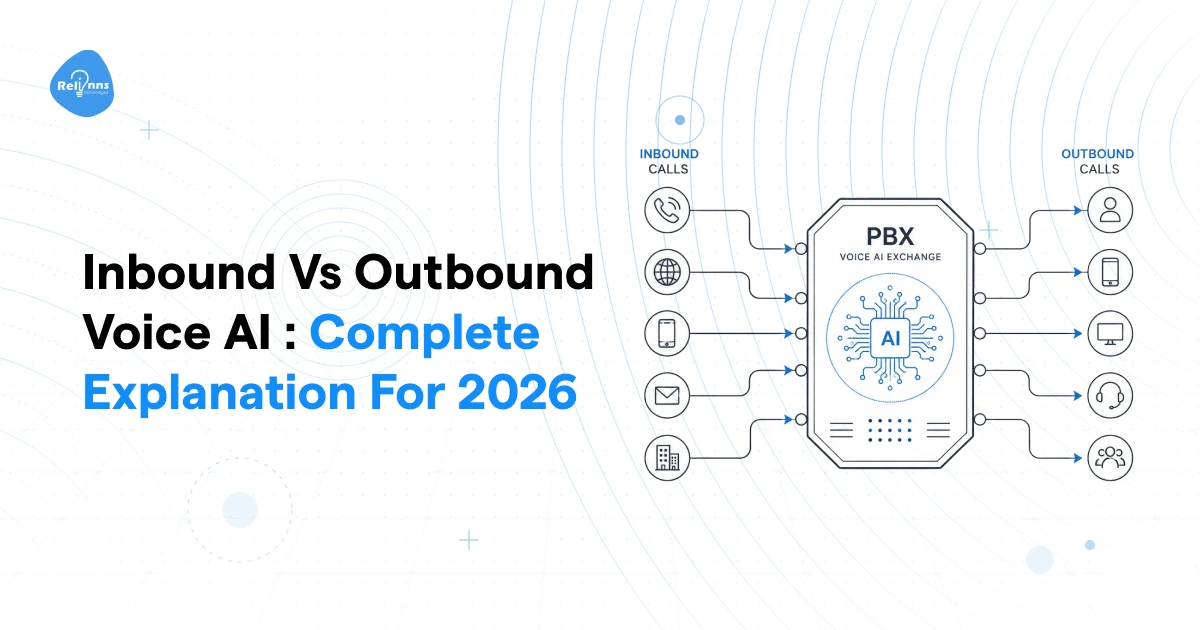
The moment most businesses commit to a voice AI platform, they hit the same wall. One agent or two? The inbound vs outbound voice AI question sounds like an implementation detail. It isn't.
Get this wrong, and your outbound voice AI agent opens a collections call sounding like a support bot. Your inbound agent greets a frustrated customer with a sales pitch. Both kill trust in the first five seconds, and that's almost impossible to recover from mid-call.
The inbound vs outbound voice AI decision shapes your entire deployment architecture. This guide breaks it down completely: what separates them, when you need both, and how to decide before you build.
What Is Outbound Voice AI?
Outbound voice AI is when your system makes the call, not the customer. A backend event fires, whether that's a payment due date, an appointment window, or a lead crossing a score threshold, and your dialer places the call. The AI voice agent handles the conversation: delivers the opening, manages responses, logs the outcome, and retries on a set schedule when the call goes unanswered.
Your team doesn't touch it.
Outbound gets underestimated in most inbound vs outbound voice AI discussions. People think it's just automated reminders. It's not. It's an active revenue and retention motion: collections, renewals, confirmations, lead qualification, all running without added headcount.
For prospecting teams, AI cold calling follows the same outbound architecture but adds stricter requirements around list quality, consent, opt-outs, and calling windows.
The business dials the customer. The customer didn't ask to be called. That single difference changes everything about how you design the agent.
How Outbound Voice AI Works
Think of it as a loop.
A trigger fires in your CRM or job scheduler. It could be a missed EMI, an appointment 48 hours out, or a lead who filled a form an hour ago. The dialer picks up that signal and places the call.
The first gate is answering machine detection (AMD). Before delivering a single word of script, the system checks whether a real person answered. If it's voicemail, it drops a pre-recorded message and queues a callback.
If a human picks up, the AI agent opens with a clear purpose statement. You called them. They didn't call you. The first five seconds have to justify the interruption.
From there, the agent handles responses within a defined scope, closes the loop on the goal, whether that's confirming a payment, setting an appointment, or qualifying intent, and everything gets logged.
Retry logic is what separates a well-built outbound voice AI agent from a system that dials once and gives up. Call windows, contact history, attempt limits: these all run on schedule and keep the system compliant.
That's what makes inbound vs outbound voice AI different at a system level: outbound is a trigger-driven loop with clear exit conditions, not an open conversation waiting to happen.
5 Common Use Cases for Outbound Voice AI in 2026
When mapping the inbound vs outbound voice AI split for your industry, these are the outbound use cases worth prioritizing first.
1. EMI and payment collection (NBFC / Lending)
A payment goes overdue. The system dials automatically, delivers a reminder with a payment link. An outbound voice AI agent handles 10,000+ accounts without adding headcount.
2. Policy renewal outreach (Insurance)
Renewals lapse because nobody followed up. Automated calls at 30, 15, and 7 days before expiry handle basic queries and route warm leads to agents.
3. Appointment and delivery confirmation (Healthcare / Logistics)
No-shows cost clinics real money. Outbound confirmation calls with a rebook option, triggered 24 hours out, cut that rate.
4. COD order verification (Ecommerce / Quick Commerce)
Customer places a COD order. Agent verifies intent before dispatch. Fake orders drop.
5. Post-discharge follow-up (Healthcare)
Patient leaves the hospital. 48 hours later, the agent checks on symptoms, medications, and next steps.
This is where inbound vs outbound voice AI matters most for healthcare: outbound drives care continuity, not just cost reduction.
Key Performance Metrics for Outbound Voice AI
Five numbers to track on the outbound side of any inbound vs outbound voice AI deployment.
Contact Rate - Percentage of dials reaching a live person. Low numbers mean bad timing or a poor list.
Call Answer Rate - How many connected calls the customer actually engaged with. AMD affects this directly.
Task Completion Rate - Did the agent finish the job? Payment confirmed, appointment locked. This is the direct ROI metric.
Conversion Rate - Of completed calls, how many hit the goal. Renewals sold, leads qualified, payments collected.
Opt-Out Rate - Customers opting out of future calls. Unique to the outbound side of inbound vs outbound voice AI. A high opt-out rate means your scripting is the problem. The AI voice agent is fine.
Pros and Cons of Outbound Voice AI Agents
Before scaling any outbound voice AI agent deployment, here's an honest read on the inbound vs outbound voice AI tradeoffs specific to outbound.
✓ PROS
Scales campaigns without adding headcount
Consistent message delivery on every call
No agent fatigue, runs 24/7 in compliant call windows
Every interaction automatically logged
Replaces full manual follow-up teams at scale
× CONS
DNC / TCPA / UAE regulatory burden
High opt-out risk if scripting is off
AMD adds latency to connection time
Customer perception of intrusion if tone is wrong
Contact limit breaches if retry logic is misconfigured
The biggest failure mode in the inbound vs outbound voice AI split isn't the technology. It's launching outbound without a clean DNC list and a well-tested script.
What Is Inbound Voice AI?
The customer picks up the phone and calls you. That's inbound. Your inbound voice AI agent answers, figures out what they need, and resolves it without routing to a human unless it has to.
Where the outbound side of the inbound vs outbound voice AI split is trigger-driven and goal-narrow, inbound is open-ended from the first second. The caller controls the direction. Your system has to keep up.
At a system level, that means real-time CRM lookups, live knowledge base access, dynamic escalation logic, and sub-500ms response latency. The conversation isn't scripted. It's designed to handle whatever comes in.
The inbound layer is your frontline. It's the first thing a frustrated customer hits when something goes wrong. And in the inbound vs outbound voice AI architecture decision, this is the side that carries the heavier technical load.
How Is Inbound Voice AI Different?
Four things separate inbound from outbound at a design level, and understanding them is what makes the inbound vs outbound voice AI decision more than a naming exercise.
The caller already has intent. They called because something is wrong or they need something specific. They're not waiting to be convinced. Your agent needs to identify that intent in the first two exchanges and move toward resolution fast.
Conversation flow is unpredictable. An outbound voice AI agent works from a defined script with clear exit conditions. An inbound call can go anywhere. A patient calling to book an appointment might pivot to asking about costs mid-call. Your system has to handle that without breaking.
Latency tolerance is tight. Anything above 1.5 seconds between the caller finishing and the agent responding creates friction. On an outbound call, a brief pause after connection is expected. On inbound, it signals broken technology. Your voice AI platform needs sub-500ms response time on the inbound pipeline specifically.
And the integration layer is heavier. Inbound agents need live CRM access, real-time schedule or inventory lookups, a knowledge base, and escalation routing to a human. Getting all of that to fire in under a second is the actual engineering challenge in any inbound vs outbound voice AI build.
5 Common Use Cases for Inbound Voice AI in 2026
On the inbound side of the inbound vs outbound voice AI split, these five use cases drive the most volume and show ROI fastest.
1. Appointment booking and rescheduling (Healthcare)
Patient calls to book or move an appointment. The inbound voice AI agent checks availability, confirms the slot, and sends a reminder. No front desk involvement.
2. WISMO and shipment tracking (Logistics / Ecommerce)
Customer calls for order status. Agent pulls live tracking data from the backend and answers in seconds. Containment on these calls can be near-total with the right integration.
3. Policy and claims status (Insurance)
Policyholder calls after filing a claim. Agent checks case status, handles standard questions, escalates only when a human decision is needed.
4. Lab report readiness (Diagnostics)
Patient calls to check if results are ready. High volume, fully automatable, and one of the clearest wins on the inbound side.
5. Loan and EMI queries (NBFC)
Borrower checks application status or next payment amount. The agent pulls account data and answers directly.
None of these are interchangeable with outbound flows. Each one requires the agent to receive and react, not initiate. That distinction is the core of the inbound vs outbound voice AI decision.
Key Performance Metrics for Inbound Voice AI
Five numbers to track when evaluating inbound performance in any inbound vs outbound voice AI setup.
First Call Resolution (FCR) - Did the caller get their answer without calling back? The clearest signal of whether your inbound voice AI agent is doing its job.
Average Handle Time (AHT) - How long each call runs. Lower isn't always better if the agent cuts off before the issue is fully resolved.
Containment Rate - Calls fully handled by AI without a human stepping in. For any CTO making the cost case for voice AI, this is the number that closes the internal argument. Every contained call is headcount cost avoided.
Escalation Rate - The flip side of containment. High escalations point to gaps in training data or call flow design.
CSAT - Did the caller leave satisfied? Hard to measure at scale but trackable through post-call SMS surveys.
Across inbound vs outbound voice AI deployments, containment rate is the first metric ops teams optimize for. It's the most direct line to cost reduction.
Pros and Cons of Inbound Voice AI Agents
Here's the honest read before you commit the inbound side of your inbound vs outbound voice AI architecture
✓ PROS
Eliminates hold times
Handles 200+ concurrent calls
Resolves routine queries at near-zero marginal cost
24/7 coverage without shift management
Frees agents for high-value interactions
× CONS
Unpredictable conversations need richer training data
Escalation logic is complex to configure correctly
Customers expect human empathy on emotional calls
Real-time CRM integration adds deployment complexity
Poor flow design creates bad first impressions at scale
The inbound voice AI agent carries more design complexity than most teams expect going in. That's the honest limitation in any inbound vs outbound voice AI build: inbound takes longer to tune, and the first version rarely performs at the level the second one does.
Inbound vs Outbound Voice AI: Side-by-Side Comparison
If you're mapping your voice AI platform architecture, this table is the reference you need before making any build decision.
The pattern is straightforward. Inbound demands flexibility. Outbound demands precision. One side handles whatever comes at it. The other executes a defined goal and exits. In every inbound vs outbound voice AI decision, these aren't just different use cases: they're different system designs. Building them the same way is how deployments fail.
Do You Actually Need Two Different Voice AI Agents?
Depends on how much your inbound and outbound calls actually have in common.
If your business takes complaints on one line and runs collections on another, those conversations share almost nothing. Same agent, same prompting, same logic: you'll get a mess. But if you're a clinic where both directions involve the same appointment data and patient records, a unified setup makes sense.
The inbound vs outbound voice AI architecture decision comes down to three options. Here's what each looks like in practice.
Option 1: Separate Agents for Each Direction
You build two systems. One inbound voice AI agent trained on your support flows, knowledge base, and escalation paths. One outbound agent tuned for campaign goals, script structure, and compliance rules.
This is the cleanest approach when inbound and outbound look completely different. A bank where inbound handles grievances and outbound runs EMI collections is the obvious example. The conversations don't share intent, tone, or integration needs, so keeping them separate means you can optimize each without bleeding into the other.
The tradeoff is maintenance overhead. Two agents means two pipelines to monitor, two sets of prompts to tune, and double the debugging surface when something breaks.
Best for: High call volumes on both sides where inbound and outbound use cases are dramatically different.
Option 2: Single Unified Agent with Dynamic Context Switching
One underlying model, one voice persona. But at runtime, the system injects different prompt contexts depending on whether it's receiving or initiating a call. The agent behaves differently based on call direction without being a different system entirely.
This works when inbound and outbound calls share significant content overlap. An insurance company where both directions involve the same policy data is a strong fit. The agent knows the same things. It just opens differently.
The limitation is configuration complexity. Getting context switching right, so that inbound calls don't bleed outbound scripting logic, takes more upfront work than most teams plan for. I'd say it's underestimated in almost every deployment I've seen scoped.
Best for: Operational simplicity, or when both call types pull from the same knowledge layer.
Option 3: Sub-Agents Under an Orchestration Layer
This is the most scalable voice AI agent architecture available right now. A master orchestration layer receives every call, reads the direction, intent, and customer profile, then routes to the right specialized sub-agent. Collections, renewals, appointment booking, WISMO: each handled by an agent built for exactly that job.
The sub-agents stay lean because each one does one thing well. The orchestrator holds context across all of them and makes the routing decision before the customer hears a single word.
This is where the inbound vs outbound voice AI split stops being a binary and becomes a proper system. Scale across departments, geographies, or new workflows without rebuilding from the ground up each time.
Best for: Enterprises with multiple distinct call types on both sides, or teams expecting the deployment to grow across 12 to 18 months.
Industry-Specific Recommendations
The inbound vs outbound voice AI decision doesn't look the same across industries. Here's what the right architecture actually looks like across five verticals.
Healthcare
Inbound handles appointment booking, post-visit queries, and lab result status. Outbound covers discharge follow-ups, appointment reminders, and medication adherence calls. The conversations differ enough in tone and compliance requirements that separate agents work best.
Relinns builds both sides of Voice AI calling, integrated directly with clinic management systems.
Insurance
Inbound takes claims status and policy questions. Outbound runs renewal reminders and upsell campaigns. One is reactive, the other is revenue-driven. For insurers handling 1,000+ policies or claims a month, separate agents are the right call.
Relinns' insurance deployment covers both directions with full BotPenguin agent layer integration.
Ecommerce and Logistics
Inbound is mostly WISMO. Outbound handles delivery confirmation and COD verification. The content overlap is high enough that a unified AI voice agent with context switching works, which means lower setup cost and faster go-live.
Relinns builds this as a single integrated system pulling live order data on both sides.
QSR and Quick Commerce
Inbound takes order queries and complaints. Outbound handles confirmation and re-engagement. Peak-hour volume makes containment the primary metric. Separate lightweight agents optimized for speed work well in this vertical.
NBFC and Lending
This is the clearest case for separation in the inbound vs outbound voice AI landscape. Inbound handles loan queries and EMI status. Outbound runs collections.
Same agent, same opening script for both: a compliance risk and a trust problem.
Relinns deploys these as distinct systems with separate DNC filtering and retry logic on the outbound side.
The 5 Biggest Mistakes When Building Inbound vs Outbound Voice AI
Most failures in inbound vs outbound voice AI deployments aren't technical. They're decisions made before the build started.
1. Using the same opening script for both directions.
An outbound voice AI agent that opens with "How can I help you today?" sounds like it doesn't know why it called. Script the opening for the context. Not the technology.
2. Ignoring latency differences between pipelines.
Inbound callers have zero patience for a 2-second pause. Outbound callers expect a brief delay after connection. Treating both pipelines the same means your inbound experience feels broken even when the system is working fine.
3. Skipping AMD on outbound.
Without answering machine detection, your agent delivers a full collections script to a voicemail inbox and logs it as a completed call. Your contact rate looks healthy. Your task completion rate tells the real story.
4. Treating escalation logic as identical across both.
Inbound escalation to a human agent is routine and expected. Outbound is different: a customer who disputes a payment mid-call needs a collections specialist, not a general support queue. Routing them the same way wastes the handoff and frustrates the customer.
5. Building without clear success metrics per direction.
Optimizing an inbound voice AI agent on conversion rate is the wrong target. Optimizing an outbound agent on AHT is equally wrong. Define the right metric for each direction before you write a single line of prompt, or you'll spend months tuning toward the wrong outcome.
Conclusion
Two questions settle the inbound vs outbound voice AI architecture decision before you commit to a build direction.
First: what does each direction actually do, and are those use cases similar enough to share logic?
Second: how much conversation overlap exists between your call flows?
If the answers are "very different" and "almost none," build separate agents. If there's real overlap, a unified voice AI platform with context switching works. Planning to scale across departments or geographies: build toward orchestration from day one.
Relinns builds both sides of this. The voice stack runs on Retell AI or ElevenLabs or any stack of your preference. The agent layer runs on BotPenguin. The full inbound vs outbound voice AI architecture fits your vertical, your volumes, and your compliance requirements.
Book a scoping call and we'll map the right build before you commit to anything.