Agentic Chatbots: What They Are, How They Work, Beginners Guide 2026
Date
May 20, 26
Reading Time
13 Minutes
Category
AI Agents
Share


One bot asks you to press one of the 4 buttons for billing, but you wanted an update on your refund. You naturally type “Where is my refund? What's the status?” , And you expect a reply like “give me your refund ticket number or within 48-72 hours from time of initiation email”.
But what you get is sorry, i cant help you with that and just those 4 pre-defined buttons which dont match your query and now you gotta email or call the company.
Now consider a scenario where multiple agents reply with your refund status, update your account, flag the transaction, and send a confirmation before a human sees the ticket.
That gap is what agentic chatbots close. And if you've been reading about the topic, you've probably noticed most content skips the hard parts. A lot of people explain what an agentic AI chatbot can do. Nobody covers what happens when it fails, what compliance requires, or what deployment costs.
Agentic chatbots done well are a real operations shift. Done poorly, every chatbot agent becomes a new source of automated mistakes. The difference comes down to what you know before you build.
What Is an Agentic Chatbot?
An agentic chatbot is an AI system that doesn't just answer questions. It acts on them. It connects to your tools, runs multi-step tasks, and completes work without a human pushing things along.
Most agentic chatbots sit somewhere between a basic chatbot agent and a fully autonomous AI. The best way to think about an ai agent is: it handles a task start to finish, without handing it back to you after one response.
Difference in a Traditional Chatbot and Agentic Chatbot
Chatbots have gone through four generations.
- Rule-based systems that matched keywords.
- Conversational AI that understood intent.
- Generative AI that could write and reason.
And now agentic chatbots, which can act.
The first three generations were all read-only. They consumed your input and returned an output. A human still had to do something with the answer. Agentic chatbots are read-write. They modify records, trigger workflows, send messages, book slots. The system closes the loop without waiting for you.
If you're trying to understand ai agent vs chatbot, the cleanest frame is: A chatbot talks. An agentic AI chatbot talks and does.
What Does "Agentic" Actually Mean in Practice?
Take a real scenario. A patient messages a health insurance bot asking about a claim. A traditional bot returns a status code and stops.
An agentic chatbot checks the status, spots a missing document, sends the patient a WhatsApp request for it, and logs the update in the claims team's system.
Same prompt. Four actions. Zero human involvement.
That's the word "agentic" in practice. It's not about smarter replies. It's about a chatbot agent that keeps moving through a task until the task is actually done.
Agentic chatbots don't hand work back to you. That's the whole point.
How an Agentic Chatbot Works: The Four Core Components
Agentic chatbots aren't magic. They're built from four components we are going to discuss in this chat, now read and understand this section and you will know what separates agentic chatbots that run in production from ones that only demo well.
You'll also have a clear frame for how to make an ai chatbot agent that handles real workflows, not scripted ones, and how it compares to any other agentic chatbot you might already be evaluating.
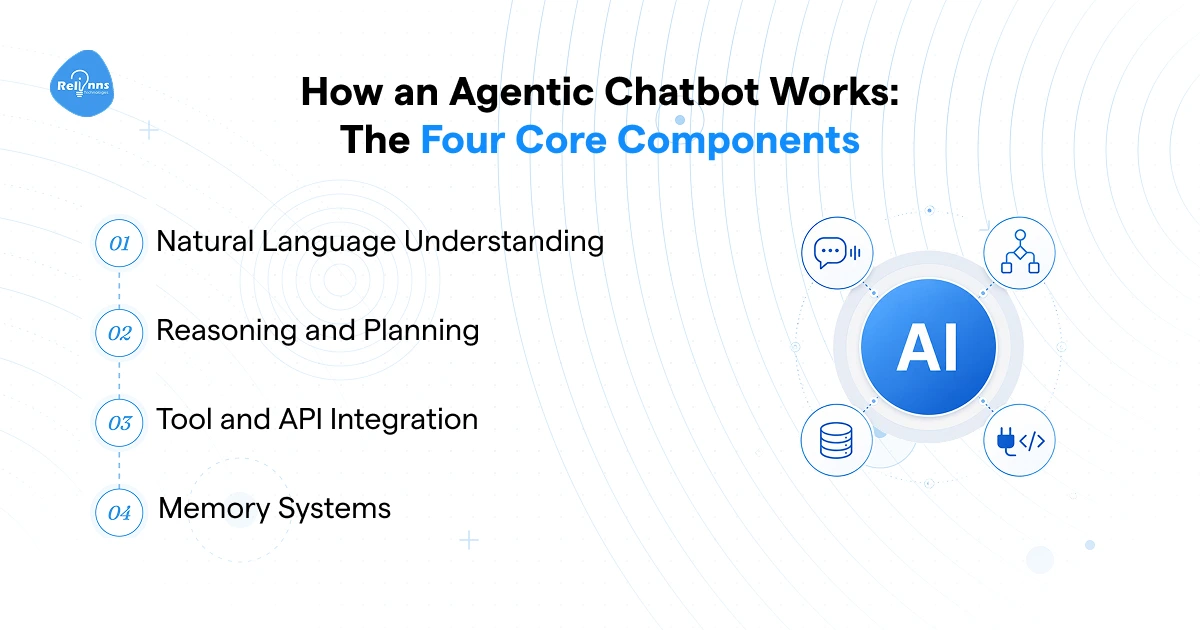
Natural Language Understanding
Before an agentic chatbot can do anything, it has to understand what you're asking. Legacy NLP classifiers matched keywords and were brittle. Rephrase slightly and they broke.
Today's agentic AI chatbot runs on LLMs like GPT-4o, Claude, or Gemini. These models don't just match words. They read intent, pull out entities like dates, names, and account numbers, and carry context across the full conversation. You can rephrase the same question five different ways and a well-built chatbot agent still follows you.
That contextual understanding is what makes multi-step execution possible. No context retention, no real action.
Reasoning and Planning
Take a QSR chain handling phone orders during lunch peak. A caller orders a meal with a loyalty discount. An agentic chatbot doesn't follow a script here. It breaks the request into sub-tasks: confirm the order, check item availability in the live POS, apply the discount from the loyalty database, calculate ETA based on current kitchen load, confirm back to the caller.
Each step is a planned decision. That's the core of how agentic chatbots work at the reasoning layer, and it's also the clearest way to see the ai agent vs chatbot distinction. A traditional chatbot returns an answer. An ai agent chatbot sequences a plan and executes it.
The bot doesn't wait to be told what to do next. It figures it out.
Tool and API Integration
This is where agentic chatbots either justify their cost or fall flat.
A well-built chatbot agent connects to your CRM, ERP, payment gateway, booking calendar, and WhatsApp Business API. It reads live data and writes back. It doesn't just tell a customer their delivery is delayed. It reschedules it and sends the updated confirmation.
The depth of integration determines real-world value. A bot that reads data but can't write back is half an agent. If you're figuring out how to make an ai chatbot agent that moves actual work forward, integration scope is the first conversation to have with any vendor.
A GPT wrapper with a clean UI is not an agentic chatbot.
Memory Systems
Agentic chatbots have two kinds of memory. Most teams only think about one.
Short-term memory keeps context alive within a session. That's table stakes now. Long-term memory is where it gets interesting. A returning patient shouldn't re-explain their condition every visit. A B2B buyer on an agentic AI chatbot shouldn't re-confirm their account details on every reorder. Long-term memory turns a transactional bot into one that actually learns your customers over time.
But here's what vendors skip: long-term memory for an ai agent chatbot isn't a setting you toggle on. It's a data architecture decision. Where does that memory live? How is it secured? Who controls it? If those questions don't have answers yet, you don't have long-term memory. You have a plan for it.
That distinction matters before you sign anything.
What Agentic Chatbots Are Being Used For Right Now
Generic use case lists won't help you here. What agentic chatbots are doing in healthcare, insurance, ecommerce, and logistics right now is specific, and the specific parts are what most content skips. So instead of a vertical list, here are the workflows where agentic chatbots are replacing real cost inside the industries where the problems are expensive enough to justify the build.
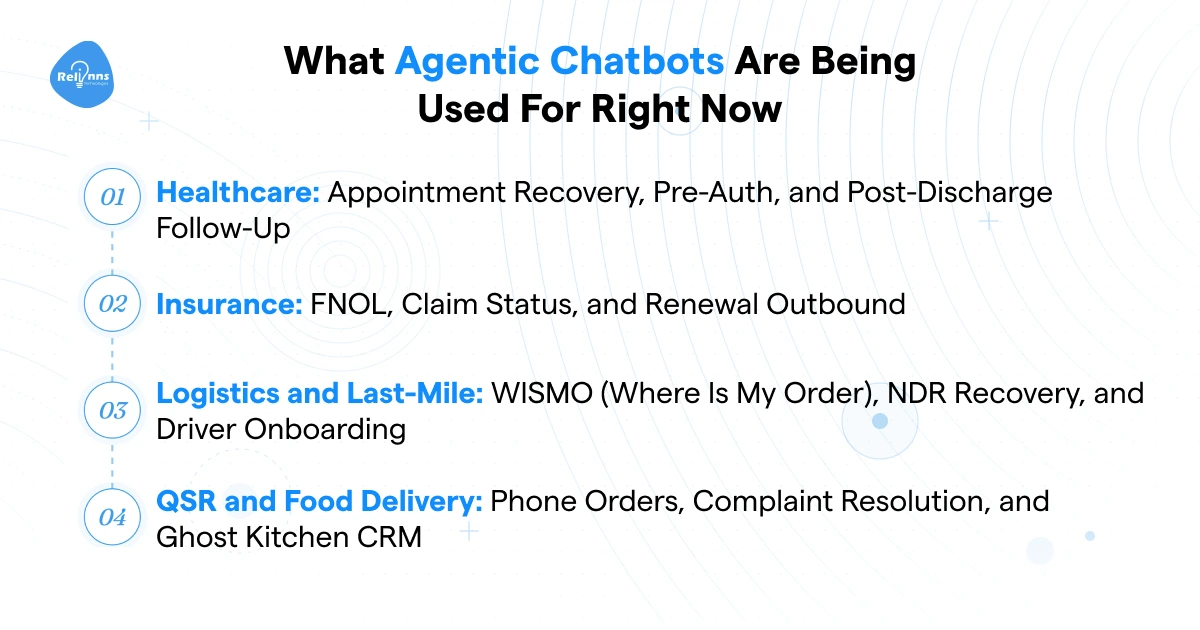
Healthcare: Appointment Recovery, Pre-Auth, and Post-Discharge Follow-Up
Booking appointments is the easy part. The workflows that cost hospitals money sit further down the chain.
No-shows run at 15 to 20% in most high-volume outpatient settings. An agentic chatbot detects non-confirmation behaviour, sends a WhatsApp nudge, and if there's no response, opens the slot and offers it to the next patient on the waitlist. That recovery loop runs without a single staff member involved. Hospitals using this typically recover 50 to 60% of would-be empty slots.
Pre-auth is messier. Coordinating between patient, clinic, and insurer means document collection, eligibility checks, and follow-up across three parties.
An agentic AI chatbot requests documents from the patient over WhatsApp, checks eligibility against the insurer's API, and sends the pre-auth pack to the TPA. What used to take 2 to 3 days of back-and-forth gets cut to under 24 hours.
Post-discharge is where most hospitals have nothing. Agentic chatbots close that gap with medication reminders and escalation triggers that flag non-response to a care coordinator.
And for inbound call volume, a well-deployed chatbot agent deflects 60 to 65% of front desk calls on report status and appointment confirmation alone.
Insurance: FNOL, Claim Status, and Renewal Outbound
An insurer processing 10,000 renewals a month can't staff enough agents to call every policyholder. That's just a numbers problem. Agentic chatbots solve it by running outbound renewal sequences over WhatsApp or voice, without an agent touching a single call.
For claims, the highest-volume contact type is status queries. Someone had an accident, filed a claim, and now they're calling every two days to ask where it stands. An agentic chatbot handles that automatically, pulling live claim data and responding in the channel the customer already uses. That single workflow deflects 50 to 70% of inbound call volume for most insurers who deploy it.
First Notice of Loss is the harder one. But an ai agent chatbot built for FNOL can take the initial intake over voice or WhatsApp, collect incident details, and log the case before a human adjuster gets involved. It doesn't replace the adjuster. It means the adjuster starts with a structured file instead of a blank page.
Logistics and Last-Mile: WISMO, NDR Recovery, and Driver Onboarding
WISMO queries, "Where is my order?", make up 50 to 70% of inbound contact volume for most courier operations. Agentic chatbots handle them without a queue. The customer asks, the bot pulls live tracking data, and if there's a failed delivery, it reschedules on the spot and confirms the new window. No agent, no wait, no dropped ball.
Non-delivery recovery is where the real cost sits. A failed delivery attempt runs $3 to $10 in re-attempt logistics. An agentic chatbot that proactively confirms the delivery window before the driver arrives cuts that failure rate meaningfully.
Driver onboarding is a different problem but the same solution pattern. Fleet operators and ride-hailing platforms onboard hundreds of drivers a month. Document verification, license checks, compliance renewals a chatbot agent handles the collection and chasing, which means your ops team isn't spending half their day on WhatsApp threads following up on missing paperwork.
QSR and Food Delivery: Phone Orders, Complaint Resolution, and Ghost Kitchen CRM
During lunch peak, a QSR chain's phone lines are a bottleneck. Orders come in faster than staff can take them, which means missed calls and lost revenue. Agentic chatbots deployed on voice take the order, check item availability against the live POS, apply any active promotions, and confirm the ETA. The kitchen gets a clean order. The customer gets off the call in under 90 seconds.
Complaint handling is the other pressure point. Missing items, wrong orders, cold food these are high-volume, low-complexity contacts that agentic chatbots resolve well. The bot confirms the issue, logs it, and triggers a resolution, whether that's a refund, a replacement, or a voucher, based on the outlet's configured policy.
Ghost kitchens have a structural problem that goes beyond complaints. They have no direct customer relationship at all. Every order comes through an aggregator, which means the brand owns nothing. An agentic WhatsApp flow changes that. A customer who orders once can be nudged to reorder directly, build a preference history, and receive personalized offers, without the aggregator in the middle. For ghost kitchen operators, that owned channel is the entire CRM strategy.
Is My Business Ready for an Agentic Chatbot?
Most vendors won't ask you this. They want to close the deal. But deploying agentic chatbots before your operations are set up for them is how you get an expensive, underperforming bot that nobody trusts.
The Minimum Viable Setup
Three things need to be in place before an agentic chatbot deployment makes sense.
First, you need a high-volume repetitive workflow. Inbound appointment queries, order status checks, claim status calls, document collection. If a human on your team answers the same question 50 times a day, that's your starting point. Not a complex edge case. The boring, predictable, high-frequency stuff.
Second, the system that holds the answer needs an accessible API. This is where a lot of deployments stall. The workflow exists, the volume is there, but the data lives in a legacy system with no API layer. No API access means no agentic behaviour. The bot becomes a fancy FAQ page.
Third, you need a defined escalation path. Agentic chatbots that can't hand off gracefully don't just fail quietly they frustrate customers at the exact moment those customers needed help. Who gets the conversation when the bot can't resolve it? Through which channel? With what context passed across? Answer those questions before you build, not after your first complaint comes in.
That's the minimum. Three things. If any one of them is missing, fix it first.
Signals You're Not Ready Yet
Some situations where an agentic chatbot will waste your budget:
- Your operations are paper-based with no digital records to connect to
- You don't have a CRM, helpdesk, or ticketing system in place
- Nobody internally owns bot performance after launch
- Your workflows need a human judgment call at every single step
If more than one of these applies, fix the foundation first.
A Four-Question Readiness Self-Assessment
Answer these honestly. It takes two minutes.
1. What's your highest-volume repetitive inbound contact type, and how many come in per day?
2. Does the system holding that answer have an accessible API?
3. Who owns bot performance after go-live, and do they have a defined KPI?
4. What happens when the bot can't resolve something? Who gets it, through which channel, and with what context?
If questions 3 and 4 don't have clear answers yet, you're not ready to deploy. You're ready to plan.
What Can Go Wrong? Failure Modes Every Buyer Should Know
Most agentic chatbot content stops at what's possible. Nobody talks about what breaks. That's a problem, because the failure modes in agentic systems are different from regular bots and the consequences move faster. Here's what to know before you build or buy.
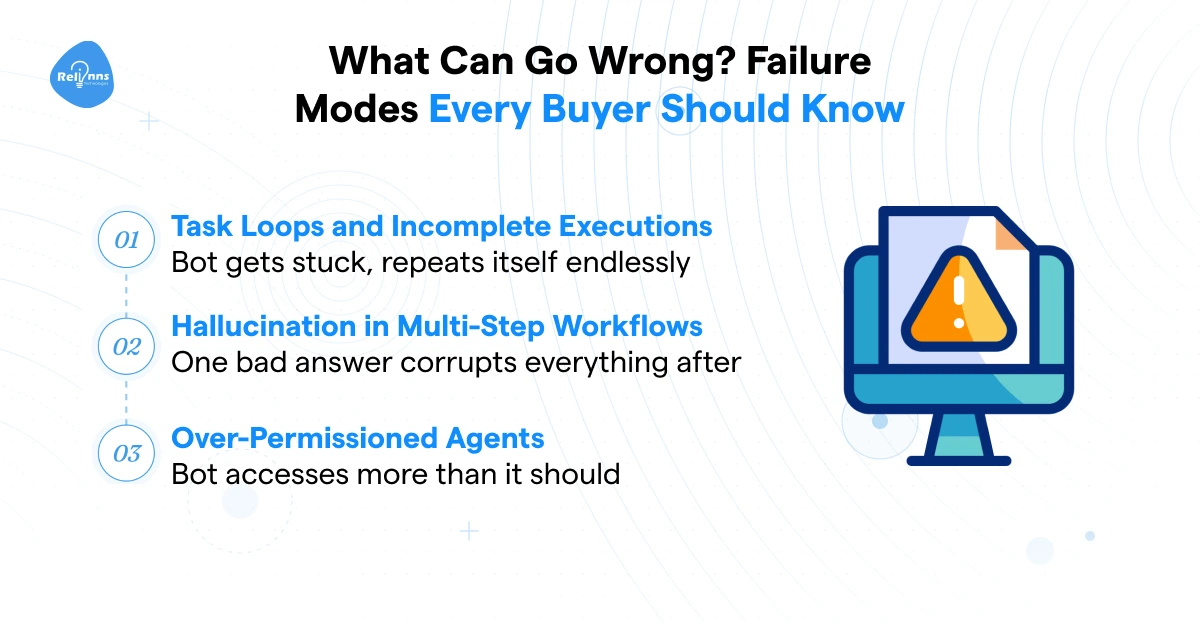
Task Loops and Incomplete Executions
Agentic chatbots execute sequences. Which means when one step in the sequence gets stuck, the whole thing can spin.
A common production failure: the bot calls an API, the API returns an error or an ambiguous response, and the bot calls it again. And again. No exit condition, no fallback, just a loop burning compute and doing nothing useful. The customer sees a frozen conversation or a bot that keeps asking for the same information.
Well-built systems have three things: exit conditions, fallback branches, and a hard handoff trigger. If a step fails twice, the bot stops trying and routes to a human with full context passed across. That's not a nice-to-have. It's what separates a production-grade ai agent chatbot from a demo that worked once in a controlled environment.
Hallucination in Multi-Step Workflows
A hallucination in a regular chatbot is annoying. A user gets a wrong answer and corrects it. Conversation moves on.
In agentic chatbots, a hallucination in step two doesn't just produce a wrong answer. It feeds corrupted information into every step that follows. A bot that misreads a policy document in step two might book the wrong coverage tier, send the wrong confirmation, and update the CRM with the wrong data. One bad inference, three downstream errors.
The mitigation isn't to avoid LLMs. It's to ground them. Structured data sources and RAG layers give the agentic ai chatbot verified information to reason from rather than generating from memory. And output validation before action execution catches errors before they touch a live system. If your vendor isn't talking about validation gates between steps, ask why not.
Over-Permissioned Agents
Here's a failure mode that has nothing to do with the AI itself.
Most agentic chatbots get deployed with broader system access than the workflow actually needs. A bot handling claim status queries gets read-write access to the full CRM. A chatbot agent processing loan applications can also see billing records it should never touch. Nobody flags it because the demo worked fine.
Access scope is an infrastructure decision, not a chatbot setting. Give an agent only what the specific task requires. Nothing more.
And here's the honest take on all three failure modes in this section: most agentic chatbot deployments that fail don't fail because the AI was bad. They fail because nobody designed the failure states before go-live. Exit conditions, fallback branches, validation gates, access limits these get treated as post-launch fixes. They're not. They're pre-conditions for a system you can trust in production.
How Long Does It Take to Deploy an Agentic Chatbot?
Most vendors say "a few weeks" and leave it there. The real answer depends on how ready your operations actually are before work starts. Here's what a realistic deployment looks like across three phases.
The Three-Phase Deployment Model
Phase 1: Scoping (Week 1-3)
Workflow definition, API access confirmation, and conversation design for the primary use case. This sounds fast. It often isn't.
Phase 1 is where most deployments slip. The workflow your team described in the sales call turns out to have five exception cases nobody mentioned. Or the API access needs sign-off from IT security, which takes three weeks by itself. Budget for this phase to run long and you won't be surprised when it does.
Phase 2: Build and Integration (Week 4-7)
The agentic chatbot gets built, connected to your systems, and tested with real data. Not demo data. Real queries, real edge cases, real failure states.
Phase 3: Soft Launch (Week 8-10)
A subset of live traffic goes through the bot. You watch containment rate, escalation quality, and task completion. You tune. You validate the escalation path works the way you designed it.
Ten weeks is the realistic floor for a single well-scoped workflow. Multi-workflow deployments with complex integrations run longer. Anyone quoting you two weeks for a production-ready ai agent chatbot is describing a demo, not a deployment.
What Slows Deployments Down
Three things kill timelines more than any technical problem.
API access approvals. Your IT security team has to sign off before agentic chatbots can connect to anything. Reasonable. But it takes two to three weeks by itself, and most projects don't account for it up front.
No named owner post-launch. Every agentic AI chatbot needs someone watching performance after go-live. Containment rates drift, new edge cases surface, escalation paths break quietly. If nobody owns those metrics, you'll hear about problems through customer complaints, not dashboards.
Scope creep. You agree on one use case. A stakeholder adds two more before build starts. Then a third. The build stretches, testing gets rushed, and the chatbot agent goes live half-ready. Pick one workflow. Ship it clean. Expand after.
How to Measure Whether Your Agentic Chatbot Is Working
Most teams deploy and then figure out measurement later. That's backwards. If you don't know what good looks like before go-live, you can't tell whether the agentic chatbot is working or just running. These are the numbers that actually tell you something useful.
The Five KPIs That Actually Matter
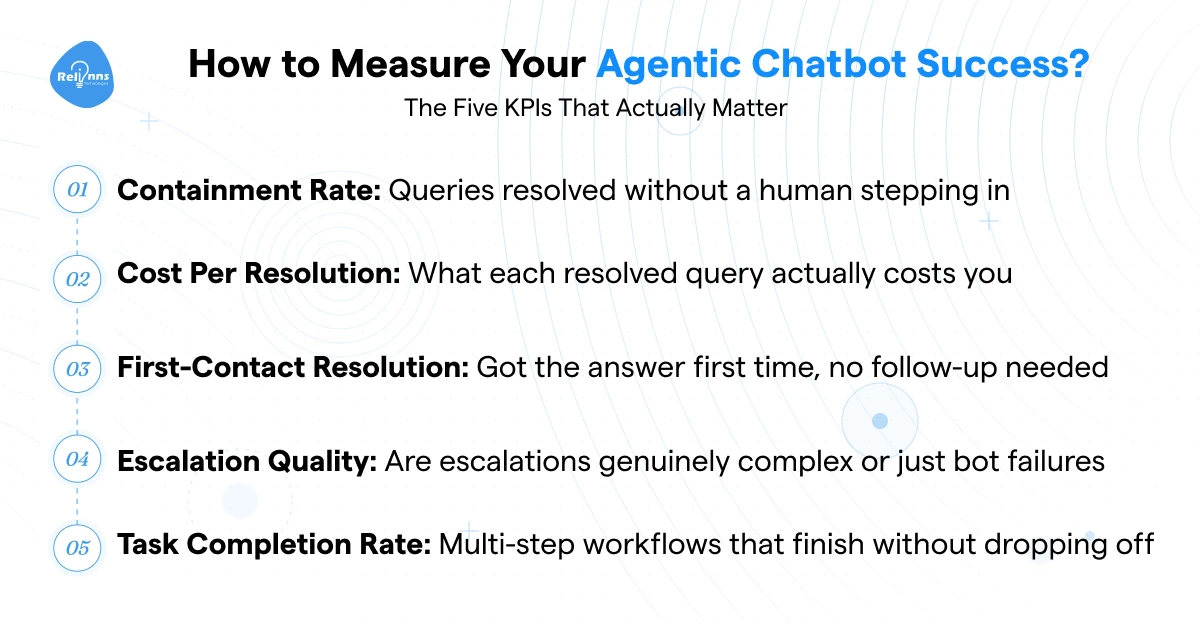
Containment rate is the first number to watch. It's the percentage of queries the bot resolves without a human touching the conversation. Low containment means the bot is a very expensive redirect button.
Cost per resolution puts a dollar figure on performance. Total operating cost divided by queries resolved. Track this monthly. It should drop as the bot learns your traffic patterns.
First-contact resolution rate tells you whether customers are getting answers or getting bounced. A query that needs three interactions to close is not a resolved query.
Escalation quality is the one most teams ignore. Not all escalations are failures. But if 40% of conversations handed to a human agent turn out to be simple FAQs, your bot has a gap worth fixing.
Task completion rate is specific to agentic chatbots running multi-step workflows. What percentage of initiated sequences complete end to end without the user dropping off or the bot stalling? This number exposes failure states that containment rate misses entirely.
What Good Looks Like in Year One
Here are reference ranges based on deployments we've seen across industries.
An agentic chatbot handling inbound query deflection in a high-volume contact centre should hit 60 to 75% containment within the first 90 days. If you're below 50% at the 90-day mark, something in the workflow design or integration layer needs a close look.
For insurance, a claims status bot resolving queries without agent involvement should reach 70% or higher within 60 days of go-live. The workflow is repetitive enough that anything below that suggests the bot is missing data access it should have.
For last-mile logistics, WISMO resolution rates above 80% are achievable within the first two months when the tracking API integration is solid.
These aren't guarantees. Actual numbers depend on integration depth, traffic volume, and how well the escalation path was designed. But if a vendor can't give you a target range before deployment, that's a problem. You should know what you're building toward before you sign anything.
Agentic chatbots close the loop that older systems always left open. They don't return an answer and wait, they sequence a plan, connect to your systems, and complete the work. No generation of AI before this one could do that.
But they're not the right move for every business right now. If your workflows are still manual, your systems don't have accessible APIs, or nobody internally owns bot performance post-launch, the technology won't fix those problems. It'll just automate the mess.
If you worked through the four readiness questions earlier and had clear answers to all of them, you're in a good position to move.
The next step is a scoping call. We'll map your highest-volume workflow, confirm integration feasibility, and tell you straight whether a custom build or a platform deployment makes more sense for your situation.