25 AI Agent Use Cases That Actually Work in 2026
Date
Oct 29, 26
Reading Time
12 Minutes
Category
AI Agents
Share


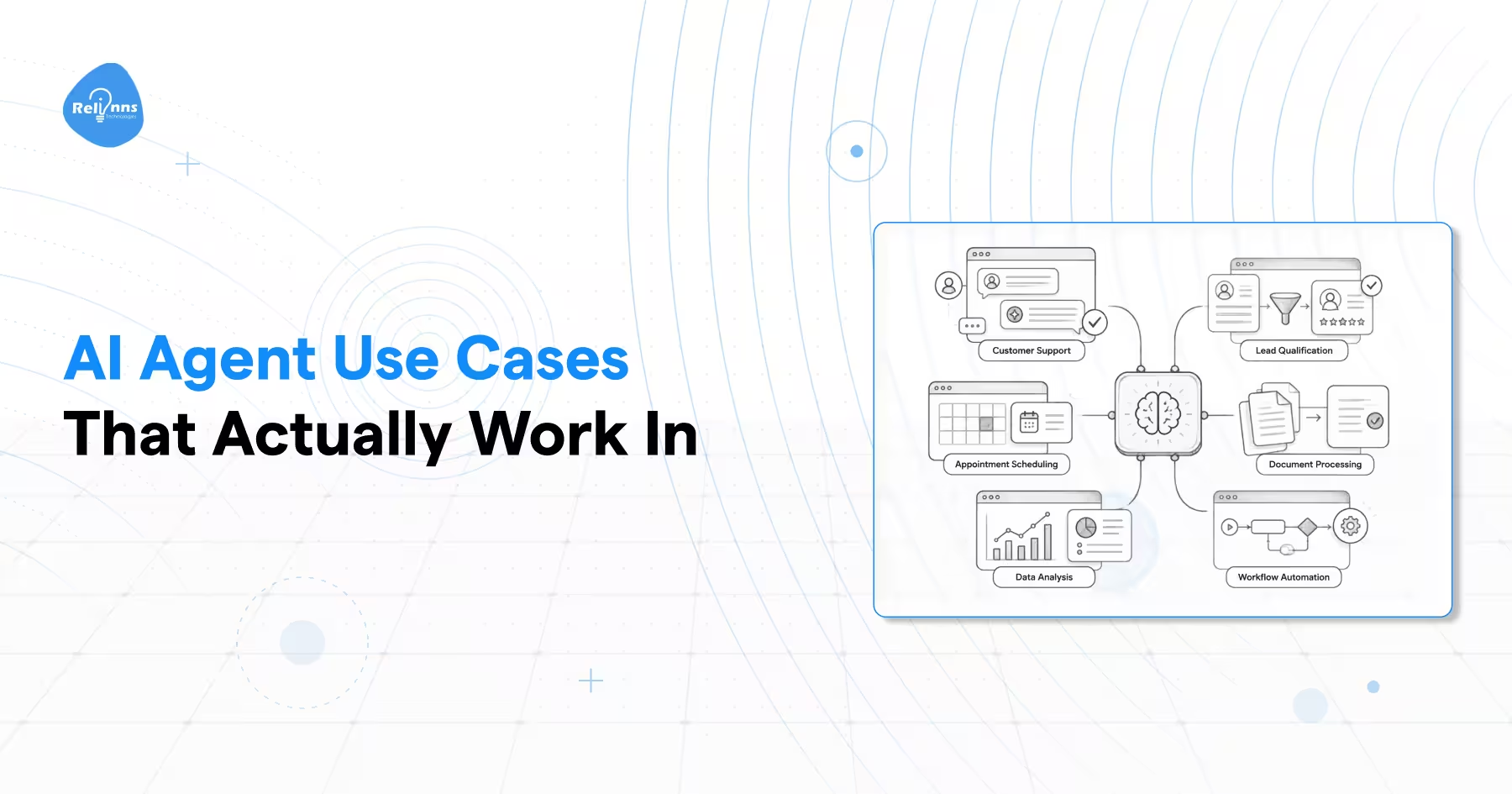
AI agent use cases are moving from experiments into everyday business systems. Gartner forecasts that 33% of enterprise software applications will include agentic AI by 2028, up from less than 1% in 2024. (Gartner)
The problem is that most teams know where work feels slow, but not whether an agent is the right fix. Generic lists only show somebody else's bottlenecks.
Choosing the wrong use case can add cost, review work, and complexity without solving the real issue.
So start with what an AI agent use case actually is, because many tasks labelled as one are simply automation.
What Are AI Agent Use Cases?
AI agent use cases are workflows where an agent receives an input, reasons across available context, decides what should happen next, and either takes that action or recommends it for approval.
The defining test is action, not conversation.
A useful agent follows a simple operating loop.
1. See: Receive a request, event, document, message, or system signal.
2. Think: Gather context, interpret the situation, and decide what should happen next.
3. Act: Use connected tools or systems to execute the next step or request approval.
4. Log: Record what was decided, what action was taken, and the result.
IBM similarly distinguishes agents from conventional assistants through their ability to reason, plan, use tools, retain context, and complete tasks. (IBM)
The commercially important distinction is answer versus action.
| Chatbot | Copilot | AI Agent | |
|---|---|---|---|
| Primarily responds to requests | Yes | Yes | Can |
| Uses external tools independently | Usually no | Sometimes | Yes |
| Maintains workflow context | Limited | Limited | Can |
| Decides the next action | Usually no | Assists | Yes |
| Executes a business task | Usually no | Usually assists | Can |
A chatbot may tell an employee which invoice is overdue. An agent can check the account, retrieve the invoice, verify payment status, create the follow-up task, and record the action in the CRM.
That is why comparing AI agents vs chatbots comes down less to how they communicate and more to what they are allowed to do.
The definition is simple. Picking which business problems deserve that level of autonomy is harder.
Is Your Problem an AI Agent Job or Just Automation?
A use case that works well in one company can fail in another. The same task may involve clean, structured data in one business and scattered documents, exceptions, approvals, and missing context in another.
That is why copying a list of AI agent examples is a weak way to choose a project.
The first question is whether the work needs judgment at all.
Structured inputs, fixed rules, and one predictable outcome normally point to automation.
Agents become more useful when the next step depends on context that changes while the process is running.
Consider claims processing.
Extracting known fields from a standard claim form is automation.
Deciding whether the claim is complete, checking policy context, identifying unusual information, and deciding whether to resolve or escalate it requires interpretation. That is where an agent can add value.
Human context switching is another strong signal.
If an employee spends 30 minutes opening systems, reading notes, comparing policies, and assembling context before making a short decision, the problem is not processing speed. It is fragmented context.
Risk matters just as much.
Actions that are easy to review or reverse are safer early agentic AI use cases. Irreversible actions involving money, legal exposure, customer commitments, or regulated decisions need stronger approval controls.
Gartner forecasts that more than 40% of agentic AI projects will be canceled by the end of 2027 because of rising costs, unclear business value, or inadequate risk controls. This is a forecast, not a measured failure rate. (Gartner)
A practical rule is simple.
Reasoning without execution creates another assistant. Execution without judgment is usually automation. The strongest agent candidates need both.
Once that distinction is clear, most useful projects fall into a small number of repeatable patterns.
The 4 Patterns Behind Most AI Agent Use Cases
Once you separate agents from fixed automation, most AI agent use cases become easier to evaluate.
Different industries use different language, but the underlying work usually falls into four patterns based on where human judgment and system action are currently required.
| Pattern | What Happens Today | Agent's Job | Risk Level |
|---|---|---|---|
| Context assembly | People gather information across systems | Assemble context and recommend an action | Lower |
| Triage and routing | People manually prioritize queues | Classify, score, and route work | Lower to medium |
| Messy intake | People interpret incomplete inputs | Extract, validate, resolve, or escalate | Medium |
| Cross-system orchestration | People coordinate several systems | Execute and log a multistep workflow | Higher |
Context Assembly
This pattern appears when employees spend more time finding information than making the actual decision.
The agent pulls relevant records, documents, messages, policies, or system signals into one working context. It can then summarize what matters and recommend the next action.
Good candidates include account research, policy review, customer history preparation, and operational briefings.
Triage and Routing
Queues become agent candidates when priority cannot be determined through one simple rule.
The agent can interpret urgency, customer history, risk, intent, and other context before deciding where the work should go.
Support tickets, claims, security alerts, and inbound leads frequently fit this pattern.
Messy Intake
Many workflows begin with emails, PDFs, images, forms, attachments, or incomplete requests.
An agent can extract the relevant information, compare it with policy or system data, identify missing details, and decide whether the case can continue or needs review.
Cross-System Orchestration
This is the highest-risk pattern because the agent takes actions across several tools.
It may update records, trigger approvals, create tasks, send instructions, or change workflow states.
Human approval becomes more important as actions become harder to reverse.
These four patterns provide a useful way to judge the AI agent examples below without treating every industry as a completely different problem.
25 AI Agent Use Cases and Examples by Industry
The strongest agentic AI use cases usually solve a specific operational bottleneck rather than automate an entire department.
The tables below show what triggers each workflow, what the agent actually does, where human control remains, and which business metric should improve.
Healthcare AI Agent Use Cases
Healthcare is a strong fit for administrative agent work where information is fragmented but consequential decisions can remain under human control.
| Use Case | Trigger | What the Agent Does | Human Gate | Metric That Moves |
|---|---|---|---|---|
| Patient intake and triage | New patient request | Collects symptoms, history, insurance details, and routes the case | Clinical review before medical decisions | Intake time |
| Prior authorization preparation | Treatment requires payer approval | Gathers records, checks requirements, prepares submission | Staff reviews before filing | Authorization turnaround |
| Clinical documentation drafting | Consultation ends | Organizes notes and drafts structured documentation | Clinician approves final record | Documentation time |
| Credentialing validation | New clinician or renewal | Checks licenses, documents, expiry dates, and missing information | Credentialing team approves | Processing time |
| Workforce scheduling | Shift gaps or demand change | Matches staff availability, qualifications, and coverage needs | Manager approves exceptions | Scheduling time |
The pattern is clear. The AI agent in healthcare handles context gathering and administrative judgment while clinical accountability stays with qualified professionals.
Ecommerce and Retail AI Agent Use Cases
Retail creates many high-volume decisions where actions are measurable and often reversible.
That makes it suitable for controlled experimentation with greater agent autonomy.
| Use Case | Trigger | What the Agent Does | Human Gate | Metric That Moves |
|---|---|---|---|---|
| Support resolution | Customer request arrives | Reads history, checks policy, resolves simple issues, escalates uncertain cases | Escalation for low-confidence cases | Resolution rate |
| Price response | Competitor or demand change | Compares prices, stock, margin, and pricing rules before recommending action | Approval above margin limits | Margin and conversion |
| Returns triage | Return request arrives | Checks product, reason, value, and condition to recommend disposition | Review for high-value cases | Return processing cost |
| Inventory rebalancing | Stock imbalance appears | Compares demand, stock, lead times, and locations before recommending transfers | Approval for major transfers | Stock availability |
| Product recommendation | Shopper shows buying intent | Combines preferences, inventory, behavior, and product attributes | Usually none for recommendations | Conversion rate |
These AI agent examples demonstrate agentic commerce, where agents respond continuously while businesses maintain approval gates for decisions with significant financial consequences.
Insurance and Finance AI Agent Use Cases
Insurance and finance contain document-heavy workflows where agents can assemble evidence, identify exceptions, and recommend actions while preserving review and auditability.
For risk-sensitive workflows, AI agents for fraud detection can help analyze transaction patterns, identify suspicious activity, and escalate cases for review.
| Use Case | Trigger | What the Agent Does | Human Gate | Metric That Moves |
|---|---|---|---|---|
| Claims intake | New claim submitted | Extracts evidence, checks coverage, identifies missing data, and scores escalation need | Adjuster approves resolution | Claim cycle time |
| Fraud review | Unusual activity detected | Combines transaction history, account context, and risk signals | Analyst approves holds or escalation | Investigation time |
| Invoice reconciliation | Payment exception appears | Matches invoices, purchase orders, payments, and exceptions | Finance reviews unresolved cases | Reconciliation time |
| KYC review | New account or risk event | Combines identity, records, screening results, and risk indicators | Compliance approval | Review turnaround |
| Underwriting preparation | New application arrives | Reads documents, organizes risk factors, and drafts a preliminary memo | Underwriter owns final decision | File review time |
The best use of AI agents for Insurance is rarely unrestricted decision-making.
It is faster evidence assembly, exception handling, and preliminary judgment with clear accountability.
Supply Chain and Logistics AI Agent Use Cases
Supply chain workflows change constantly as prices, routes, stock levels, weather, suppliers, and delivery conditions move.
Agents can recompute decisions as those signals change.
| Use Case | Trigger | What the Agent Does | Human Gate | Metric That Moves |
|---|---|---|---|---|
| Route resequencing | Traffic or weather changes | Recalculates stops, constraints, delivery windows, and available routes | Approval for major service changes | Delivery time |
| Maintenance scheduling | Equipment risk increases | Reviews sensor signals, maintenance history, availability, and failure risk | Maintenance approval | Unplanned downtime |
| Supplier risk monitoring | Supplier risk signal appears | Checks news, delivery history, contracts, and current purchase orders | Procurement approves freezes | Supply disruption |
| Shortage response | Inventory falls below requirement | Compares alternate suppliers, lead times, cost, and availability | Buyer approves supplier change | Shortage duration |
| Cold-chain exception handling | Temperature threshold breached | Reviews shipment state, location, exposure duration, and response options | Human review for disposal decisions | Product loss |
These are strong use cases for AI agents in supply chain and logistics because the next action depends on changing conditions rather than a single static rule.
Cross-Industry AI Agent Examples
Some workflows appear in almost every business.
They are often better starting points because teams already understand the process and can measure whether the agent improves it.
| Use Case | Trigger | What the Agent Does | Human Gate | Metric That Moves |
|---|---|---|---|---|
| Employee onboarding | New hire confirmed | Coordinates HR, IT, access, equipment, and task creation | Managers approve sensitive access | Onboarding time |
| Contract review | Contract enters review | Compares clauses with approved terms and flags deviations | Legal approves changes | Review time |
| IT ticket resolution | Employee reports issue | Diagnoses the problem, checks knowledge, takes permitted actions, and verifies resolution | Escalation for privileged actions | Resolution time |
| Lead qualification | New lead enters CRM | Enriches data, evaluates fit, updates CRM, and recommends next action | Sales controls high-value accounts | Qualification time |
| Natural-language data analysis | User asks business question | Interprets the request, queries governed data, validates results, and explains the answer | Review for consequential decisions | Time to insight |
These cross-industry examples expose the core logic behind good agent deployment.
The agent gathers context, makes a bounded judgment, takes an allowed action, and leaves a record of what happened.
The next question is equally important. Some workflows contain judgment and complexity but still should not be handed to an AI agent.
Where AI Agents Are the Wrong Answer
Not every complex workflow should become an agent.
Some tasks contain judgment and fragmented context but still carry too much risk, accountability, or review cost to justify autonomous action.
AI agents are usually the wrong choice when any of these conditions dominate the workflow.
- Near-zero error tolerance If one incorrect action can cause serious financial, legal, safety, or compliance damage, autonomy may add more risk than value.
- Irreversible actions Be cautious when an action cannot be rolled back easily. Payments, account closures, legal submissions, access changes, and contractual commitments usually need an approval gate.
- Named human accountability Some decisions must remain attributable to a qualified person. The agent can gather evidence, summarize context, or recommend an action, but the accountable human should retain the final decision.
- Review costs erase the benefit If every output must be checked as thoroughly as if a person had completed the task manually, the agent may simply move work from creation to verification.
This is also why many projects covered in why AI agents fail break after deployment.
The technology may work while the workflow itself was a poor candidate for autonomy.
The better question is not whether an agent can perform the work.
It is whether the process gives the agent enough judgment to add value and enough control to contain mistakes.
Will an AI Agent Fit Your Problem? Run This 6 Question Test
A useful AI agent use case should combine fragmented context, interpretation, meaningful action, and manageable risk.
The six questions below provide a practical way to test a workflow before investing in architecture, tools, or implementation.
| Question | A Yes Suggests |
|---|---|
| Does work arrive unstructured or incomplete? | The workflow may need interpretation |
| Is context spread across three or more systems? | Context assembly could remove substantial manual work |
| Does the decision require interpretation rather than a rule lookup? | The process may need reasoning |
| Can the agent take or recommend a real next action? | There is an execution opportunity |
| Is the action reversible or able to pass through human approval? | The workflow can be governed safely |
| Do you need a record of what was decided and why? | Agent logging can improve auditability |
Four or More Yes Answers
The workflow is a strong agent candidate.
Before building, confirm that the required data is accessible, permitted actions are defined, and the human gate is clear for higher-risk decisions.
Three Yes Answers
The workflow sits in the middle.
An agent may still help, but first identify whether the real bottleneck is reasoning, fragmented context, or basic process design.
A smaller copilot or deterministic workflow may solve enough of the problem.
Two or Fewer Yes Answers
Consider conventional automation or fixing the process itself.
An agent adds little value if inputs are structured, rules are fixed, context is already available, and no meaningful decision needs to be made.
A few additional questions can expose use cases that teams often miss.
- Where is a risk visible but nobody follows up?
- Where do important cases disappear inside a queue?
- Where does someone spend significant time gathering context for a short decision?
- Where does information need to move across several systems before work can continue?
- What happens when the decision is wrong?
- Can that mistake be reversed?
The strongest agentic AI use cases score well on both sides of the equation.
They contain enough ambiguity to justify reasoning, but enough control to make execution safe.
What Breaks After You Launch an AI Agent?
A workflow can score well during planning and still fail after deployment.
The problem is often not whether the agent can perform the task. It is whether the system controls mistakes, changing models, repeated actions, and unclear ownership once real users and tools are involved.
Three control patterns reduce that risk.
| Control Pattern | How It Works | Best Used When |
|---|---|---|
| Draft and approve | The agent prepares the action and a person confirms it | Customer communication, legal work, payments, sensitive decisions |
| Confidence threshold | The agent acts when confidence is high and escalates uncertain cases | High-volume triage, routing, classification |
| Shadow mode | The agent recommends actions without executing them | Early deployment and workflow validation |
The control model should match the cost of a wrong action.
Teams should also monitor several production failure modes.
- Retry loops can repeat failed actions and increase cost.
- Cascading errors can spread one bad decision across connected agents or systems.
- Model drift can change output quality even when the workflow remains unchanged.
- Tool cost growth can make frequent API calls or repeated reasoning unexpectedly expensive.
- Weak accountability makes it difficult to determine who owns a bad outcome.
Automation Anywhere also emphasizes coordinating agents within enterprise processes rather than deploying isolated systems without common controls. (Automation Anywhere)
Governance becomes more important as autonomy increases. The right autonomy level therefore depends on the action being performed.
How to Run Your First AI Agent in 30 Days
The first deployment should prove one narrow workflow before the agent receives broader access.
Use a process that already scored four or higher in the six-question test.
Pick one workflow Choose a problem with fragmented context, meaningful judgment, and a measurable outcome.
Define what the agent may do Document permitted actions, prohibited actions, escalation conditions, and the person responsible for exceptions.
Ground it in governed data Connect approved systems and knowledge sources rather than relying on manual exports or uncontrolled files.
Add the human gate Require approval anywhere the action is difficult to reverse or carries significant financial, legal, or customer risk.
Run in shadow mode Let the agent make recommendations without executing them. Log every decision and compare it with actual team behavior.
Compare results before adding autonomy Measure accuracy, escalation quality, time saved, error patterns, and business outcomes. Expand permissions only when the evidence supports it.
Which AI Agent Use Case Should You Start With?
The best first project is usually the one with clear business value, enough judgment to justify an agent, and limited downside if the system gets something wrong.
Understanding how AI agents for business support different operational functions can help teams identify practical starting points.
Start narrow, measure the result, and expand only when the workflow proves itself.
Use this routing guide.
- Start with context assembly when employees spend too much time gathering information before making a short decision.
- Start with triage when work sits in queues because people must manually classify, prioritize, or route each item.
- Start with messy intake when employees repeatedly interpret emails, forms, PDFs, attachments, or incomplete requests.
- Start with orchestration when one task requires updates across several systems and the sequence changes with context.
- Avoid irreversible autonomous actions as the first project. Payments, legal submissions, account closures, and other high-impact decisions should begin with approval gates.
The strongest starting point is usually a workflow that already scored four or higher in the six-question test and has a measurable outcome.
Frequently Asked Questions
What Is the Best Example of an AI Agent Use Case?
A strong example is lead qualification. The agent can gather company data, interpret fit, check CRM history, score intent, update records, and recommend the next action.
It works well because context is fragmented, judgment is required, and the final action can remain controlled.
What Is the Difference Between AI Agent Use Cases and Automation?
Automation follows predefined rules and executes known steps.
AI agent use cases involve changing context, interpretation, and decisions that cannot always be mapped in advance. Agents are most useful when the workflow requires both reasoning and action.
Which Industry Uses AI Agents Most Effectively?
There is no single best industry.
Healthcare, finance, retail, logistics, IT, and HR all have strong applications. The better predictor is workflow shape. Processes with fragmented context, repeated judgment, and controllable actions are usually stronger candidates than industry labels alone.
Can AI Agents Make Decisions Without a Human?
Yes, but they should not always do so.
Low-risk and reversible actions can support more autonomy. High-impact decisions involving money, compliance, legal exposure, or customer commitments usually need explicit approval or escalation rules.
Conclusion
Do not choose an AI agent project because another company deployed one. Choose it because your workflow requires context, judgment, action, and a level of autonomy you can safely govern.
The strongest AI agent use cases solve a real operational bottleneck and have clear boundaries around what the agent may do.
Start with one narrow workflow, measure the outcome, and increase autonomy only when the evidence supports it.
Relinns helps teams scope, build, test, and deploy governed AI agents around real business processes.