AI Agents for Business: What They Are and How Companies Use Them
Date
Nov 02, 26
Reading Time
12 Minutes
Category
AI Agents
Share


Businesses have automated repetitive tasks for years. Yet employees still spend hours checking records, switching between applications, and handling requests that require multiple decisions.
AI agents for business offer a way to address these workflow gaps.
Unlike tools that simply generate responses, AI agents can interpret information, use connected systems, and execute authorized actions to complete tasks.
Companies are already using them across customer support, sales, finance, and business operations. However, not every process needs an AI agent, and not every deployment creates measurable value.
This guide explores how businesses are using AI agents, what real implementations reveal, and how to identify opportunities worth investing in.
What Are AI Agents for Business?
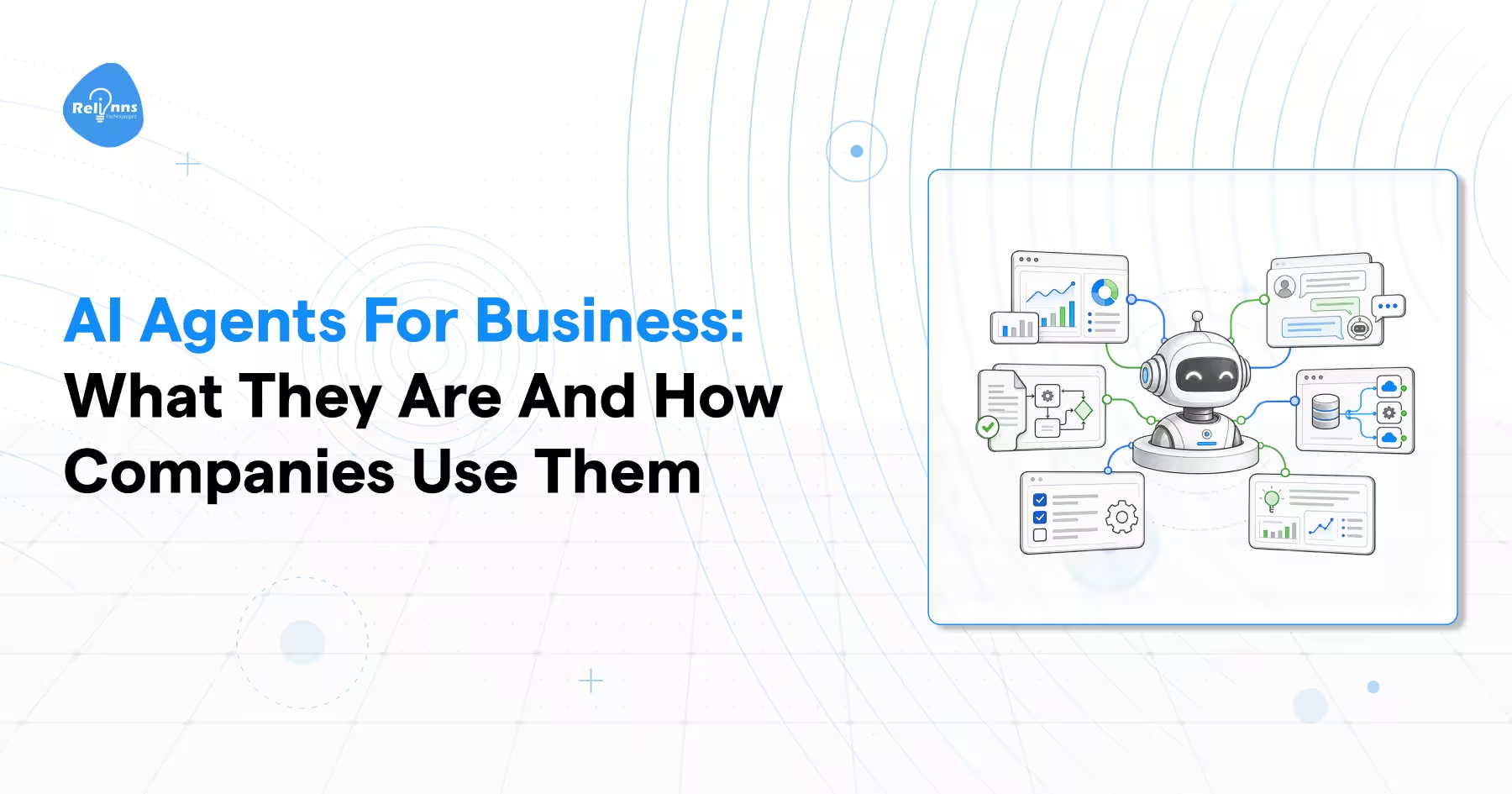
AI agents for business are AI-powered software systems that interpret information, make decisions, and execute authorized tasks across connected business applications. They work toward defined objectives using models, business data, tools, and operational rules.
Unlike traditional automation, which generally follows predefined instructions, AI agents can select actions based on changing information and workflow conditions.
For example, a basic automation might send an order confirmation after a purchase. An AI agent could investigate a delayed order, retrieve shipment details, check company policies, and initiate an approved resolution.
The distinction becomes important when business processes involve multiple steps, incomplete information, or changing circumstances.
For a deeper explanation of agent architecture and capabilities, explore how AI agents work.
How do AI agents work in business workflows?
AI agents generally combine a reasoning model, access to relevant information, connected tools, and instructions defining permitted actions.
Consider a customer contacting an ecommerce business about a missing delivery.
The agent could follow this process:
Understand the request: Identify the customer's issue and required information.
Retrieve relevant records: Access authorized order and shipment details.
Evaluate the situation: Check delivery status and applicable policies.
Take an approved action: Update a ticket or initiate an authorized resolution.
Escalate exceptions: Transfer unresolved issues to a human representative.
The agent coordinates these steps through connected systems, reducing the need for employees to manage every interaction manually.
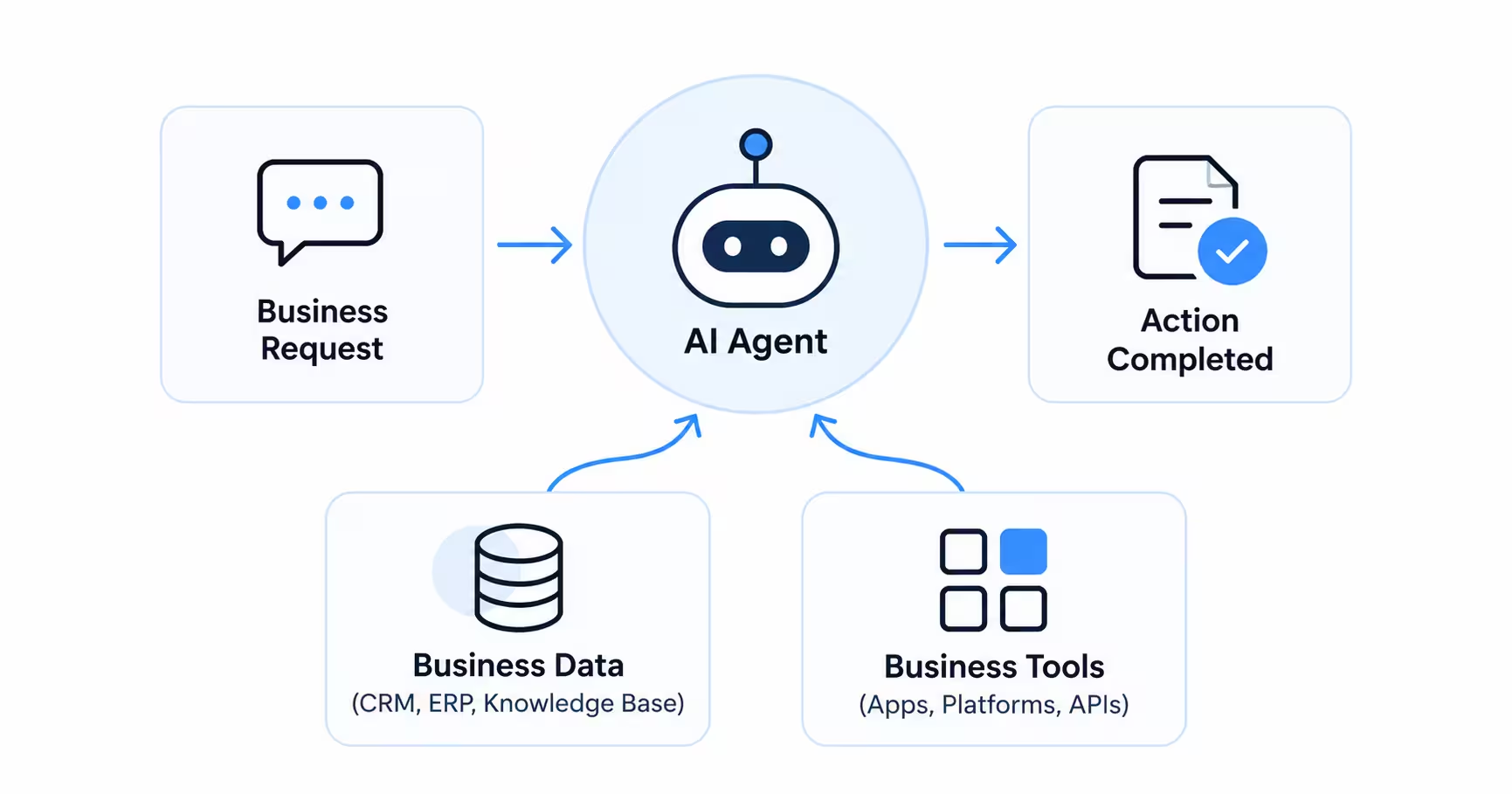
However, its effectiveness depends on data quality, integration capabilities, and operational safeguards.
Traditional Automation vs. Business AI Agents
| Aspect | Traditional Automation | Business AI Agents |
|---|---|---|
| Workflow | Follows predefined rules | Selects actions based on context |
| Information | Primarily structured inputs | Can interpret structured and unstructured inputs |
| Decisions | Based on preset conditions | Can evaluate multiple permitted options |
| System interaction | Executes configured steps | Can coordinate approved tools and actions |
| Best suited for | Predictable processes | Variable, multi-step workflows |
| Human involvement | Required for exceptions | Required according to risk and approval rules |
The choice should depend on the task, not the perceived sophistication of the technology.
How Are Businesses Using AI Agents Today?
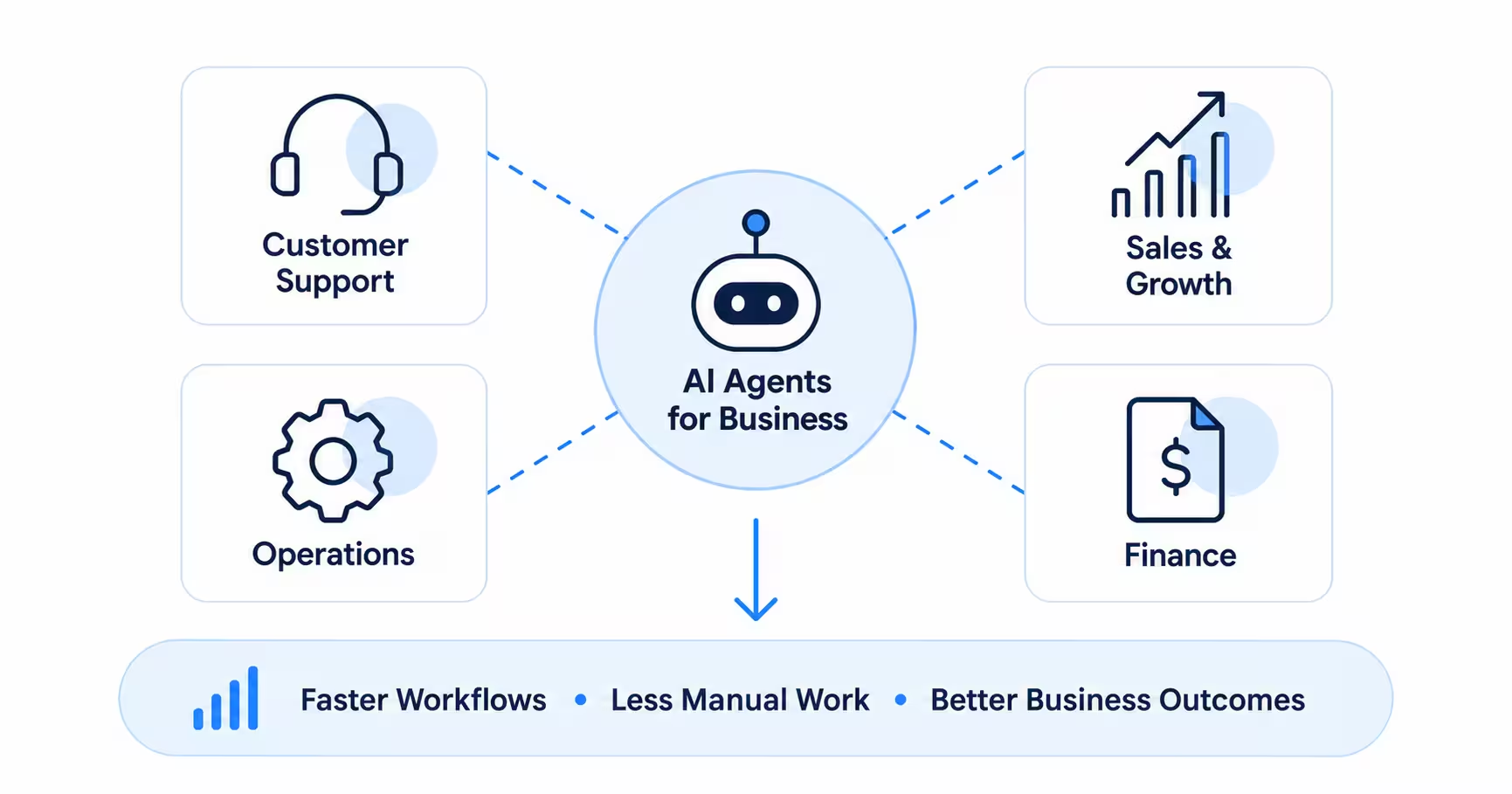
Companies are introducing AI agents in business functions where employees repeatedly gather information, evaluate requests, and coordinate actions across software systems.
The most promising applications involve clearly defined responsibilities and measurable operational outcomes.
Customer Service and Support
Customer support teams regularly handle inquiries requiring information from several business systems.
For example, resolving a refund request may involve checking an order management platform, payment records, and refund policies.
A customer support agent can retrieve these details, identify the request status, and recommend or execute an authorized next step.
It may also update a support ticket or escalate complex cases.
This reduces repetitive information retrieval while allowing employees to handle disputes and sensitive customer interactions.
Sales and Lead Qualification
Sales teams spend considerable time reviewing inquiries, collecting prospect information, and updating CRM records.
AI sales agents can coordinate these activities by qualifying leads, retrieving product information, and routing opportunities to appropriate representatives.
For example, an agent receiving a website inquiry could ask relevant qualification questions, capture requirements, and check a sales representative's availability.
Once the prospect agrees, it could schedule a meeting and update the CRM.
The business benefit comes from reducing administrative delays between initial interest and meaningful sales engagement.
Business Operations and Workflow Automation
Operational processes often span multiple teams and applications.
Consider an employee requesting access to business software.
An AI agent could check request details, verify applicable policies, identify approval requirements, and route the request to the relevant administrator.
After authorization, it might initiate the approved provisioning workflow and update the request status.
Similar applications exist in employee onboarding, procurement support, and internal service management.
These workflows are particularly suitable when multiple systems must exchange information before a task can be completed.
Finance and Administrative Processes
Finance departments process invoices, review documents, reconcile records, and investigate discrepancies.
AI agents can support these activities by extracting information, comparing documents, and identifying exceptions.
For example, an invoice-processing agent could retrieve purchase order details, compare amounts, and flag inconsistencies.
An authorized employee would then review exceptions before payment approval.
This approach can reduce manual verification work without transferring sensitive financial decisions entirely to AI.
IT Support and Internal Knowledge Management
IT support teams frequently handle software access requests, troubleshooting questions, and routine service tickets.
An AI agent connected to approved documentation can interpret employee requests and retrieve relevant information.
It may also collect diagnostic details, create tickets, and execute permitted troubleshooting steps.
More complicated incidents can be escalated with the relevant information already collected.
These applications illustrate how business AI agents can assist employees rather than operate exclusively in customer-facing roles.
For additional industry and departmental applications, explore AI agent use cases.
Real-World Examples of Companies Using AI Agents
The practical value of AI agents becomes clearer through documented company implementations.
A June 2026 Google Cloud report examining ten companies using AI agents highlights applications ranging from insurance processing to business software development.
The following results are reported by Google Cloud and represent specific implementations rather than guaranteed outcomes.
Five Sigma: Faster Insurance Claims Processing
Insurance claims involve extensive documentation, policy information, and decisions requiring professional judgment.
Five Sigma uses Clive, an AI-powered claims engine built on Google's Gemini Enterprise Agent Platform.
The system reviews claims documentation, extracts relevant information, and recommends next steps.
According to Google Cloud, Clive helps claims teams work up to 60% faster.
The implementation demonstrates how agents can reduce document-processing effort while leaving consequential decisions with claims professionals.
Natural Intelligence: Automated Customer Onboarding
Customer onboarding can require collecting information, validating details, and coordinating several operational processes.
Natural Intelligence introduced specialized Gemini-powered agents supporting onboarding, business intelligence, fraud monitoring, and lead generation.
Google Cloud reports that the company transformed a previously 10-day manual onboarding process into a fully automated workflow.
The report also mentions an 80% customer retention rate. However, it does not establish that agent deployment alone produced that result.
This example demonstrates how specialized agents can support connected business processes.
Mekorot: Operational Intelligence for Water Infrastructure
Mekorot, Israel's national water company, uses Gemini-powered agents to analyze operational data stored in BigQuery.
The agents help teams work with substantial amounts of information related to water infrastructure.
Google Cloud reports that Mekorot maintains a water loss rate below 4%, with assistance from these systems.
Although the reported rate cannot be attributed entirely to AI agents, the deployment demonstrates their relevance beyond administrative and customer-facing operations.
monday.com: Creating Business Applications Through Natural Language
Business teams often need internal applications but lack dedicated development resources for every requirement.
monday.com introduced monday vibe, allowing users to describe application requirements in natural language.
The system translates those instructions into functional business applications.
According to Google Cloud, users created more than 345,000 custom business applications through monday vibe.
This demonstrates how agentic technology can support application creation and business workflow customization.
Real Business AI Agent Implementations
| Company | Business Application | Reported Outcome |
|---|---|---|
| Five Sigma | Insurance claims analysis | Teams work up to 60% faster |
| Natural Intelligence | Customer onboarding | Automated a previously 10-day manual process |
| Mekorot | Infrastructure data analysis | Water loss below 4%, with agent support |
| monday.com | Business application development | 345,000+ applications created |
These examples demonstrate different levels of agent involvement.
Some agents gather information and recommend actions. Others execute connected workflows or support the creation of business applications.
The appropriate level of autonomy depends on operational requirements and the consequences of errors.
What Are the Benefits of AI Agents for Business?
Business AI agents can improve operational performance when deployed within suitable workflows.
Their value depends on whether they complete tasks reliably and reduce meaningful business friction.
Reduced Manual Work
Agents can coordinate information retrieval, record updates, and routine workflow decisions.
This reduces the need for employees to repeatedly transfer information between applications.
Faster Task Completion
Agents can complete authorized workflow steps without waiting for employees to initiate each action.
This is useful for customer inquiries, internal requests, and administrative processes.
Greater Operational Capacity
Organizations may handle higher request volumes without increasing manual workload at the same rate.
However, businesses must account for model usage, infrastructure, supervision, and maintenance expenses.
Improved Employee Productivity
Agents can support routine information processing, allowing employees to focus on complex problems and decisions.
This does not eliminate the need for human expertise.
How Can Businesses Measure AI Agent ROI?
Organizations should measure business improvements rather than relying on the number of automated interactions.
Useful indicators include task completion rate, processing time, escalation frequency, error rate, and cost per completed workflow.
A simple financial evaluation can compare the total value of measurable benefits with the agent's implementation and operating costs.
Net ROI (%) = [(Measured Benefits − Total Costs) ÷ Total Costs] × 100
Include integration, monitoring, maintenance, and human review costs in this calculation.
For example, an agent that completes tasks faster may still deliver limited value if employees spend substantial time correcting its actions.
Successful automation must be both operationally reliable and economically worthwhile.
How Much Could an AI Agent Actually Save Your Business?
Consider a customer support team handling 2,000 inquiries every month. The company wants to introduce an AI agent to handle routine requests while keeping human representatives responsible for complex issues.
Here's how the potential savings could look.
| Metric | Illustrative Value |
|---|---|
| Monthly customer inquiries | 2,000 |
| Requests successfully handled with agent assistance | 800 (40%) |
| Average manual handling time | 8 minutes |
| Average human review time per assisted request | 2 minutes |
| Monthly employee time released | 80 hours |
| Estimated labor cost | $25/hour |
| Gross monthly labor value | $2,000 |
| Estimated monthly AI agent operating cost | $700 |
| Net monthly economic benefit | $1,300 |
How is this calculated?
- Time released: 800 requests × 6 minutes saved = 4,800 minutes, or 80 hours.
- Gross labor value: 80 hours × $25 = $2,000 monthly.
- Net economic benefit: $2,000 − $700 = $1,300 monthly.
- Illustrative monthly ROI: ($1,300 ÷ $700) × 100 = approximately 186%.
These figures are hypothetical and assume all 800 requests are completed successfully with two minutes of human review each. The calculation also excludes upfront development costs.
Importantly, 80 hours of released employee capacity does not automatically translate into $2,000 in cash savings. Businesses must determine whether that time reduces actual expenses or creates additional productive capacity.
The takeaway: An AI agent's value should be measured through successful task completion, employee time released, and total implementation costs, not simply the number of conversations automated.
Can Small Businesses Benefit from AI Agents?
AI agents for small businesses can be useful when lean teams manage recurring tasks across multiple tools.
A service business, for example, might use an agent to qualify inquiries, check appointment availability, and assist customers with scheduling.
Other potential applications include routine support inquiries, CRM updates, and internal information retrieval.
However, small businesses should not assume that every workflow requires custom AI development.
Ready-made platforms may adequately support straightforward tasks without extensive engineering.
The best starting point is often a process that consumes significant employee time, uses accessible business data, and presents manageable risks.
A small business should also evaluate recurring subscription charges, integration requirements, and the frequency of human intervention.
The most useful agent is not necessarily the most advanced one. It is the one that reliably solves a defined business problem.
The Business AI Agent Opportunity Matrix: Which Workflow Should You Automate First?
One of the most important decisions is identifying where an AI agent will deliver sufficient value to justify its complexity.
Businesses should compare opportunities using four factors:
- Business impact: How much time, cost, or operational friction could the workflow reduce?
- Decision complexity: Does the task involve variable information or contextual decisions?
- System readiness: Are the required data and applications accessible and reliable?
- Operational risk: What happens if the agent makes an incorrect decision?
This creates a practical way to prioritize opportunities before investing in implementation.
Business AI Agent Opportunity Matrix
| Workflow | Business Impact | Agent Suitability | Operational Risk | Recommended Starting Point |
|---|---|---|---|---|
| Sending purchase confirmations | Moderate | Low | Low | Traditional automation |
| Qualifying inbound leads | Moderate to high | High | Low to moderate | Ready-made or integrated agent |
| Resolving order status inquiries | High for high-volume teams | High | Moderate | Bounded AI agent pilot |
| Reviewing insurance claims | Potentially high | High for preparation tasks | High | Agent assistance with human approval |
| Authorizing financial transactions | Potentially high | Limited autonomy recommended | Very high | Human-controlled workflow with AI assistance |
Illustrative editorial assessment. Actual priorities depend on each organization's workflow volume, systems, controls, and risk tolerance.
How to Use This Matrix
Start by listing three workflows that regularly consume employee time.
For each workflow, identify the expected business impact, required integrations, decision complexity, and consequences of an error.
Then prioritize opportunities with measurable benefits, reliable data, and manageable risks.
For example, automating shipment-status inquiries may be a more practical first deployment than automating financial approvals.
The objective is not to introduce maximum autonomy immediately.
It is to identify where controlled AI-driven actions can deliver measurable value without introducing disproportionate risk.
Challenges of Implementing AI Agents in Business
AI agent adoption introduces technical and operational challenges that businesses must address before deployment.
Data Security and Access Control
Agents may need access to sensitive customer information or internal systems.
Organizations should restrict permissions, use appropriate authentication, and maintain audit records.
Incorrect Decisions and Actions
AI agents may misinterpret requests, retrieve outdated information, or select inappropriate actions.
Testing should cover common requests, unusual inputs, failed integrations, and situations requiring human intervention.
Integration Complexity
An agent cannot complete a workflow reliably when essential business systems are disconnected or contain inconsistent information.
API availability, data quality, and integration dependencies should be assessed before implementation.
Human Oversight and Accountability
Some decisions should not be executed autonomously.
Sensitive account changes, financial transfers, and consequential approvals may require explicit human authorization.
OpenAI's practical guide to building AI agents recommends layered guardrails, strict access controls, and human intervention for high-risk actions.
These controls should be enforced through system permissions and workflow design, not only through model instructions.
How to Get Started with AI Agents for Business
Businesses should begin with a narrowly defined workflow rather than attempting to automate an entire department.
The first implementation should establish whether an agent can complete tasks reliably, integrate with existing systems, and produce measurable operational improvements.
Start with One Business Workflow
Identify a process with clearly defined inputs, expected outcomes, and recurring operational challenges.
Document the current workflow and establish measurable success criteria.
Next, determine which actions the agent can perform independently and which require approval.
Start with a limited pilot before expanding its responsibilities.
Choose Between Ready-Made and Custom AI Agents
Ready-made solutions are often suitable for common applications supported by existing business platforms.
They may require less development effort and provide a faster starting point.
Custom AI agents become more relevant when workflows involve proprietary systems, specialized business logic, or advanced integration requirements.
For example, a standard appointment-booking agent may support straightforward scheduling.
An insurance company coordinating several claims systems may require a more specialized solution.
Evaluate Development Requirements and Costs
Implementation expenses depend on the agent's responsibilities, system integrations, technical architecture, and security requirements.
Businesses should also consider ongoing model usage, hosting, monitoring, testing, and maintenance.
An agent with several complex integrations will generally require more implementation work than one handling a tightly scoped task.
For additional guidance, review the factors affecting AI agent development cost.
Work with an Experienced AI Agent Development Team
Organizations managing complex business workflows may require specialized expertise in architecture, integrations, testing, and deployment.
Relinns provides AI agent development services focused on building agents around business requirements and existing systems.
The objective is to create agents that execute defined tasks reliably while maintaining appropriate permissions, oversight, and operational controls.
Frequently Asked Questions About AI Agents for Business
What types of businesses can use AI agents?
AI agents can support businesses across retail, healthcare, finance, logistics, insurance, and professional services. Their suitability depends on workflow requirements, available data, integration capabilities, and operational risks rather than company size alone.
Are AI agents suitable for small businesses?
Yes. Small businesses can use AI agents for customer support, lead qualification, appointment coordination, and administrative workflows. Existing platforms may handle straightforward requirements, while complex processes may benefit from custom development.
Do AI agents replace employees?
AI agents can automate certain tasks previously performed manually, but employees remain essential for oversight, complex judgment, exception handling, and sensitive decisions. The impact on staffing depends on how organizations redesign work and implement automation.
How much does it cost to implement an AI agent?
Implementation costs depend on complexity, integrations, infrastructure, model usage, security requirements, and maintenance. Businesses should compare upfront development expenses with recurring operating costs and expected workflow improvements before selecting a solution.
Conclusion
AI agents for business are becoming practical tools for coordinating workflows, processing information, and supporting operational decisions.
Real deployments demonstrate their potential across customer service, insurance, infrastructure, and business applications.
However, the value of an AI agent depends on selecting the right task, connecting reliable systems, and maintaining appropriate controls.
Start with a measurable workflow. Evaluate performance against business outcomes, then expand only when the results justify it.
For organizations considering tailored implementations, Relinns can help evaluate requirements and develop agents suited to existing business operations.