AI Agent for Customer Service: What Actually Works in 2026
Date
Oct 29, 26
Reading Time
12 Minutes
Category
AI Agents
Share


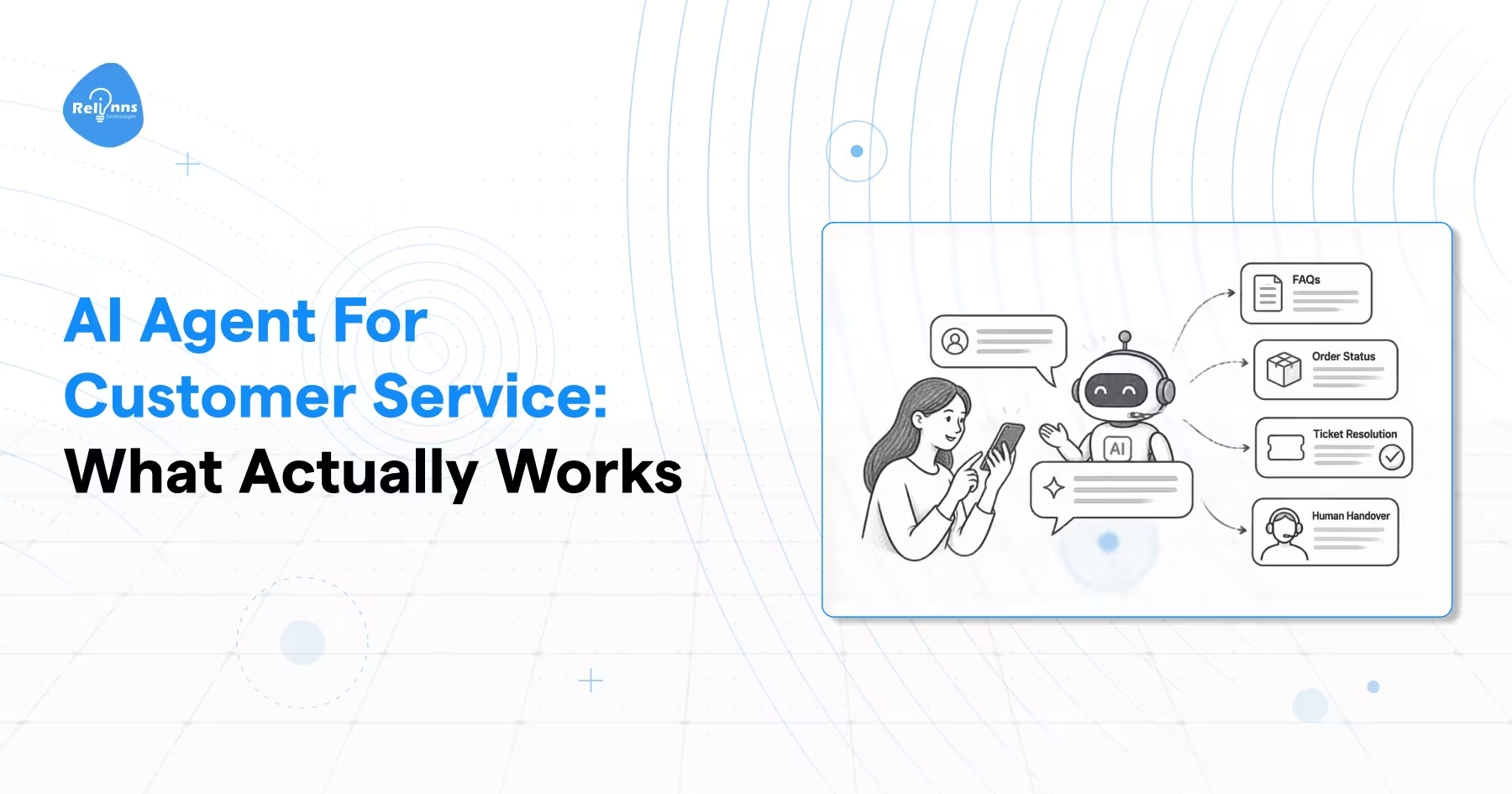
An AI agent for customer service can resolve routine requests faster, but that does not mean support teams disappear.
Gartner predicts agentic AI will autonomously resolve 80% of common customer service issues by 2029.
Yet Gartner also predicts 50% of companies that attributed customer service headcount reductions to AI will rehire people for similar functions by 2027. Gartner's 2026 forecast
Both can be true.
Routine requests can move to AI, while complex cases still need human judgment.
Before deciding what to automate, define what actually counts as an AI agent for customer service.
What Is an AI Agent for Customer Service?
An AI agent for customer service understands a customer request, gathers relevant context, decides the steps needed to resolve it, and can take permitted actions across connected systems.
That ability to move from understanding to action separates an agent from software that only retrieves information or drafts a response.
Understanding the AI agent vs chatbot distinction helps businesses determine whether they need a system that answers questions or one that can also take permitted actions.
Three capabilities matter most.
Reasoning and Planning
The agent determines what needs to happen based on the request and available context.
A customer asking why an order has not arrived may require several decisions. The agent can identify the order, check shipment status, compare it with delivery policy, and decide what permitted action comes next.
Tool Use
Reasoning has limited value if the system cannot act.
A customer service AI agent can use approved functions in a CRM, billing platform, order management system, account database, or scheduling tool.
The permissions should remain narrow. An agent that can check an order does not automatically need permission to cancel it or issue an unlimited refund.
Multiturn Orchestration
Customer service requests often require several connected steps.
An AI customer service agent might authenticate a customer, retrieve an account, check a policy, request missing information, update a record, and confirm the result within one workflow.
Traditional chatbots often have limited session context. AI agents can be designed to preserve customer, task, or workflow state across interactions.
That does not mean every agent has persistent memory. Memory and state depend on system design.
The practical differences become clearer side by side.
| Capability | Chatbot | Copilot | AI Agent |
|---|---|---|---|
| Primary user | Customer | Human support agent | Customer |
| Main job | Answers questions | Assists a human | Resolves requests |
| System access | Can be limited | Usually reads or recommends | Can read and take permitted actions |
| Decision autonomy | Low | Human led | Higher within defined limits |
| Main failure risk | Wrong answer | Poor suggestion | Wrong action |
| Good first use | FAQ support | Drafting replies | Order status, resets, simple account actions |
The useful test is not whether the software sounds conversational.
Ask whether it can understand the issue, choose the next step, use the right system, and complete a permitted action.
Once an agent can act, production failures matter more than a poor response.
Why Do Most AI Customer Service Agents Stall After Launch?
AI customer service agents can perform well in demos and still lose reliability in production.
Production quality depends on the knowledge source, integrations, handoffs, context handling, and cost controls surrounding the model.
The problems usually appear in six places.
| Failure Mode | What the Customer Sees | Root Cause |
|---|---|---|
| Context loss | Customer repeats information | Retrieval or state handling fails |
| Hallucinated policy | Wrong refund window, price, or eligibility rule | Weak grounding or unclear policy source |
| Poor handoff | Human starts from zero | No structured transfer summary |
| Legacy integration | Agent answers but cannot complete the task | Missing write access to the system of record |
| Fake personalization | Generic replies with customer details inserted | Rules instead of useful customer context |
| Cost drift | AI bill grows faster than expected | High usage, long context, or unsuitable pricing model |
A strong AI agent for customer service needs four things to work reliably:
- Accurate source data
- Permission to complete approved actions
- Clear escalation rules
- Enough context to continue the workflow
Knowledge quality should be checked first.
If two support articles give different refund rules, the agent has no reliable source of truth.
Integrations matter next.
The agent may know the correct action but still fail if it cannot update the CRM, billing system, order platform, or account record.
Handoffs need structure too.
The human agent should receive:
- Customer intent
- Relevant history
- Actions already attempted
- Reason for escalation
- Recommended next step
Expert Tip
Most teams spend too much time comparing vendors, and too little time cleaning the information the agent will rely on.
Vendor selection matters, but production performance depends on what the agent knows, what it can access, and what happens when it reaches its limits.
That leads to the question leadership usually asks next.
Will an AI Agent Replace Your Support Team?
No. AI agents for customer service are more likely to change which tickets humans handle than eliminate human service completely.
Gartner predicts agentic AI will autonomously resolve 80% of common customer service issues by 2029.
At the same time, Gartner predicts no Fortune 500 company will fully eliminate human customer service by 2028. Source: Gartner
Gartner also predicts 50% of companies that attributed customer service headcount reductions to AI will rehire people for similar functions by 2027. Source: Gartner
These forecasts describe different parts of customer service.
Tickets AI Can Handle More Independently
Routine requests work best when the answer is known, and the permitted action is clear.
- Order status
- Password resets
- Basic account changes
- Standard policy questions
- Simple authenticated requests
An AI customer service agent can handle many of these with limited human involvement when identity checks, permissions, and business rules are defined.
Tickets Humans Should Continue to Own
Other requests depend on judgment, negotiation, empathy, or higher-risk decisions.
- Billing disputes
- Fraud cases
- Complex complaints
- Retention conversations
- Sensitive or emotional cases
- High-risk regulated decisions
The practical outcome is not human or AI. It is a different split between routine resolution and judgment-heavy service work.
The next step is identifying which requests are safe and practical to automate today.
What Can AI Agents for Customer Service Actually Do Today?
The best current use cases of AI agents are authenticated, repeatable, high-volume requests where the action is known and the downside of a mistake can be controlled.
Teams should expand autonomy based on workflow risk, not simply on whether the technology can complete the task.
The Customer Service Automation Difficulty Ladder
Some requests need information only. Others require system changes, money movement, or professional judgment.
| Tier | Use Case | Why It Is This Hard | Realistic Autonomy |
|---|---|---|---|
| Ship first | Order status, tracking, store hours, policy lookup | Mostly read-only | High |
| Ship next | Password reset, address change, subscription pause | Write access with low impact | High with audit |
| Guardrails required | Refunds, exchanges, plan changes, claim status | Money or policy boundaries | Autonomous inside defined caps |
| Copilot first | Billing disputes, fraud, complaints, retention cancellations | Judgment and emotion | Draft and approve |
| Human controlled | Medical advice, legal commitments, regulated disclosures | Liability or professional judgment | Human review |
Ship Read-Only Requests First
Order tracking, store information, and policy lookup are practical starting points because the agent primarily retrieves verified information.
The risk is lower because the system is not changing customer records or moving money.
Add Low Impact Actions Next
Password resets, address changes, and subscription pauses require write access.
These workflows can support greater autonomy when identity checks, permissions, and audit logs are defined.
Put Financial Actions Behind Clear Limits
Refunds and exchanges become harder because the agent can affect revenue and customer accounts.
An explicit cap provides a practical control. The agent may approve a refund inside documented policy while exceptions move to a human.
Similar controls matter in agentic commerce, where AI agents can participate in shopping, purchasing, and transaction workflows.
Keep Judgment Heavy Cases Human Led
Fraud, billing disputes, complaints, and retention requests depend on context that is difficult to reduce to fixed rules.
AI can collect evidence, summarize the case, and recommend the next action while a person makes the final decision.
IBM's Camping World deployment offers a useful reference. IBM reports that customer engagement increased 40%, while customer wait times fell to 33 seconds after deployment. Source: IBM Camping World case study
More context should not automatically mean more authority.
The higher the tier, the more important the handoff becomes.
What Happens When the AI Agent Hands Off to a Human?
A handoff is where an otherwise useful AI experience can lose customer trust.
A good handoff transfers the issue, context, actions already attempted, and recommended next step. A poor one passes only the transcript and forces the customer to repeat the problem.
This creates the handoff tax.
A useful escalation package should include:
- Customer intent
- Relevant account context
- What the AI already checked
- Actions already attempted
- Why escalation occurred
- What the human should review next
The need for human access does not mean customers reject AI.
In a 2026 survey of 3,566 customers, Gartner found 50% said GenAI made service interactions easier, while 87% said access to a human agent was essential when companies use GenAI for customer service. Source: Gartner
The design rule is simple.
Always provide a visible route to a person.
The agent should also know when to use it.
Low confidence, policy exceptions, repeated failed attempts, sensitive cases, and explicit customer requests should trigger escalation.
Practical Check
Test the escalation path as a customer before launch.
If the human receives only a transcript, the handoff is incomplete.
If reaching a person requires several failed AI interactions, redesign the escalation path.
A strong handoff preserves work already completed and lets the human continue where automation stopped.
That requirement should influence whether you buy an existing platform or build around your own systems.
Should You Buy an AI Customer Service Agent or Build One?
Buy when your workflow mostly fits standard helpdesk systems and integrations.
Build or use a hybrid approach when resolution depends on proprietary systems, unusual logic, strict deployment requirements, or custom permissions.
| Category | What It Is | Examples | Best When | Watch Out For |
|---|---|---|---|---|
| Helpdesk native | AI built into existing support software | Zendesk AI, Freshdesk Freddy, Help Scout | Your helpdesk is the main system of record | Limits on complex orchestration |
| AI native platform | Agent platform layered over your support stack | Intercom Fin, Decagon, Sierra, Ada | You handle high-volume standard intents | Pricing, customization, and platform control |
| Contact center and voice | AI designed around voice and contact center workflows | NICE Cognigy, Kore.ai, Omilia | Voice automation and IVR modernization matter | Existing flow constraints |
| Custom build | Agent designed around your own systems and policies | In-house team or development partner | Legacy systems, unusual workflows, strict data requirements | Requires engineering ownership |
When Buying Makes More Sense
Buying is usually simpler when the support workflow already lives inside a common helpdesk or CRM.
It works best when the agent needs to:
- Search an established knowledge base
- Handle standard support intents
- Update common customer records
- Escalate through existing queues
- Use integrations the vendor already supports
The tradeoff is control.
Your workflows, permissions, pricing, and integrations remain partly shaped by the platform.
When Building Makes More Sense
A custom AI agent for customer service becomes useful when resolution depends on proprietary systems or business rules that packaged platforms cannot represent well.
Common reasons include:
- Legacy order or billing systems
- Custom account permissions
- Region-specific rules
- Complex approval paths
- Strict data residency requirements
- Internal tools without standard integrations
If those requirements describe your support environment, Relinns can build the agent around your real systems rather than forcing the workflow into a standard platform.
Five Questions That Should Decide the Choice
Do not evaluate a product only on how well its demo answers questions.
Does it resolve the issue or only suggest a response?
A system that drafts replies can reduce handle time, but it does not remove the resolution work.
Can you restrict which knowledge sources it reads?
This matters when policies differ by customer, product, contract, or region.
What transfers during escalation?
The human should receive context, attempted actions, and the reason for escalation.
Can you test your own edge cases before signing?
Vendor demos rarely represent the unusual cases that create production failures.
Who owns the error when the agent acts wrongly?
You need clear accountability and an audit trail for actions the agent takes.
Governance Requirements to Check
Whether you buy or build, check for:
- Scoped permissions
- PII controls
- Audit trails
- Region-specific knowledge access
- Human approval for sensitive actions
The right choice is the one that fits your resolution path without giving the agent more authority than the workflow requires.
Once that choice is clear, the next question is financial.
What Does an AI Customer Service Agent Cost?
Pricing varies by platform.
Some vendors charge per outcome or resolution. Others combine subscriptions, seats, usage allowances, and tiered pricing.
The useful comparison is total cost per resolved request.
| Pricing Model | How It Bills | Main Risk |
|---|---|---|
| Per resolution | Each successful automated resolution | Cost rises with ticket volume |
| Per seat | Each human or platform seat | AI cost may be added to existing licensing |
| Outcome based | Each defined completed business outcome | Teams may disagree on what counts as an outcome |
| Usage based | Tokens, minutes, API calls, or actions | Long conversations and heavy usage increase spend |
What Does This Look Like in Practice?
Intercom currently lists Fin from $0.99 per outcome. Source: Intercom Pricing
Consider a support operation with:
- 10,000 monthly tickets
- 45% resolved by AI
- 4,500 chargeable outcomes
- $0.99 per outcome
At that assumed resolution rate, the estimated outcome charge would be $4,455 per month.
This is an illustrative calculation, not a prediction of what a specific deployment will achieve.
Teams should also budget for:
- Knowledge base cleanup
- Integration engineering
- Human review during rollout
- Support platform subscriptions
- Model or API usage where applicable
- Ongoing testing and quality checks
Intercom's pricing also shows why looking only at the AI usage rate can be misleading. Its platform may combine AI outcome charges with other service costs depending on the chosen setup. Intercom Fin outcome documentation
Model the Cost at Production Scale
Test the pricing model at higher ticket volumes before signing.
Gartner forecasts that GenAI cost per resolution will exceed $3 by 2030. This is a future forecast, not today's market price. Source: Gartner
The useful metric is all-in cost per successful resolution after platform fees, AI usage, integrations, and human review are included.
Once the economics are clear, implementation should increase autonomy only as reliability improves.
How Do You Implement an AI Agent for Customer Service in 90 Days?
Start with real ticket data, clean the knowledge base, pilot with human approval, then expand autonomy only when the agent repeatedly produces correct results.
A 90 day rollout should use clear exit conditions rather than a fixed launch date.
| Phase | Weeks | What to Do | Exit Criteria |
|---|---|---|---|
| Audit | 1 to 2 | Review 3 to 6 months of tickets and rank intents by volume | Top 20 intents documented using real customer language |
| Ground | 3 to 4 | Fix contradictory articles and define action limits | Two experienced team members reach the same answer from the same source |
| Pilot | 5 to 8 | Run tier 1 requests in draft and approve mode | 9 of 10 drafts approved without editing |
| Release | 9 to 12 | Make tier 1 and tier 2 requests autonomous with review | Escalations transfer a structured summary |
| Extend | Ongoing | Add tier 3 requests inside defined limits and log corrections | The same failure does not keep repeating |
Graduation Rule
Do not release an AI agent for customer service simply because the calendar reaches week eight or week twelve.
Move to the next level only when performance supports it.
During the pilot, track:
- How often drafts need editing
- Which intents trigger escalation
- Which knowledge sources create conflicting answers
- Which actions fail because of missing permissions
- Whether customers repeat information after handoff
Human approval should remain until the agent produces consistently acceptable actions.
Relinns also recommends human approval checkpoints for high-risk actions and defined escalation thresholds before autonomous deployment.
Expert Tip
Treat the knowledge base as part of the product.
An AI system can retrieve your documentation, but it cannot reliably decide which of two contradictory policies the business actually follows.
Before increasing autonomy:
- Resolve contradictory support articles
- Define refund and action limits
- Assign one approved source for each critical policy
- Record known edge cases
- Test against real customer phrasing
Testing should continue after release.
Failed conversations, unusual requests, policy changes, and escalation errors should become new test cases before autonomy expands.
The strongest graduation signal is simple.
If reviewers repeatedly approve the agent without meaningful edits, greater autonomy may be justified.
If the same corrections keep appearing, fix the source knowledge or workflow first.
Once the agent is live, the next mistake is measuring the wrong thing.
Which Metrics Tell You the AI Agent Is Working?
Track true resolution, not only deflection.
A customer leaving the conversation does not prove the issue was solved.
The goal is to measure whether the agent resolved the request correctly, transferred it well, and did so at a sustainable cost.
| Metric | Definition | Why It Matters |
|---|---|---|
| True resolution rate | Issue closed with no repeat contact within 7 days | Shows whether the problem stayed solved |
| Escalation quality | Share of handoffs where the human does not repeat discovery | Measures whether context transfers properly |
| Repeat contact rate | Same customer returns with the same issue within a week | Reveals incorrect or incomplete resolutions |
| Cost per resolution | Total AI, platform, review, and operating cost per solved request | Shows real economics |
True Resolution Rate
This should be the primary success metric.
A case should count as resolved only when the issue stays resolved rather than simply disappearing from the AI conversation.
Escalation Quality
A handoff succeeds when the human can continue without repeating discovery.
Track whether transferred cases already include:
- Customer intent
- Relevant account context
- Actions attempted
- Reason for escalation
- Recommended next step
Repeat Contact Rate
A strong deflection number can still hide poor answers.
If customers return shortly afterward with the same issue, the agent may have answered without resolving the underlying problem.
Cost Per Resolution
Include more than the AI usage fee.
Measure:
- Platform cost
- Model usage
- Human review time
- Integration costs
- Ongoing testing
- Supporting operations
This gives leadership a clearer view of whether the AI customer service agent improves service economics.
The Month Three Test
Rerun the original top 20 customer intents against the live agent after 90 days.
Compare:
- Answer quality
- Action accuracy
- Escalation quality
- Policy consistency
- Cost per resolution
This can reveal problems introduced by knowledge updates, policy changes, new integrations, or workflow changes.
The strongest customer service AI program is not the one with the highest automation rate. It is the one that resolves the right requests accurately, hands off the rest cleanly, and proves the economics over time.
Frequently Asked Questions
What's the Difference Between an AI Agent and a Chatbot in Customer Service?
A chatbot mainly answers questions using available knowledge or predefined flows.
An AI agent for customer service can also interpret context, decide the next step, use connected tools, and complete permitted actions such as checking an order, updating an account, or escalating a case.
Can an AI Customer Service Agent Process Refunds on Its Own?
Yes, when the workflow has clear controls.
The agent should authenticate the customer, verify policy, check order details, and stay within a defined refund limit. Unusual cases or amounts above the permitted threshold should move to human approval.
How Much Does an AI Agent for Customer Support Cost?
Pricing depends on the platform and billing model.
Vendors may charge per resolution, outcome, seat, or usage. Costs can also include integrations, model usage, knowledge preparation, and human review, so compare total cost per successful resolution.
What Percentage of Customer Service Tickets Can AI Resolve?
There is no percentage that applies to every company.
Gartner predicts agentic AI will autonomously resolve 80% of common customer service issues by 2029. This is a forecast, not a present-day benchmark for all support tickets. Source: Gartner
Actual performance depends on ticket mix, knowledge quality, integrations, permissions, and escalation rules.
Do Customers Want AI Customer Service?
Customers appear open to AI when it makes service easier without blocking human help.
In Gartner's 2026 survey, 50% said GenAI made service interactions easier, while 87% said access to a human agent remains essential when companies use GenAI for customer service. Source: Gartner
How Long Does It Take to Deploy a Customer Service AI Agent?
A narrow pilot can launch faster when knowledge and integrations are already prepared.
The production framework in this guide uses 90 days for audit, grounding, controlled testing, and phased release. Complex integrations or regulated workflows may require longer.
Can an AI Customer Service Agent Be HIPAA Compliant?
It can operate within a HIPAA compliant deployment, but compliance depends on the complete environment.
Review vendors, agreements, PHI handling, access controls, security safeguards, audit logs, retention practices, and human processes. The AI agent should not be treated as independently compliant.
Conclusion
Do one thing before expanding automation this week.
Pull your top 20 customer service intents. Ask two experienced support agents to answer each using the same knowledge base.
If their answers disagree, fix the source material before asking an AI agent to resolve those tickets autonomously.
Once those answers are consistent, you have a stronger foundation for controlled automation.
If the workflow then requires custom systems, permissions, approval gates, or production monitoring, Relinns can turn those validated support processes into a production AI agent. Its development service covers architecture, integrations, testing, guardrails, deployment, and monitoring rather than stopping at a conversational prototype.