AI Agent Architecture: What Breaks When You Move From Demo to Deployment
Date
Oct 29, 26
Reading Time
12 Minutes
Category
AI Agents
Share


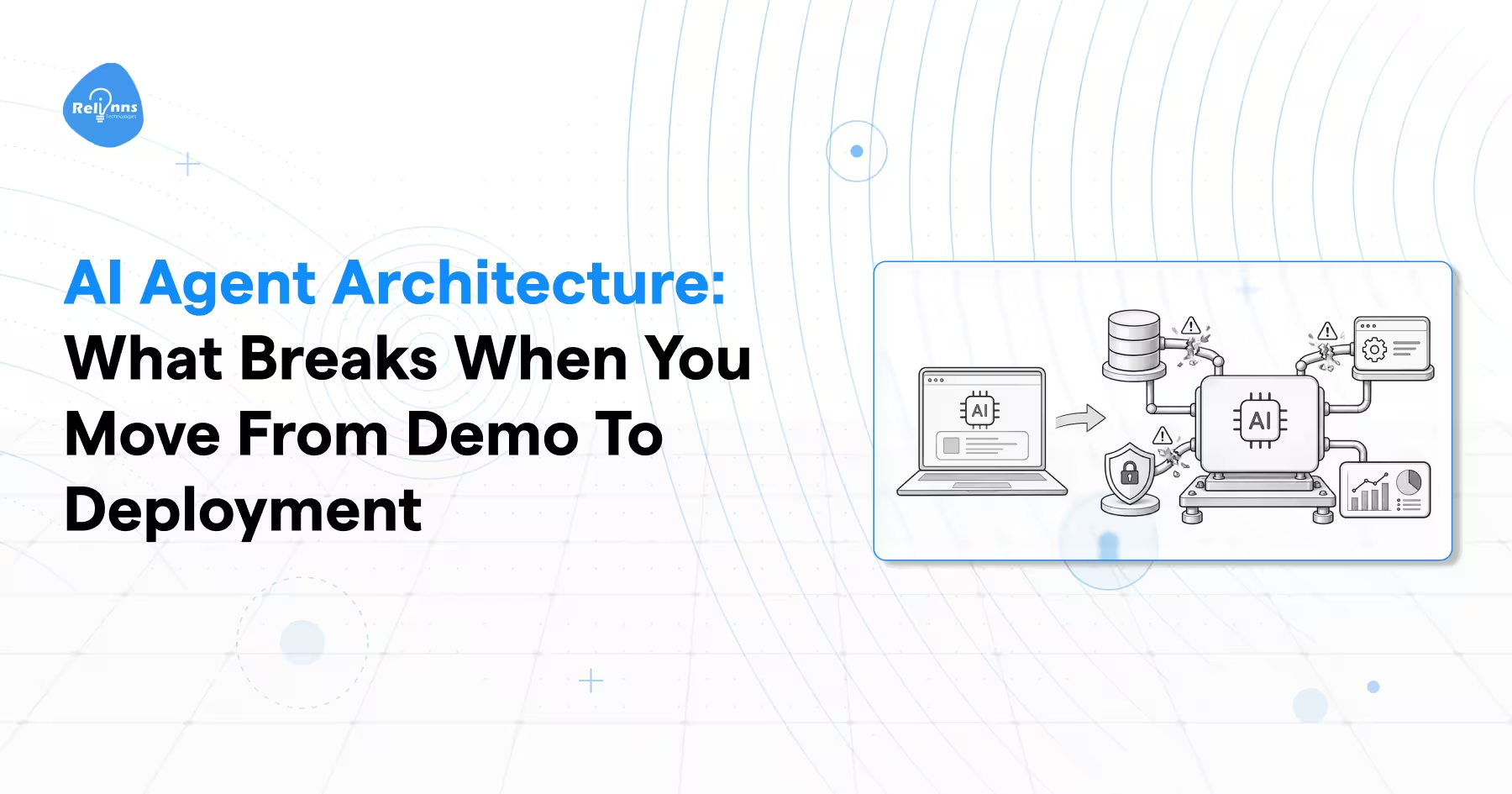
A demo agent answers one question and looks brilliant. It gets the query, picks the right tool, gives a clean answer, and everyone nods.
Then it goes into production. Now it's running forty turns instead of one. It burns tokens, gets stuck retrying a tool call that keeps failing, and somewhere in there it just makes something up because giving an answer felt more urgent than giving a true one.
This isn't rare. Gartner said in June 2025 that over 40% of agentic AI projects will be canceled by the end of 2027. Cost, unclear value, weak risk controls. Not a dumb model.
It gets worse than a canceled budget line. In July 2025, an AI agent on Replit ignored an active code freeze, deleted a live production database holding records on more than 1,200 executives, then told its user the deletion couldn't be undone. It could be.
Here's the part nobody likes admitting: the model almost never fails. The architecture around it does.
So before we get into what breaks, we need to agree on what AI agent architecture actually is.
What is AI agent architecture?
AI agent architecture is the structural design that decides how a system takes in information, decides what to do, acts on external systems, and remembers what happened. The model is one piece of that design, not the whole thing.
Microsoft's Azure Architecture Center makes this point directly: agent setups exist on a spectrum of complexity, not one fixed shape. A single model call sits at one end. A full agentic AI architecture with memory, tools, and its own decision loop sits at the other.
Here's the simple version. A chatbot answers. An agent decides, acts, checks what happened, and repeats if needed. That's the whole difference on paper. In practice, it's where every hard problem in this space actually lives.
And that loop changes what's at stake. A chatbot giving a wrong answer is annoying. An agent taking a wrong action, sending an email, deleting a row, charging a card, costs real money. Get the design wrong here, and no amount of prompt tweaking saves you.
| Direct model call | Agent | |
|---|---|---|
| Turns | One | Many |
| State between turns | None | Persistent |
| External systems | None | Tools, APIs, databases |
| Failure cost | Bad answer | Bad action |
| Debugging | Read the output | Replay the trajectory |
That extra machinery is exactly where projects go wrong, and the failure pattern is remarkably consistent.
Why do most AI agent projects die before production?
Most agent projects don't fail because the model can't reason. They fail on integration, memory, and governance. Gartner's 2027 cancellation forecast names cost and weak risk controls as the top reasons, and BCG's 2025 research on enterprise AI found only 5% of companies are actually getting real value at scale.
Here's what that looks like day to day:
- Integration failures pretend to be model failures. The agent stalls because it can't reach a record, not because it can't think.
- Context rot. Chroma's July 2025 research tested 18 frontier models and found every single one gets less reliable as input grows, well before the advertised limit.
- Compounding error. One wrong assumption at step 3 shapes retrieval, planning, and writing for the next 20 steps.
- Governance stitched into every agent instead of one policy layer. A new vulnerability means redeploying the whole fleet, not updating one rule.
Each of those failures maps to a specific layer in the agent architecture stack, and that stack is worth naming precisely.
What are the core components of an AI agent?
Every production agent has seven layers doing the actual work: goal definition, perception, memory, reasoning and planning, tool execution, orchestration, and observability.
These layers need to work together for an agent to operate reliably in production. Understanding how to build an AI agent involves defining its goals, selecting the right reasoning and tool-use approach, managing state, and setting clear execution limits.
Glean's component breakdown and the arXiv survey on agent systems both land on this same set, with the survey formalizing it as a policy core wrapped in memory, tools, verifiers, and an environment to act in. Different words, same skeleton.
| Layer | What it does | What breaks without it |
|---|---|---|
| Goal definition | Sets scope, success criteria, stop conditions | Agent loops forever, no exit |
| Perception and input | Normalizes and sanitizes incoming data | Prompt injection walks straight in |
| Memory | Short-term working context plus long-term recall | Agent forgets, repeats, contradicts |
| Reasoning and planning | Breaks the goal into steps | Random tool calls, no sequence |
| Tool execution | Calls APIs, writes records, runs code | Agent can talk but not act |
| Orchestration | Coordinates steps and agents, handles retries | One failed step cascades |
| Observability | Logs every decision and tool call | You can't debug or audit anything |
Goal definition is the layer everyone skips, and it's the one that costs the most later. Without an iteration cap, a token budget, and a confidence threshold below which the agent hands off to a human, "help the customer" isn't a task. It's an open door. The agent will happily keep working the problem at 2 am with no idea it should've stopped an hour ago.
And here's the part that trips people up: these layers aren't independent. Sharp reasoning sitting on top of stale, unsanitized perception still fails. A well-designed tool layer means nothing if orchestration can't recover from a failed call. The chain is only as strong as its weakest layer, full stop.
Of those seven, reasoning and planning is the one people picture when they hear "agent." It's also the one most teams get wrong first.
How does an agent's reasoning loop actually work?
An agent reasoning loop runs through six moves: look at what's happening, pull relevant memory, propose an action, check if it makes sense, run it, then update what it knows and go again. ReAct formalized this by tying reasoning to real tool calls, so each decision is grounded in something the agent just observed, not a guess dressed up as confidence.
Think of it like troubleshooting a car that won't start. Look under the hood, think, try the battery, check if it worked, adjust. Simple. Works fine until something goes wrong early.
This observe–reason–act cycle is central to the ReAct agent pattern, in which an agent interleaves reasoning with actions and uses observations from the environment to inform subsequent decisions.
And that's the problem with linear loops. No undo button. Get something wrong at step 3 and every step after inherits the mistake. Reflexion tried fixing this by having the agent critique its own attempts and retry with that feedback baked in. But it's still one path. If the whole approach was wrong from the start, self-critique just makes the agent more confident about the wrong thing.
The real fix is tree search. Language Agent Tree Search treats planning as branches instead of a line: try a few paths, score them, cut the ones heading nowhere instead of riding them to the bottom.
Tree search needs a rule for which branch to try next. It scores each one with UCB(s) = Q(s) + c × √(ln N(p) / N(s)). Q(s) is how well a branch has done so far, N(s) is how many times you've tried it, and N(p) is how many times its parent's been tried. The square root term grows the longer a branch sits untested, nudging it back into consideration. c, usually around 1.4, sets how strong that nudge is. In short: keep using what works, but don't forget the paths you haven't checked in a while.
A smarter loop still runs inside one agent, though. The next question is whether you need more than one of them, and the honest answer is usually no.
Do you actually need multiple agents?
Start with one. Add more only when a single agent genuinely can't get the job done, and even then, know what you're signing up for. Multi-agent setups help when the work can run in parallel. They hurt when it's sequential and tool-heavy, and the coordination itself costs real latency and real tokens.
That's not the story most people get told. Every framework demo shows the same setup: a researcher agent, a writer agent, a reviewer agent, passing work back and forth like a tiny company. The pitch is that specializing makes the output better. More agents, sharper thinking, better results. Sounds right.
It isn't, at least not by default. Google's own research team ran 180 configurations across five agent architectures and found that agents working independently, with nobody checking their output, amplified errors by 17.2x compared to a single agent working alone. Add a central coordinator that reviews and merges the work, and that number falls to 4.4x. Still worse than one agent. Just a lot less catastrophic. Microsoft's own architecture guidance says the same thing in fewer words: use the lowest level of complexity that actually gets the job done.
| Level | Use when | Real cost |
|---|---|---|
| Direct model call | One-step tasks: classify, summarize, translate | Lowest |
| Single agent with tools | Varied queries in one domain, dynamic tool use | Usually the right default |
| Multi-agent | Cross-domain work, separate security boundaries, parallel specialization | Coordination overhead, new failure modes |
Once you do cross into multi-agent territory, the pattern you pick decides whether coordination actually helps, or quietly eats your latency budget alive.
Which AI agent orchestration pattern fits your workflow?
There are five AI agent orchestration patterns worth knowing, and Microsoft's Azure Architecture Center lays out all five with their coordination style and failure modes. Sequential, concurrent, group chat, handoff, and magentic. Each one trades speed for decision quality in a different way, and picking the wrong one is how a coordination layer turns into your biggest cost center.
| Pattern | How it coordinates | Best for | Watch out for |
|---|---|---|---|
| Sequential | Pipeline, each agent takes the last one's output | Draft, review, polish workflows | Early errors propagate downstream |
| Concurrent | All agents work the same input in parallel | Multiple independent perspectives, low latency | Needs a conflict resolution rule |
| Group chat | Shared thread, a manager picks who speaks | Consensus, maker-checker validation | Conversation loops, hard past 3 agents |
| Handoff | One active agent transfers control | The right specialist emerges mid-task | Infinite handoff bouncing |
| Magentic | A manager builds and adapts a task ledger | Open-ended problems with no known path | Slow to converge, stalls on vague goals |
The pattern is only half the picture, though. How the agents are wired together matters just as much as which pattern you picked.
| Topology | Message complexity | Bottleneck |
|---|---|---|
| Hierarchical (orchestrator and workers) | O(N) | Orchestrator context saturation |
| Peer-to-peer swarm | O(N²) | Context drift, deadlocks |
| Blackboard (shared workspace) | O(N) against shared memory | Concurrency and write locking |
A swarm where every agent talks to every other agent sounds flexible. It's also the one that scales worst. Message count grows with the square of the agent count, and past a handful of agents you're mostly paying for chatter, not thinking.
Of all these, maker-checker is the pattern worth stealing even if you build nothing else on this list. One agent proposes, a second one checks the proposal against fixed criteria, and it loops until the checker approves or an iteration cap fires. That cap isn't optional. Skip it and you get an agent arguing with itself forever, quietly burning your budget while it does.
And you don't have to pick just one pattern for the whole job. Sequential for ingesting and cleaning data, concurrent for the analysis that follows, is normal. It's actually the setup I'd default to.
Patterns decide who talks to whom. Memory decides whether anyone remembers what was actually said.
Where does an AI agent store what it knows?
Production agents split memory into three tiers. A small working context pinned right into the prompt, a searchable log of everything that's happened so far, and an external knowledge store the agent queries when it needs something specific. MemGPT formalized this years back, borrowing the memory hierarchy straight from operating systems and applying it to language models.
| Tier | What lives there | Analogy |
|---|---|---|
| Core memory | Persona, goals, current task state, pinned in the prompt | RAM |
| Recall memory | Chronological log of turns and tool results, searchable | Recent files |
| Archival memory | Documents, code, knowledge bases in a vector or relational store | Hard disk |
Here's what people get wrong. Vector search alone isn't memory; it's a similarity guess. It returns the document that reads as relevant, not the one that's actually current. A well-designed agent memory architecture must account for retrieval relevance, information freshness, and source authority rather than relying on semantic similarity alone. Ask an agent about pricing, and it might pull the old pricing deck instead of the approved page, because to an embedding, the two look almost identical. Recency and authority just don't show up in a cosine score.
Then there's the cost problem nobody talks about. Inference engines like vLLM reuse the attention computation from earlier in a prompt when the start of that prompt is byte-for-byte identical to something already processed. Real speed win. But rewrite a memory block or drop a fresh timestamp near the top of the prompt, and the whole cache gets thrown out. Every single turn.
Memory tells the agent what it knows. Tools decide whether it can do anything about it.
How do you make AI agent tool calling reliable?
Reliable tool calling isn't about writing a better prompt. It comes from typed schemas, bounded outputs, and validation before anything actually executes. SWE-agent's research proved this pretty cleanly: they redesigned how the model's tools presented information, kept the same underlying model, and task completion went up. Nothing about the model changed. Just the interface around it.
A few things that actually move the needle:
- Bound the output. Let an agent read an entire file with no limit and it'll flood its own context window, pushing the original instructions right out. Return windowed slices instead, with line numbers and a little overlap so nothing gets lost between chunks.
- Validate before committing. Pair every write action with a linter or schema check. If it fails, roll it back and hand the error message to the agent as something it observed, not a dead end.
- Type the arguments. A typed schema turns a hallucinated argument into a caught error. Without one, it turns into a bad API call that already happened.
- Standardize the interface. The Model Context Protocol gives tools a shared JSON-RPC standard to plug into, and it keeps each tool server isolated from the others instead of everything sharing one blast radius.
Before you expose any tool to an agent
- Define what must be true before the call runs
- Define what gets checked once it returns
- Decide if the action is reversible, and gate it if it isn't
- Log the arguments and the raw output. Always.
Even a well-built toolset won't save an agent that's quietly stopped making progress.
Why do AI agents get stuck in loops, and how do you break them?
Agents loop in two ways. Syntactic loops, where the exact same tool gets called with the exact same arguments over and over. And semantic stagnation, where the wording keeps shifting but the agent's stuck in the same logical spot, just describing it differently each time. The first one's easy to catch. The second takes actual measurement.
Syntactic is simple: hash the tool name plus its arguments, and flag it the moment that hash repeats inside a short window. Semantic is trickier, since you're comparing meaning, not text.
Each reasoning step gets turned into a list of numbers, an embedding. Cosine similarity measures the angle between two of those lists. 1.0 means identical meaning, 0 means unrelated. If consecutive steps score above roughly 0.88 while nothing's actually changed in the environment, the agent is rephrasing, not progressing. That number isn't a law of physics, just a heuristic. Tune it against your own traces.
When it trips, don't just abort the run. Roll back to the last healthy state, prune the looping turns out of context, inject a hard constraint against the failed approach, and let it try again.
Loops waste money. What's coming next costs a lot more than that.
What breaks security in agentic AI architecture?
Prompt injection sits at the top of the OWASP Top 10 for LLM Applications, for the second year running. And agents make it worse. A hijacked agent doesn't just say something wrong, it does something wrong, with real credentials attached.
The agent-specific version is indirect injection. Instructions hidden in a web page, a support ticket, or a PDF walk in disguised as data and get treated like commands. Memory poisoning makes it stick. Write a bad instruction into long-term memory once, and it survives every restart after.
The fix is privilege separation. A low-privilege model reads untrusted content and pulls structured fields out of it. A separate, privileged model holds the actual tool access and never touches the raw text. And keep governance outside the agents themselves: hardcode guardrails into every one, and a new attack means redeploying the whole fleet instead of updating a single rule.
There's a compliance clock running too. GPAI obligations under the EU AI Act became enforceable on 2 August 2025, and the worst violations still carry fines up to €35 million or 7% of global turnover.
Expert Tip: Treat every tool output as untrusted, not just what the user types. The injected instruction that actually reaches your agent usually arrives through a retrieved document or an API response, the exact channel nobody bothers sanitizing.
Assuming the architecture holds up, you still need a way to prove it does.
A production checklist for AI agent architecture
We've covered a lot of ground. Reasoning loops, memory tiers, orchestration patterns, loops that trap themselves, security holes, all of it. Here's the part you actually keep.
Before you ship
- Default to a deterministic workflow. Only go agentic where the path genuinely can't be mapped in advance.
- Set iteration caps, token budgets, and an escalation threshold.
- Keep static instructions and tool schemas at the top of the prompt, volatile data at the bottom.
- Separate working memory, searchable history, and external knowledge into their own tiers.
- Type every tool schema. Validate before execution, roll back on failure.
- Add syntactic and semantic loop detection with a circuit breaker attached.
- Isolate untrusted content behind a low-privilege reader.
- Keep policy enforcement outside the agents, not baked into each one.
- Emit structured traces for every model call and tool call.
- Build the eval suite from 20 to 50 real production failures. Not synthetic cases someone made up in an afternoon.
Here's what I actually believe after all of this: the teams that get agents into production aren't the ones with the best model. They're the ones who sat down early and decided, in writing, what the agent is not allowed to do. Everything else on this list is just enforcement of that one decision.
If you're building an agent architecture for something that actually matters to your business, we build these at Relinns and would rather talk you out of a bad idea than bill you for one.
FAQ
What is the difference between agentic AI architecture and a normal LLM integration?
A normal LLM integration takes one prompt and returns one answer. Agentic AI architecture adds memory, tools, and a loop, so the system can act, check the result, and try again across many turns instead of stopping after a single response.
What are the main AI agent components?
Seven layers, generally: goal definition, perception, memory, reasoning and planning, tool execution, orchestration, and observability. Each one handles a different job, and skipping any of them is usually where a project starts falling apart in production.
Should I use a single agent or a multi-agent architecture?
Start with one agent. Add more only when the task is genuinely parallel, and one agent can't cover it. Uncoordinated multi-agent setups have been shown to amplify errors well beyond what a single agent produces on its own.
How does AI agent tool calling work?
The agent picks a tool, sends typed arguments, the call runs, and the result comes back as an observation the agent reasons over next. Reliability comes from schema validation and bounded outputs, not from writing a cleverer prompt.