No Code AI Agents: How to Build One Without Code
Date
Sep 21, 26
Reading Time
7 Minutes
Category
AI Agents
Share


TLDR
- No-code AI agents let teams create useful agents visually, without traditional programming.
- They work best for predictable workflows such as support, lead qualification, knowledge retrieval, appointment requests, and basic business actions.
- Low code becomes useful when teams need more control over integrations, workflow logic, and system behavior.
- Custom development becomes relevant when proprietary systems, permissions, governance, reliability, or complex business rules exceed visual builder limits.
- Relinns combines AI agent development with low code and Joget expertise for businesses moving beyond standard visual tools.
No-code AI agents give lean teams a practical way to test automation without first building an AI engineering team.
According to the 2026 Gartner CIO and Technology Executive Survey, 42 percent of enterprises expect to deploy AI agents in 2026, compared with 17 percent reporting deployments in 2025. (Gartner) Read the Gartner research. The real question is whether your workflow can stay inside visual configuration or eventually needs engineering.
That depends on integrations, business logic, data sensitivity, permissions, and reliability requirements. This guide explains where no code works, where low code adds flexibility, and when custom development becomes the better fit.
What Is a No Code AI Agent?
A no code AI agent is an AI system built through a visual interface instead of traditional programming. It combines instructions, business knowledge, connected tools, and workflow rules so the agent can understand requests and complete defined tasks.
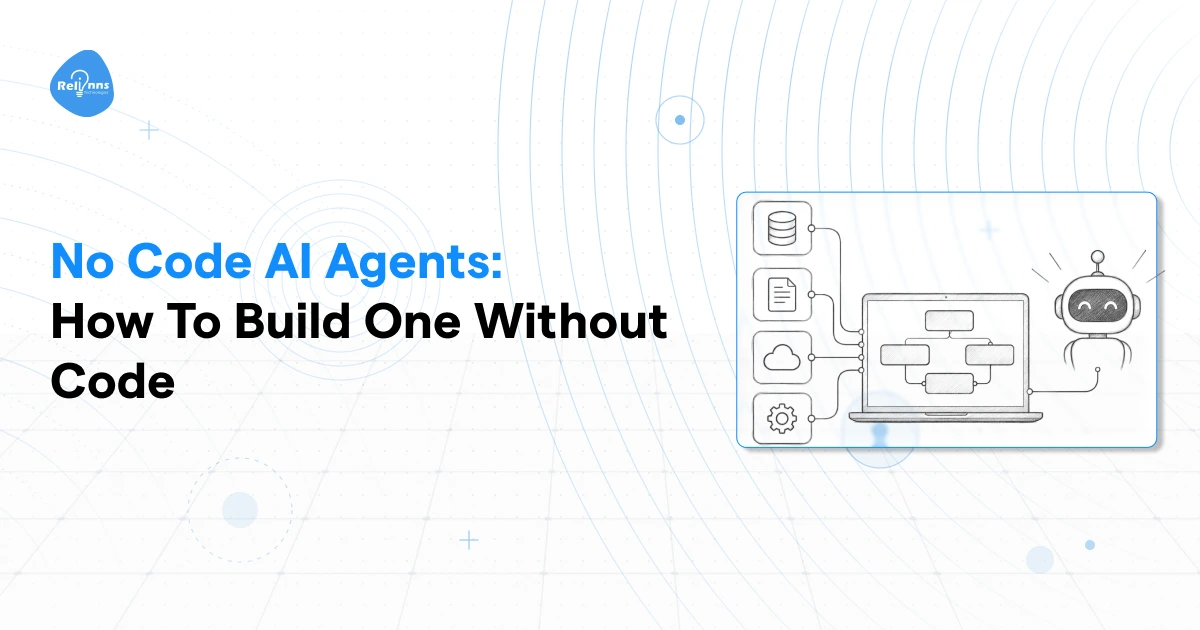
How No Code AI Agents Work
Most builders organize the agent around configurable workflow components rather than source code. For more complex implementations, the choice of an ai agent framework determines how tools, memory, reasoning, and workflows are structured. A typical setup includes:
- Triggers that start a task
- Instructions that define agent behavior
- Knowledge sources that provide approved information
- Tools that let the agent complete actions
- Conditions that control decisions
- Integrations that connect business systems
- Human escalation rules for cases the agent should not complete alone
No code does not mean no configuration. Teams still need to define permissions, information sources, allowed actions, workflow logic, and escalation conditions carefully.
What No Code AI Agents Can Handle
A no code AI agent works best when the task follows a predictable workflow with limited system complexity. Common uses include:
- FAQ assistants
- Internal knowledge retrieval
- Lead qualification
- Basic customer support
- Appointment requests
- Creating or updating simple records
- Routing requests to the right team
- Triggering basic workflow actions
If your use case depends on complex logic, proprietary integrations, or strict operational controls, a visual builder may eventually require low code or custom development.
How to Build an AI Agent Without Code
You can build an AI agent without code by defining the workflow first, then configuring its knowledge, actions, integrations, and escalation rules inside a visual builder. The process works best when the task has a clear outcome and the required systems are easy to connect.
Define the Task
Start with one specific outcome. Decide what request should trigger the agent, what information it must collect, what decision it should make, and what result it should produce. Keeping the first workflow narrow also makes testing easier.
Connect Its Knowledge
Add only the information the agent needs to complete the task. This may include:
- FAQs
- Internal documents
- Product information
- Approved databases
- Policy content
- Support documentation
Clear knowledge boundaries make it easier to evaluate whether responses are grounded in approved information.
Add Tools and Actions
Connect the systems the agent needs to read from or update. This could include a CRM, calendar, help desk, database, or messaging platform. Define exactly which actions the agent can perform in each connected system.
Define Escalation Rules
Specify when the agent must stop and involve a person. Common triggers include missing information, restricted requests, uncertain outputs, failed actions, or decisions requiring approval.
Test the Workflow
Test expected requests along with incorrect inputs, unavailable systems, restricted actions, failed tools, and escalation paths. If the workflow becomes difficult to represent through available connectors and visual rules, you may already be approaching the no code ceiling.
No Code vs Low Code vs Custom Development
The right implementation path depends on how much control your workflow needs. No code suits predictable processes. Low code provides more flexibility for custom logic and integrations. Custom development becomes relevant when business rules, permissions, system access, or governance require deeper engineering.
| Criteria | No Code | Low Code | Custom Development |
|---|---|---|---|
| Technical skills | Minimal | Some development | Engineering required |
| Setup speed | Fastest | Moderate | Depends on scope |
| Workflow flexibility | Limited | Higher | Highest |
| Integrations | Available connectors | Connectors plus custom logic | Custom integrations |
| Governance | Platform dependent | More configurable | Architecture specific |
| Best fit | Standard workflows | Moderately complex workflows | Complex enterprise workflows |
No code works when available connectors and visual rules can represent the complete workflow. Low code becomes useful when teams need custom components, integrations, or business logic while retaining visual workflow management. Custom development provides the most control when an agent must use proprietary systems, sensitive information, detailed permissions, custom business rules, or strict governance processes. This section focuses on the implementation route rather than the complete ownership decision. Teams comparing control, ownership, flexibility, and development approaches can also read Relinns' guide to custom AI versus off the shelf AI.
Best No Code and Low Code AI Agent Platforms
The best no code AI agent platforms depend on what the agent must actually accomplish. Compare workflow complexity, integrations, knowledge sources, permitted actions, governance requirements, and technical control before choosing a platform.
| Platform | Best For | No Code Capability | Integrations | Main Limitation |
|---|---|---|---|---|
| Lindy | Business workflow automation | Visual agent building | Common business applications and connected tools | Less control over deeply custom architecture |
| Relevance AI | Agent teams and knowledge workflows | No code agents and tools | Business applications, data sources, and APIs | Complex setups require careful configuration |
| Microsoft Copilot Studio | Microsoft focused enterprises | Visual low code agent building | Microsoft services and external connectors | Strongest fit in Microsoft environments |
| Zapier | Application based automation | Visual AI workflows | Broad business application ecosystem | Deep custom architecture may require engineering |
| n8n | Teams needing technical control | Visual workflows with optional code | Prebuilt integrations, APIs, and custom connections | Requires more technical knowledge |
Lindy
Best for business workflow automation. Lindy provides visual agent and workflow building for tasks across connected business applications. It is suited to operational workflows such as lead handling, scheduling, information processing, and approvals.
Relevance AI
Best for agent teams and knowledge workflows. Relevance AI allows teams to configure agents around knowledge, tools, connected applications, and coordinated workflows. It suits businesses that want several AI-driven tasks managed within one environment.
Microsoft Copilot Studio
Best for Microsoft-focused enterprises. Copilot Studio provides visual agent creation with knowledge sources, tools, workflows, and connectors across Microsoft services and external systems.
Zapier
Best for application-based automation. Zapier is useful when AI needs to participate in workflows that already span several business applications. Teams can combine triggers, application actions, data, and AI steps within automated processes.
n8n
Best for teams needing more technical control. n8n combines visual workflow building with AI capabilities, APIs, human approvals, and optional custom code. It offers more implementation flexibility than many pure no code builders.
Where Relinns Fits
Relinns works across AI agent development and Joget development, allowing teams to combine visual workflow design with deeper engineering where the requirement demands it. The handoff specifically identifies this low code and Joget background as a differentiator for this topic. Teams exploring this route can also read Relinns' guide to the Joget AI Agent Builder.
What No Code AI Agents Cannot Do
No code tools are effective while workflows remain predictable. Their limitations become clearer when an agent must handle more systems, more exceptions, stricter permissions, and more important business actions. This is where visual configuration may stop providing enough control.
Complex Business Logic
Visual rules become harder to manage when workflows contain several conditions, dependencies, exceptions, approval stages, and changing business rules. As complexity grows, configuration can become harder to test, maintain, and update without custom logic.
Deep System Integrations
Standard connectors work well for common applications. Problems arise when the agent needs proprietary software, uncommon APIs, specialized authentication, or complex read and write operations across several systems. These requirements often need custom integration work.
Advanced Permissions and Governance
Enterprise agents may require detailed access rules, approval checkpoints, audit trails, data restrictions, and limits on which actions different users can perform. A visual builder may not provide enough control for every governance requirement.
Reliability Across Complex Workflows
A successful prototype does not automatically mean production reliability. Real workflows must account for failed tools, unavailable APIs, incorrect data, incomplete requests, retries, duplicate actions, and human escalation. These situations require structured testing and failure handling.
Large Scale Enterprise Requirements
As agents perform more consequential actions, teams also need monitoring, observability, infrastructure controls, security reviews, testing, and governance processes. When these requirements become difficult to manage inside the builder, the workflow is approaching the no code ceiling. At that point, low code or custom development may provide the additional control required.
When Should You Move From No Code to Custom Development?
The no code ceiling becomes relevant when workflow requirements exceed what the visual builder can control reliably. Moving to custom development makes sense when limitations begin affecting integrations, permissions, business logic, governance, reliability, or the actions your agent must complete.
Move Beyond No Code When
Consider custom development when:
- Your agent needs proprietary integrations
- Several systems participate in one workflow
- Business rules require custom logic
- Sensitive actions need approval controls
- Compliance requirements affect system design
- Custom retrieval or data access is required
- The agent performs important business actions
- Failure handling requires engineering control
- Monitoring and governance need custom configuration
One limitation alone may not justify custom development. A stronger signal appears when several of these requirements exist within the same workflow.
Low Code Can Be the Middle Ground
Moving beyond no code does not always require replacing visual development completely. Low code allows teams to retain visual workflow management while developers create integrations, business logic, controls, and specialized components that standard builders cannot support. This can suit organizations that need greater flexibility without building every element through traditional custom code.
Why Relinns Fits This Transition
Relinns works across AI agent development and Joget development, combining AI engineering with low code workflow expertise. This becomes relevant when an initial visual workflow later requires deeper integrations, custom logic, governance controls, specialized data access, or production engineering. That ability to work across low code and custom AI is the authority signal specifically identified in the handoff.
Frequently Asked Questions
Can you build an AI agent without code?
Yes. Visual platforms can provide workflow logic, knowledge connections, integrations, and agent actions without traditional programming. This works best for predictable tasks. Complex integrations, permissions, governance requirements, and custom business logic may eventually require developer support.
What is the difference between no code and low code AI agents?
No code platforms rely mainly on visual configuration and ready-made components. Low code platforms allow developers to add custom logic, integrations, scripts, and controls. Low code provides greater flexibility while retaining much of the visual development process.
What are the best no code AI agent platforms?
The best platform depends on the workflow. Lindy suits business automation, Relevance AI supports agent and knowledge workflows, Copilot Studio fits Microsoft environments, Zapier supports application-based automation, and n8n provides greater technical control.
What are the limitations of no code AI agents?
Common limitations include restricted integrations, limited customization, platform-dependent governance, and less control over complex failure handling. These become more important when agents use proprietary systems, process sensitive information, perform consequential actions, or require strict operational oversight.
When should I hire a developer instead of using no code?
Consider developer support when your workflow involves proprietary integrations, several connected systems, custom business logic, sensitive permissions, specialized retrieval, or strict governance. Development also becomes useful when reliability, monitoring, testing, and failure handling require more control than the platform provides.
Final Verdict
No code AI agents are practical when workflows are predictable and available integrations provide enough control. Low code becomes useful when teams need greater flexibility without developing every component through custom engineering.
Custom development becomes appropriate when integrations, business rules, proprietary data, governance, or reliability requirements exceed what visual builders can comfortably support. For teams reaching that point, Relinns is worth evaluating because its AI agent development capabilities sit alongside its low code and Joget expertise.