Multimodal RAG: Building Retrieval Across Text, Image & Video
Date
Mar 18, 26
Reading Time
10 Minutes
Category
Generative AI
Share


Your RAG system might be bluffing.
It sounds confident. It cites sources. But the moment a diagram, dashboard, or video clip holds the real answer, it falls apart.
Most enterprise knowledge is no longer just text. It lives in slides, screenshots, scanned PDFs, and hours of recorded training sessions. Text-only retrieval flattens this richness or ignores it entirely.
That gap is forcing a shift toward multimodal knowledge grounding. Multimodal RAG retrieves and reasons across text, images, and video in a single system.
In this guide, we break down the architecture, implementation patterns, evaluation metrics, and scaling strategies behind production-ready RAG for multimodal AI.
What is Multimodal RAG? How It Differs from Traditional RAG
If your retrieval layer only understands text, it’s only seeing half the evidence. Multimodal RAG goes beyond text to retrieve and reason across images, charts, dashboards, and video.
Here’s how it’s defined in practice.
Definition of Multimodal RAG
Multimodal RAG (multimodal retrieval augmented generation) extends traditional RAG beyond text.
That is, it retrieves relevant information from text, images, and video, then uses that evidence to generate an answer.
Instead of relying only on text chunks, it can pull:
- a paragraph from a document
- a diagram or chart
- a screenshot or UI state
- a specific video segment with timestamps
The response is grounded in this multimodal evidence. The model does not just generate. It justifies.
Example: A CTO asks why customer churn spiked last quarter, and the system retrieves the analytics report text, the dashboard chart showing the drop-off, and the product demo video where a breaking UI change was introduced, then answers with references to all three.
This is the core of multimodal knowledge grounding: answers tied to verifiable sources across formats.
Traditional RAG vs Multimodal RAG: Understanding the Difference
Traditional RAG was designed for text-heavy systems. Multimodal RAG, on the other hand, expands that foundation to handle visual and temporal data as well.
| Dimension | Traditional RAG | Multimodal RAG |
| Data Handled | Text documents only | Text, images, and video |
| Core Pipeline | Embed text → store in vector DB → retrieve top-K chunks → generate answer | Encode per modality → store in single or multiple vector stores → retrieve cross-modal evidence → generate grounded answer |
| Retrieval Unit | Text chunks | Text + visuals + timestamps |
| Embedding Strategy | Single text encoder | Modality-specific or shared embeddings |
| Hallucination Pattern | Higher when answers depend on visuals | Lower due to cross-modal grounding |
| Latency & Compute | Moderate | Higher due to visual and video processing |
Where Multimodal RAG Fits in Modern AI System Design
Multimodal RAG sits between multimodal models and enterprise data. It acts as the reasoning layer that connects raw company knowledge to intelligent outputs.
Its core functions include:
- Connecting vision-language models to real, structured knowledge
- Powering enterprise search with contextual reasoning
- Shifting systems from generative AI to grounded AI
In short, multimodal RAG turns powerful models into reliable, evidence-driven systems.
Companies looking to move from experimental multimodal demos to fully grounded, enterprise-grade systems often partner with experienced AI teams like Relinns Technologies to design retrieval architectures that are accurate, scalable, and production-ready from day one.
Why Multimodal RAG is the Next Evolution of Retrieval Systems
Modern enterprise knowledge is messy.
It isn’t just text anymore; it’s diagrams, screenshots, dashboards, and hours of video. Traditional retrieval systems struggle to make sense of this complexity.
Where Text-Only RAG Fails
Text-only RAG works well for plain documents. However, it breaks when information is visual or mixed, leading to misinterpretation and lost insights.
- Diagrams and tables lose structure when converted to text. Relationships disappear.
- Screenshots and UI captures cannot be properly interpreted. The model sees pixels, not states.
- Video content remains locked. Speech, frames, and timelines are ignored.
- Cross-modal evidence cannot be checked. A chart may contradict the text, but the system cannot detect it.
Important business knowledge often lives in slides, dashboards, PDFs, and recordings. Text-only systems miss this context.
What Multimodal RAG Adds: Exploring Key Benefits
Multimodal RAG expands retrieval beyond text.
- Cross-modal retrieval across text, images, and video
- Evidence-backed reasoning grounded in real artifacts
- Structured context that preserves layout and visual meaning
- Fewer hallucinations because answers are tied to actual sources
- Faster troubleshooting and insights by surfacing visuals alongside text
- Better decision-making with unified evidence from multiple modalities
It moves retrieval from document lookup to real-world understanding. Thus, teams can get actionable answers, not just passages of text, even when the evidence spans multiple formats.
Core Architecture Patterns for Multimodal RAG
Choosing the right architecture is critical for performance, cost, and reasoning power. Multimodal RAG systems differ in how they handle text, images, and video.
Each pattern has trade-offs in complexity, deployment speed, and visual reasoning capabilities. The table below summarizes the main options for easy comparison.
Multimodal RAG Architecture Comparison
Here’s a breakdown of each architecture’s strengths, weaknesses, and best use cases.
| Pattern | How It Works | Complexity | Cost | Latency | Visual Reasoning | Best Use Case |
| Caption-First | Convert visuals to text, single vector store | Low | Low | Low | Limited | Fast prototypes, text-heavy content |
| Separate Vector Stores | Each modality embedded separately, late fusion | Medium | Medium | Medium | Moderate | Balanced retrieval across modalities |
| Shared Cross-Modal Embedding | Unified embedding space for all modalities | High | High | High | Strong | Deep reasoning, high-value enterprise insights |
Each architecture offers a unique balance of speed, cost, and reasoning power.
Pattern Highlights and Use Cases
Here’s what each pattern means in real-world applications and when to use it.
- Caption-first is simple and quick but weak on visual reasoning.
Example Use Case: A company indexes scanned PDF manuals by extracting captions and text to answer FAQs quickly.
- Separate stores balance performance, cost, and reasoning.
Example Use Case: A support system retrieves text instructions, UI screenshots, and training videos separately, then combines them to answer technician queries.
- Shared embedding spaces deliver strong cross-modal understanding but require more resources and alignment effort.
Example Use Case: A product intelligence system retrieves related text, images, and video clips for a CTO asking why a product defect occurred.
Businesses must choose based on data types, latency tolerance, and the level of cross-modal understanding required.
How to Choose the Right Architecture
Use these factors to guide your architecture choice and ensure it meets both technical and business needs.
- Data Characteristics: Consider the mix of text, images, and video.
- Evidence Requirements: Determine how much grounding and cross-modal reasoning you need.
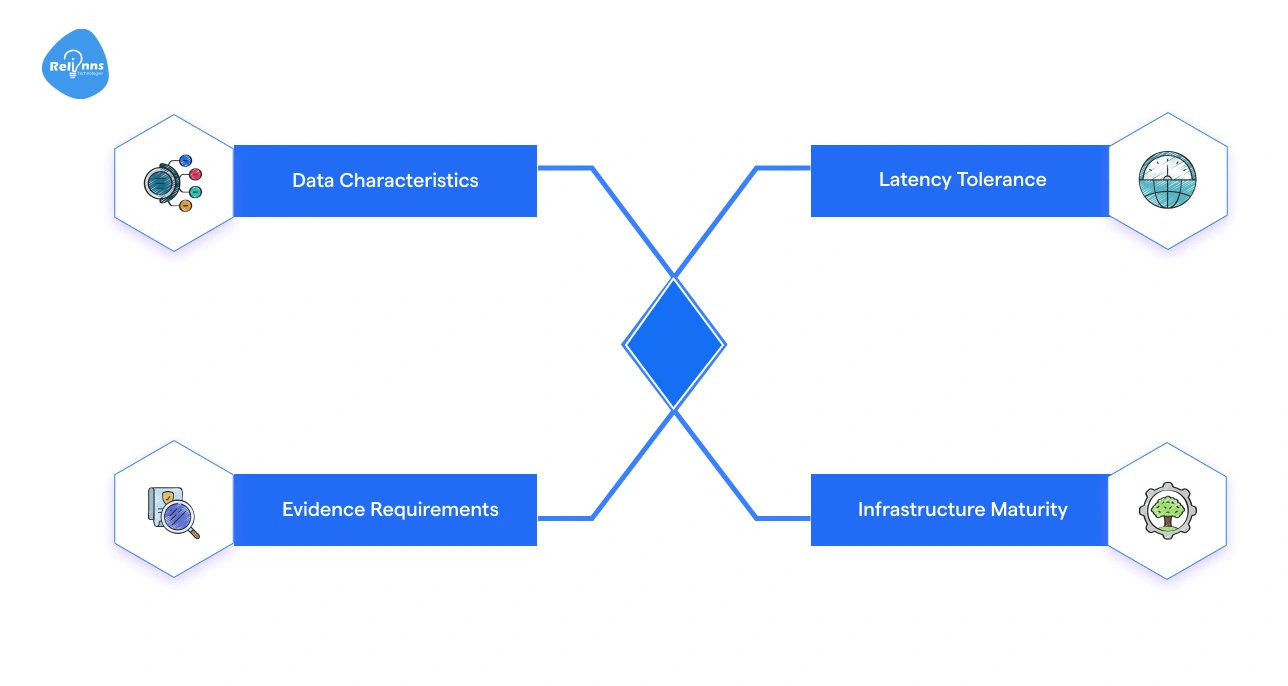
- Latency Tolerance: Decide how fast responses must be.
- Infrastructure Maturity: Evaluate your team’s experience and system capabilities.
Selecting the right architecture ensures the system balances budget, performance, and reasoning strength for your specific use case.
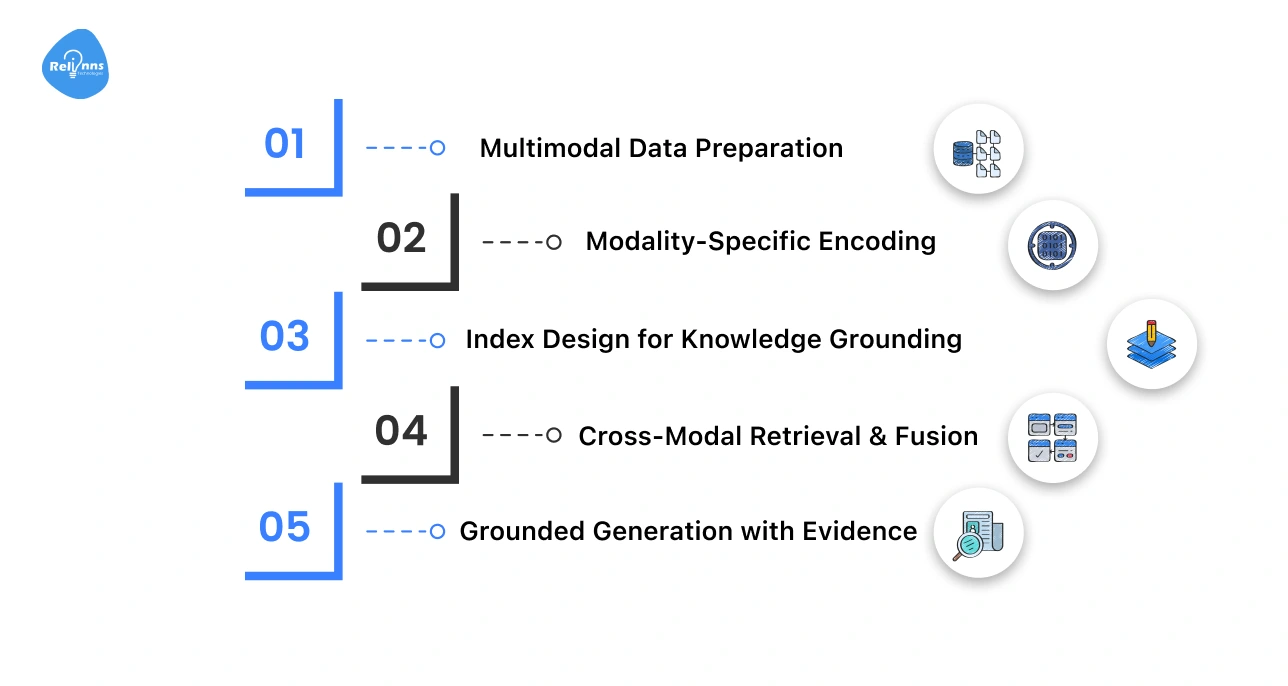
End-to-End Multimodal RAG Pipeline: Understanding the System Flow
The multimodal RAG pipeline turns raw text, images, and video into grounded, actionable answers.
Think of it as a system that gathers scattered evidence and connects the dots before responding.
The steps below summarize the full process of preparing data, retrieving relevant evidence, and generating answers backed by real sources.
| Step | Key Actions |
| Step 1: Data Preparation | Extract text, parse images, segment video, preserve tables, enrich metadata |
| Step 2: Modality Encoding | Convert text, images, and video into embeddings |
| Step 3: Index Design | Organize embeddings with metadata, bounding boxes, and timestamps |
| Step 4: Retrieval & Fusion | Retrieve top-K per modality, rerank, align temporally |
| Step 5: Grounded Generation | Pass multimodal context to model, produce answers with citations |
Each of these steps is broken down below for better understanding.
Step 1: Multimodal Data Preparation
This step prepares raw content so it can be reliably searched and understood.
- Collect and prepare all raw data.
- Extract text from documents.
- Parse images and preserve table structure.
- Segment videos and transcribe audio.
- Enrich data with metadata like timestamps, sources, and context.
Step 2: Modality-Specific Encoding
This step converts each type of data into a format the system can compare and retrieve.
- Encode each modality separately.
- Use text embedding models for text.
- Vision encoders for images.
- Video frames and segments are represented as vectors.
Each modality is now searchable.
Step 3: Index Design for Knowledge Grounding
This step organizes embeddings and metadata to enable accurate and traceable retrieval.
- Design an index that stores embeddings along with metadata.
- Include bounding boxes for images, timestamps for video, and source tracking.
This ensures cross-modal retrieval is accurate and traceable.
Step 4: Cross-Modal Retrieval & Fusion
This step retrieves relevant evidence and combines it into a unified context.
- Generate query embeddings.
- Retrieve top-K items per modality.
- Apply reranking and modality weighting.
- Align video temporally with text and images.
This merges evidence into a coherent context.
Step 5: Grounded Generation with Evidence
This step uses the retrieved evidence to generate answers backed by real sources.
- Pass the combined multimodal context to a vision-language model.
- Bundle related text, images, and video clips.
- Include structured citations and references.
The output is a grounded, evidence-backed answer.
When implemented correctly, this pipeline turns complex multimodal data into reliable, evidence-backed intelligence.
Multimodal Knowledge Grounding & Reliability
Multimodal knowledge grounding ensures that answers are built from verified text, images, and video, not assumptions.
Reliability mechanisms make sure the system cross-checks evidence, resolves conflicts, and avoids generating unsupported claims.
Evidence Bundles Instead of Isolated Chunks
Text-only systems retrieve isolated passages. Multimodal systems retrieve evidence bundles. An evidence bundle groups related text, visuals, tables, and video segments into one aligned context.
That is, if a report references a chart, both are retrieved together. If a meeting discusses a defect, the transcript and the relevant timestamp are linked.
This enables:
- Cross-source validation
- Stronger contextual alignment
- More complete answers
The model responds using connected proof, not scattered fragments.
Handling Cross-Modal Conflicts
Conflicts are common. A dashboard may contradict a slide. A transcript may differ from documentation.
Reliable systems apply:
- Source priority rules
- Recency checks
- Validation hierarchies
For example, audited financial records may outweigh draft slides. Clear rules prevent guesswork.
Reducing Hallucinations in Multimodal RAG
Grounding lowers hallucination risk, but control mechanisms are still needed.
Effective systems include:
- Retrieval confidence scoring
- Pre-generation validation checks
- Escalation or fallback when evidence is weak
If confidence is low, the system signals uncertainty instead of fabricating an answer.
Reliable grounding turns multimodal RAG from a demo into a decision-ready system.
Production Pitfalls in Multimodal RAG Systems
Multimodal RAG systems often perform well in controlled environments but fail under real production pressure.
The challenges usually appear in alignment, retrieval quality, visual understanding, and evidence tracking. Ignoring these issues can reduce accuracy and weaken trust.
Here’s a breakdown of the common production pitfalls experienced in multimodal RAG systems:
Cross-Modal Embedding Misalignment
Text, images, and video must live in a shared semantic space.
If alignment training is weak, related items may not map closely. Over time, semantic drift can make retrieval inconsistent.
Solution: Use strong cross-modal training data, periodic alignment evaluation, and embedding quality checks.
Over-Retrieval and Context Saturation
Retrieving too much content floods the context window.
Poor reranking can surface loosely related items. This fragments attention and lowers answer quality.
Solution: Apply strict top-K limits, strong reranking models, and relevance thresholds.
Domain Shift in Visual Data
Industry-specific diagrams, dashboards, or medical scans may differ from general training data.
Limited domain visuals reduce reasoning accuracy.
Solution: Fine-tune encoders on domain-specific visual datasets and continuously validate outputs.
Weak Evidence Grounding
Relying only on captions instead of real visual signals weakens trust.
Missing timestamps or bounding boxes reduce traceability.
Solution: Enforce structured evidence linking, including visual references and temporal markers, before generation.
Avoiding these pitfalls is only part of the equation; the real test is how you measure performance and reliability in production.
In the next section, we uncover the assessment framework for evaluating multimodal RAG.
Evaluation Framework for Multimodal Retrieval Augmented Generation
A multimodal RAG system is only as strong as its evaluation process.
You must measure retrieval quality, answer grounding, and production stability. Without clear metrics, performance claims are meaningless.
Retrieval Metrics per Modality
Each modality must be evaluated separately. The table below showcases how retrieval performance differs across text, images, and video.
| Modality | Key Metrics | What It Measures |
| Text | Precision, Recall | Relevance of retrieved documents |
| Image | Visual retrieval accuracy | Correct matching of charts, diagrams, screenshots |
| Video | Temporal retrieval accuracy | Correct timestamp and segment alignment |
High text accuracy does not guarantee strong visual or video retrieval.
Grounded Answer Evaluation
Answers must be checked against evidence. For example, an answer referencing a chart must cite the exact chart used.
Here’s an overview of what that means.
| Metric | Purpose |
| Citation correctness | Do references match the answer? |
| Cross-modal consistency | Do text and visuals agree? |
| Human review | Expert validation for edge cases |
This process ensures the model responds with verified information.
Production Monitoring Signals
Live systems require continuous tracking. Think real-time operational health indicators.
| Signal | Why It Matters |
| Latency | User experience impact |
| Compute cost | Budget control |
| Retrieval failure rate | System reliability |
| Hallucination reports | Trust and safety tracking |
Strong evaluation turns multimodal RAG from experimentation into a dependable production system.
Scaling and Cost Optimization Strategies for Multimodal RAG
Multimodal RAG systems are powerful, but they are expensive to run.
Text, images, and video increase compute, storage, and infrastructure complexity. Scaling without cost control can quickly make the system unsustainable.
Compute Realities of Multimodal Systems
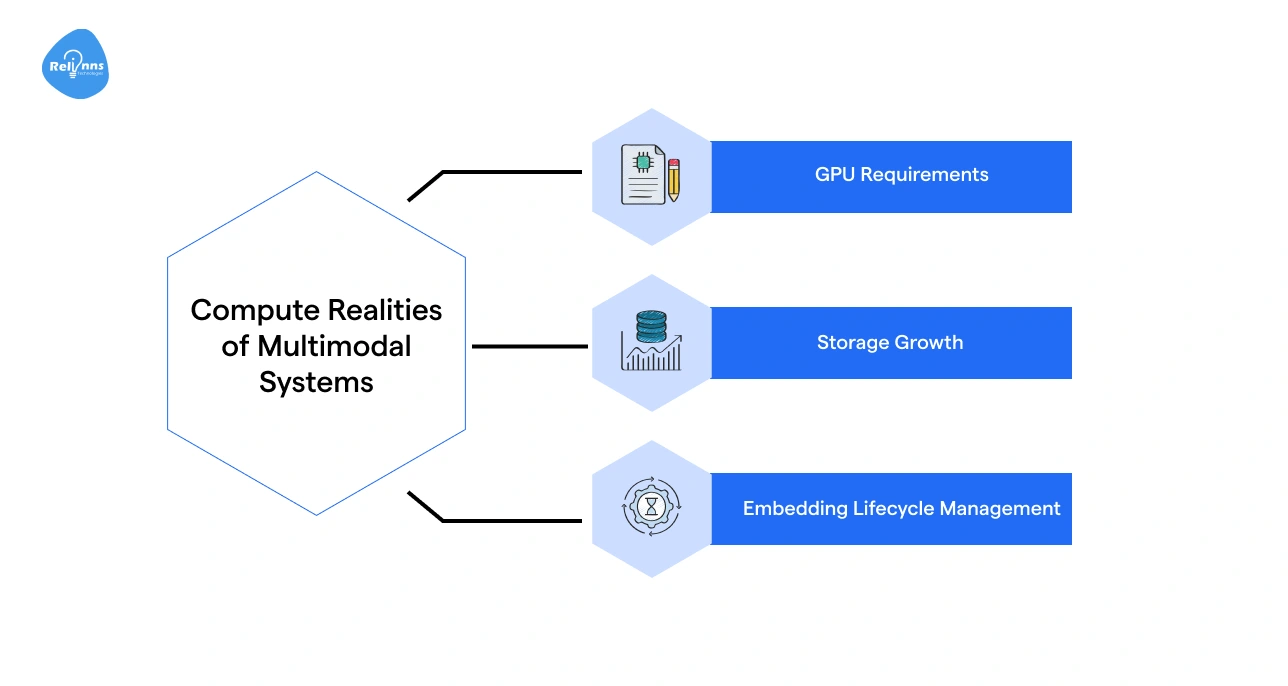
Multimodal workloads demand more resources than text-only systems. These include:
- GPU Requirements: Vision and video models require higher GPU memory and parallel processing.
- Storage Growth: Image and video embeddings consume significantly more storage than text vectors.
- Embedding Lifecycle Management: As data grows, embeddings must be refreshed, versioned, or archived to prevent drift and bloat.
Without planning, infrastructure costs scale faster than usage value.
Practical Optimization Levers
Cost control requires deliberate architectural choices.
- Tiered Retrieval: Use lightweight models first. Trigger heavy cross-modal retrieval only when needed.
- Caching Strategies: Cache frequent queries and common evidence bundles.
- Content Summarization: Compress long transcripts and large documents before embedding.
- Model Routing: Route simple queries to smaller models and complex ones to advanced systems.
Key Tips for Technology Leaders
- Tie the compute depth to business value. Reserve full cross-modal reasoning for high-impact workflows.
- Monitor cost per query, not just model accuracy. Optimize for ROI, not technical elegance.
- Control embedding growth early. Archive low-value data and refresh strategically to prevent silent cost creep.
Smart optimization ensures performance scales while budgets remain predictable and controlled.
Companies looking to operationalize multimodal RAG across complex enterprise workflows often team with experienced AI product engineering partners like Relinns Technologies to move from experimentation to production-grade systems.
High-Impact Enterprise Use Cases for Multimodal RAG
Multimodal RAG becomes powerful when enterprise knowledge isn’t neatly stored in text.
In reality, critical information lives inside slide decks, scanned PDFs, annotated diagrams, training videos, product images, and even photos captured in the field.
A multimodal system doesn’t just “search documents”; it understands and retrieves across formats, then grounds responses in the right visual or textual evidence.
Here’s what that looks like in real-world environments:
| Use Case | Example |
| Knowledge Search Across PDFs and Slides | A strategy team asks, “What did we project for Q3 margins last year?” The system pulls the exact slide with the chart, not just surrounding text. |
| Technical Support for Manuals and Diagrams | A support agent queries a fault code and receives both the written fix and the correct wiring diagram snippet. |
| Video-Heavy Training & Compliance Systems | An HR manager searches “data privacy policy update” and gets the relevant 2-minute clip from a 90-minute compliance video. |
| Industrial Field Assistance with Visual Inputs | A technician uploads a photo of damaged machinery; the system matches it with past incident reports and repair guides. |
| E-Commerce Product Intelligence Systems | A merchandiser searches for “blue variant with metal finish” and retrieves matching SKUs, images, and specs instantly. |
The impact isn’t just smarter search; it’s faster decisions grounded in multimodal evidence.
Conclusion
Multimodal RAG is not just an upgrade to traditional RAG. It changes how systems retrieve and reason across text, images, and video.
That shift matters in real enterprise environments where knowledge is scattered across formats.
But accuracy alone is not enough. You must design for cost, scale, and reliability from the start. Retrieval depth, embedding growth, and compute usage all impact ROI.
When built well, multimodal RAG reduces hallucinations and improves decisions. It turns powerful models into grounded systems.
The goal is simple: retrieve better evidence, generate better answers, and control cost while doing it.
Frequently Asked Questions (FAQs)
What is Multimodal RAG?
Multimodal RAG (retrieval augmented generation) retrieves information from text, images, charts, and video, then generates answers grounded in that multimodal evidence.
How is Multimodal RAG Different from Traditional RAG?
Traditional RAG retrieves only text. Multimodal RAG retrieves and reasons across text, visuals, and video, reducing hallucinations when answers depend on non-text data.
When Should a Company Use Multimodal RAG?
Use multimodal RAG when critical knowledge exists in PDFs, diagrams, dashboards, product images, or recorded training videos—not just text documents.
Does Multimodal RAG Reduce Hallucinations?
Yes. By grounding responses in cross-modal evidence, multimodal RAG lowers hallucination risk compared to text-only retrieval systems.
What are the Main Components of a Multimodal RAG System?
Core components include modality-specific encoders, vector storage, cross-modal retrieval logic, grounding mechanisms, and a generation model.
Is Multimodal RAG More Expensive than Traditional RAG?
Yes. Processing images and video increases GPU usage, storage needs, and latency. Cost optimization strategies like tiered retrieval are essential.
What are Common Enterprise Use Cases for Multimodal RAG?
Common use cases include technical support with diagrams, video-based compliance search, industrial field assistance, and e-commerce product intelligence systems.
How do You Optimize Multimodal RAG for Production?
Optimize by controlling embedding growth, using tiered retrieval, caching frequent queries, routing models intelligently, and monitoring cost per query.