Student Lifecycle Management Automation in Higher Education
Date
Aug 10, 26
Reading Time
9 Minutes
Category
Custom development
Share


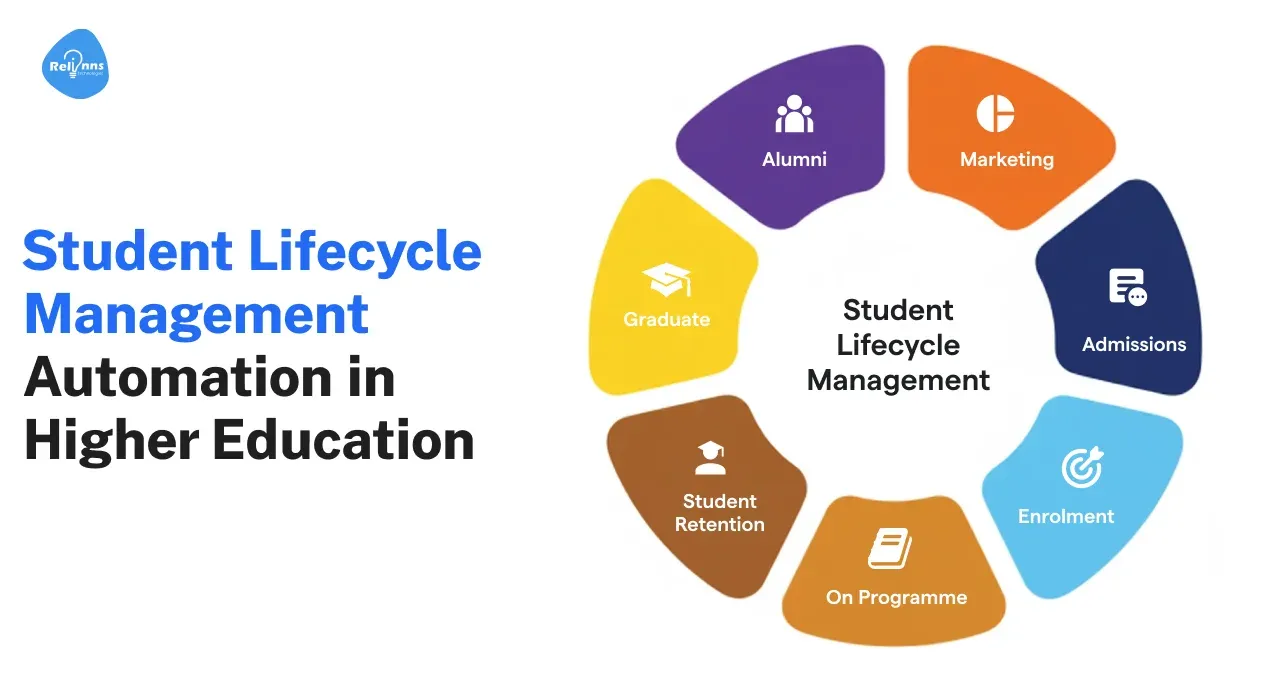
Managing a student across recruitment, enrollment, academics, support, graduation, and alumni engagement creates hundreds of administrative touchpoints.
Student lifecycle automation connects these touchpoints through workflows, shared data, alerts, and self service tools. Institutions can automate repetitive work while giving staff a clearer view of each student.
A strong system does more than automate emails. It connects CRM, SIS, LMS, finance, communication, and support workflows so departments act on the same information.
This guide explains how student lifecycle management software works, where automation delivers the most value, and how institutions can implement it.
What Is Student Lifecycle Management?
Student lifecycle management is the process of managing a student from initial inquiry through graduation and alumni engagement.
The lifecycle usually includes:
- Recruitment and inquiry management
- Applications and admissions
- Enrollment and onboarding
- Academic progress
- Student support
- Graduation
- Alumni engagement
Problems appear when each stage operates through separate systems and teams.
Admissions may use a CRM. Academic teams rely on an SIS. Faculty use an LMS. Finance maintains another database.
Without integration, staff spend time moving information between systems.
Student lifecycle automation connects these processes through shared data and workflow triggers.
For example, an institution can automatically send orientation information after enrollment, alert an advisor when attendance drops, or create follow up tasks when an applicant stops responding.
Automation becomes useful when it connects actions across the lifecycle rather than optimizing one isolated department.
Which Features Matter Most in Student Lifecycle Automation Software?
Effective student lifecycle management software needs strong workflow, integration, data, and communication capabilities.
The exact feature set depends on existing campus systems and the processes being automated.
Unified Student Records
Staff need one reliable student profile.
A unified record can combine:
- Application information
- Enrollment status
- Academic history
- Communication records
- Support requests
- Payments and financial information
The goal is not necessarily replacing every existing system. A custom platform can connect existing applications and present relevant information through one operational layer.
Workflow Automation
Workflow automation handles routine actions based on predefined rules.
Institutions can automate:
- Application routing
- Document verification
- Orientation tasks
- Enrollment approvals
- Advisor notifications
- Student support escalation
- Graduation clearance
Staff intervene when a case requires judgment.
Communication Automation
Students receive information across email, SMS, portals, chatbots, and other channels.
The system can trigger messages based on student activity rather than relying on fixed campaigns.
An incomplete application, missed deadline, upcoming payment, or low attendance can trigger the relevant communication.
Self Service Portals
Students should not need staff assistance for every routine request.
A portal can provide access to application progress, documents, academic records, payment information, support requests, and common questions.
Analytics and Alerts
Dashboards help teams track enrollment, applications, support cases, student progress, and operational backlogs.
Alerts can flag cases that need intervention before staff discover them through periodic reports.
System Integration
Integration is often the hardest part of student lifecycle automation.
The system may need to exchange information with:
- SIS
- CRM
- LMS
- ERP
- Finance systems
- Identity systems
- Communication tools
APIs and controlled data synchronization help keep records aligned.
These capabilities create the foundation. The value comes from applying them to the right lifecycle problems.
How Does Automation Improve Recruitment and Enrollment?
Automation improves recruitment by reducing delays between student interest and institutional response.
Prospective students often move through several steps before enrollment. They request information, submit documents, complete applications, attend interviews, make payments, and confirm admission.
Manual follow ups create gaps between these steps.
A recruitment workflow can automatically:
- Capture inquiries from multiple sources
- Assign prospects to admissions teams
- Send application reminders
- Flag incomplete documents
- Route applications for review
- Track application status
- Trigger onboarding after admission
Admissions teams can then focus on applicants who need direct assistance.
Automation also creates clearer funnel visibility.
Teams can see where students abandon applications, which stages take longest, and which communication produces responses.
That same workflow approach becomes useful after enrollment, when retention replaces acquisition as the priority.
How Can Automation Support Student Retention and Engagement?
Student lifecycle automation can identify disengagement earlier and coordinate the response across academic and support teams.
Institutions already collect signals through attendance, LMS activity, grades, support tickets, and financial records.
The challenge is turning those signals into action.
For example, an institution could create a workflow where:
- Attendance falls below an internal threshold.
- The system flags the student.
- An advisor receives a task.
- The student receives a support message.
- Escalation occurs if the student does not respond.
The same model can support academic performance, unpaid fees, incomplete registrations, and missed appointments.
Automation also improves routine engagement.
Students can receive onboarding reminders, deadline notifications, appointment updates, academic guidance, and status information without waiting for staff.
The aim should be earlier intervention with better context, not more messages.
What Does Student Lifecycle Automation Look Like in Practice?
Arizona State University offers one example of institution wide student lifecycle management.
ASU has used Salesforce to connect student information and interactions across different university systems. Staff can access information such as enrollment, grades, surveys, and advising records through shared student profiles.
Automation can then create cases when specific student signals require intervention.
According to an April 2024 EdTech Magazine report:
- Success coaches reached students 40% faster
- 98.5% of common student inquiries were resolved within one day
- Almost 65,000 student interactions were automated during the reported period
- AI supported 24,553 student conversations
Source: EdTech Magazine's Arizona State University case study
The useful lesson is the architecture behind the numbers.
ASU did not treat automation as a standalone communication tool. The institution connected student data, staff workflows, alerts, and support processes around a shared student view.
Institutions considering similar systems should focus on that integration layer first.
Which Systems Usually Form a Student Lifecycle Automation Stack?
Most institutions already own several systems involved in student lifecycle management.
A custom automation layer can connect them rather than forcing one product to handle everything.
Student Information System
An SIS manages core student records such as enrollment, courses, grades, billing, and academic information.
Platforms such as Ellucian Banner commonly serve this role.
Customer Relationship Management System
CRM software manages prospective students, communication, campaigns, applications, and engagement.
Salesforce Education Cloud and Microsoft Dynamics are examples.
Learning Management System
An LMS manages course content, assignments, learning activity, and academic interactions.
Canvas and Blackboard are common examples.
Communication and AI Tools
Chatbots and messaging tools can handle FAQs, reminders, status requests, and basic student support.
Workflow Automation Layer
The automation layer coordinates processes between these systems.
It can route information, trigger actions, manage approvals, create dashboards, and maintain process visibility.
Institutions do not always need another large campus application. Sometimes they need a better orchestration layer between the systems they already operate.
How Should Institutions Implement Student Lifecycle Automation?
Institutions should automate one clearly defined lifecycle problem before attempting an institution wide rollout.
Start with the process, not the software.
1. Map the Current Workflow
Document how the process works today.
Identify:
- Teams involved
- Systems used
- Manual handoffs
- Duplicate data entry
- Approval delays
- Common exceptions
This exposes where automation can remove work.
2. Audit Existing Systems
Map the CRM, SIS, LMS, ERP, portals, databases, and communication systems involved.
Identify which system owns each important data field.
3. Design the Future Workflow
Define what should happen automatically and where staff should intervene.
Include exception handling instead of designing only for ideal cases.
4. Define Integrations
Determine which systems need real time API connections and which can use scheduled synchronization.
Poor integration design can turn automation into another data silo.
5. Pilot One Process
A focused pilot limits implementation risk.
Admissions document processing, student onboarding, support routing, or advisor alerts can provide manageable starting points.
6. Measure the Outcome
Measure the workflow before and after automation.
Use metrics such as:
- Processing time
- Response time
- Manual touches
- Application completion
- Case resolution
- Staff hours
- Student satisfaction
Once the institution proves one workflow, the same architecture can support additional lifecycle stages.
Which Metrics Should Institutions Track?
The right ROI metrics depend on the process being automated.
A recruitment workflow and a student support workflow should not use identical success measures.
For admissions, institutions may track:
- Inquiry response time
- Application completion rate
- Processing time
- Staff effort per application
- Enrollment conversion
For student support, relevant metrics include:
- First response time
- Case resolution time
- Escalation volume
- Self service resolution
- Advisor workload
For retention initiatives, teams can monitor:
- Re enrollment
- Attendance
- Student engagement
- Intervention completion
- Withdrawal patterns
Financial ROI can then connect operational improvements with staff costs, enrollment, retention, and technology expenditure.
Institutions should establish the baseline before implementation. Otherwise, automation gains become difficult to prove.
When Does Custom Student Lifecycle Software Make Sense?
Custom software makes sense when an institution's workflow cannot fit cleanly into existing CRM, SIS, LMS, or packaged education products.
Common triggers include:
- Several systems require coordination
- Departments follow institution specific approval processes
- Staff rely heavily on spreadsheets or manual handoffs
- Existing software lacks required integrations
- Different campuses operate different processes
- Administrators need custom operational dashboards
Packaged software remains the better choice for standardized processes already supported by an existing product.
Custom development introduces development, integration, testing, and maintenance responsibilities. Institutions should use it where workflow complexity creates enough operational value to justify that investment.
Low code technologies such as Joget can also provide a middle ground for workflow heavy applications.
How Can Relinns Build Student Lifecycle Automation Software?
Relinns Technologies can build custom workflow systems that connect existing education applications instead of forcing institutions to replace their entire technology stack.
A student lifecycle project can include:
Workflow Applications
Custom applications can manage admissions, approvals, onboarding, student services, and administrative workflows.
Campus System Integrations
Relinns can connect CRM, SIS, LMS, ERP, databases, and external services through APIs and controlled data synchronization.
Operational Dashboards
Teams can use custom dashboards to monitor applications, pending tasks, support requests, student activity, and process backlogs.
AI Assistants and Chatbots
AI interfaces can support FAQs, information retrieval, status queries, and routine student requests when the institution has suitable knowledge sources and escalation controls.
Workflow Modernization
Institutions with fragmented legacy processes can digitize them incrementally rather than rebuilding the complete campus technology stack at once.
The right architecture depends on existing systems, integration requirements, workflow complexity, security requirements, and the institution's internal IT capacity.
Automate Student Workflows Without Replacing Your Entire Technology Stack
What Should Institutions Remember About Student Lifecycle Automation?
Student lifecycle automation works best when institutions connect data, workflows, and staff actions around the complete student journey.
Automation can reduce repetitive work across recruitment, admissions, onboarding, academics, support, and graduation.
But software alone does not solve fragmented processes.
Institutions need clear workflow ownership, reliable integrations, accurate data, measurable goals, and defined points for human intervention.
Start with one high friction process. Prove the operational value. Then extend the automation architecture across the rest of the student lifecycle.
Frequently Asked Questions
What is SAP Student Lifecycle Management?
SAP Student Lifecycle Management supports processes across admissions, student records, academic administration, financial activities, and other higher education operations within the SAP environment.
What is an example of lifecycle management in higher education?
An institution can connect attendance data with student support workflows. Falling attendance can trigger an advisor task and student outreach before disengagement increases.
How does automation improve student engagement?
Automation helps institutions send relevant reminders, provide self service access, answer routine questions, and trigger staff intervention based on student activity.
Why do institutions use student lifecycle management software?
Institutions use student lifecycle management software to connect student data, automate administrative processes, improve process visibility, and coordinate communication across departments.