Joget AI Agent Builder: What It Is and Why It Matters
Date
Sep 02, 26
Reading Time
10 Minutes
Category
Joget Development
Share


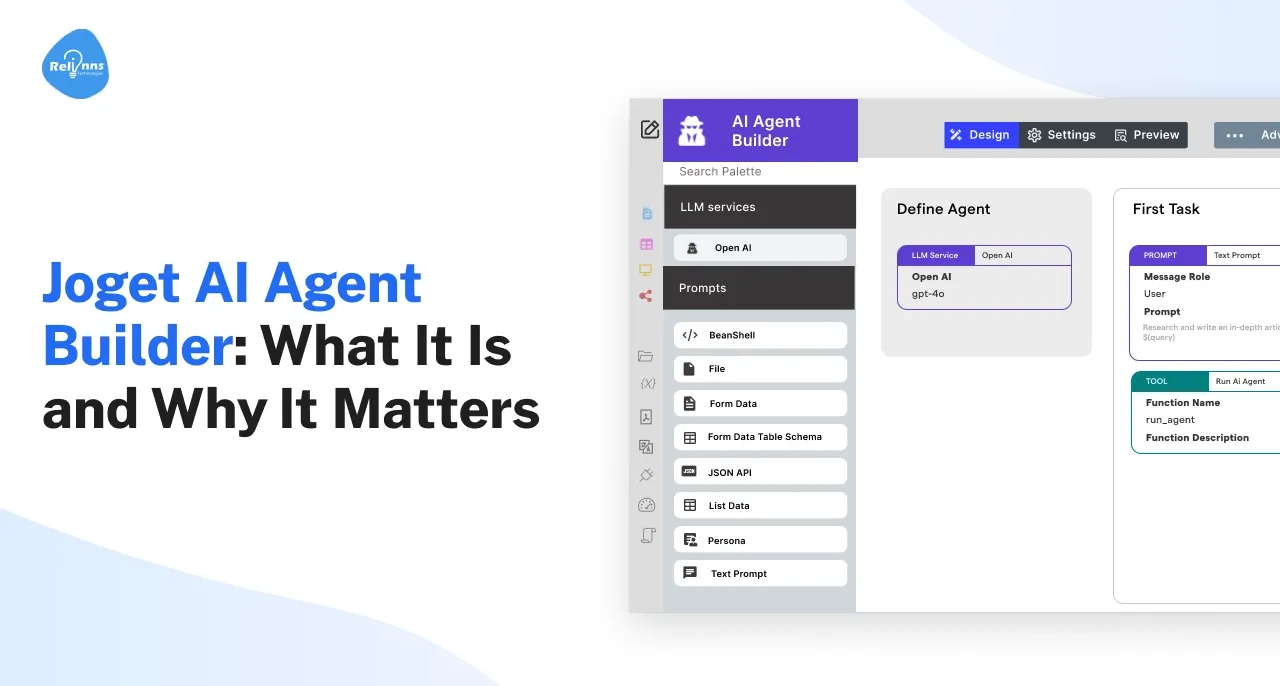
AI is reshaping how businesses build, deploy, and manage applications, and 2026 marks a turning point with Joget AI Agent Builder at the center of this change.
Designed for low-code and no-code environments, it empowers teams to create Agentic AI Systems that automate complex workflows, streamline decision-making, and deliver faster outcomes.
By blending LLMs, AI Agent Tasks, and visual development, Joget makes AI adoption accessible to both technical and non-technical users.
In this article, we’ll explain what the Joget AI Agent Builder is, how it works, its key features, and its future potential. Let’s dig in.
What is Joget AI Agent Builder, and how does it work?
The Joget AI Agent Builder is a low-code/no-code plugin that enables teams to design and deploy AI agents using a visual, drag-and-drop interface—eliminating the need for heavy coding.
You define the agent, choose the LLM (OpenAI, Anthropic, Gemini, or IBM), and configure step-by-step AI Agent Tasks that run in sequence.
- Prompt: The instruction sent to the LLM (e.g., “summarize this,” “generate an email reply”).
- Tool: External action performed based on LLM output—like executing a web search, querying a database, or calling an API.
- Enhancer: Post-processes or stores the output, such as saving results into a form or process variable, or manipulating data.
You can preview and debug agents before going live, then embed them into Joget apps and workflows using the AI Agent Tool for process activities, keeping human-in-the-loop control.
Joget AI Agent Builder Online: Setup and Access
The AI Agent Builder plugin is available for download from the Joget Marketplace and supports Joget DX 8.1.0 and later versions (Enterprise). You’ll need an LLM API key (e.g., OpenAI). Create a test agent in a non-production app first so experiments don’t affect live users.
TL;DR: define the agent + LLM, add sequential tasks with prompts/tools/enhancers, test in Preview, and run it inside your Joget workflows.
Joget AI Agent Builder Tutorial: Step-by-Step Guide
Setup and installation are covered above; skip them. Begin here to implement the agent with tasks, tools, enhancers, testing, governance, deployment.
Create a new agent and add an LLM service with default instructions
- Pick the model and (where available) configure parameters like temperature and max tokens.
- Write a concise system instruction defining scope, tone, constraints.
- Add guardrails (forbidden topics, max output length).
Add tasks in sequence; keep each task focused on one outcome
- Name tasks clearly (e.g., Collect Input → Summarize → Notify).
- One integration per task simplifies debugging.
- Follow the familiar Prompt → Tool → Enhancer pattern.
Configure inputs for stable prompts
- Prefer Form Data or JSON mappings over free text.
- Validate file types, size limits, and required fields before execution.
- Map outputs to process variables you’ll reuse later.
Attach tools for APIs, email, searches, or nested agent calls
- Start with JSON API, Email, Web Search, Beanshell, or Run Agent.
- Add timeouts, retries, and auth headers; keep secrets out of prompts.
- Mock external endpoints in development.
Add enhancers to format, store, or transform outputs
- Normalize results to a JSON schema; extract key fields.
- Save to forms/process variables; generate summaries or artifacts (e.g., CSV, PDF) as needed.
- Log all necessary fields for audit and troubleshooting purposes.
Use Preview to test inputs, review payloads, and refine behavior
- Create realistic test cases and run them repeatedly.
- Inspect request/response payloads, token usage, and latency.
- Verify error paths and retry behavior for each external call.
- Tweak instructions, parameters, and stop sequences based on results.
Add guardrails and governance before go-live
- Role-based permissions, PII masking, output limits.
- Centralized logging with trace IDs; version labels and change notes.
- Define fallbacks to manual handling when external calls fail.
Embed the agent in a Process Builder workflow and add human review steps
- Place the AI Agent Tool at the right stage.
- Add an approval step after high-risk actions.
- Define SLAs, escalations, and clear failure paths.
Deploy safely through staging to production
- Promote from sandbox; tag the release and archive older versions.
- Enable alerts for error rate, latency, and cost per run.
- Define a rollback trigger (e.g., error rate > X% across N runs).
Measure outcomes and optimize
- Track time saved, first-pass accuracy, and cost per transaction.
- Track one business KPI (e.g., turnaround time, SLA adherence, resolution rate).
- A/B test prompts or task ordering.
- Consolidate or split steps based on actual log data.
Reuse and modularize
- Package standard capabilities as sub-agents via the Run Agent feature.
- Create templates with prefilled instructions and schemas.
- Share naming conventions and a brief runbook with your team.
Tip: Start narrow (e.g., “summarize an uploaded contract and email a draft to legal”), stabilize the core flow, then add integrations.
What features define Joget AI Agent Builder?
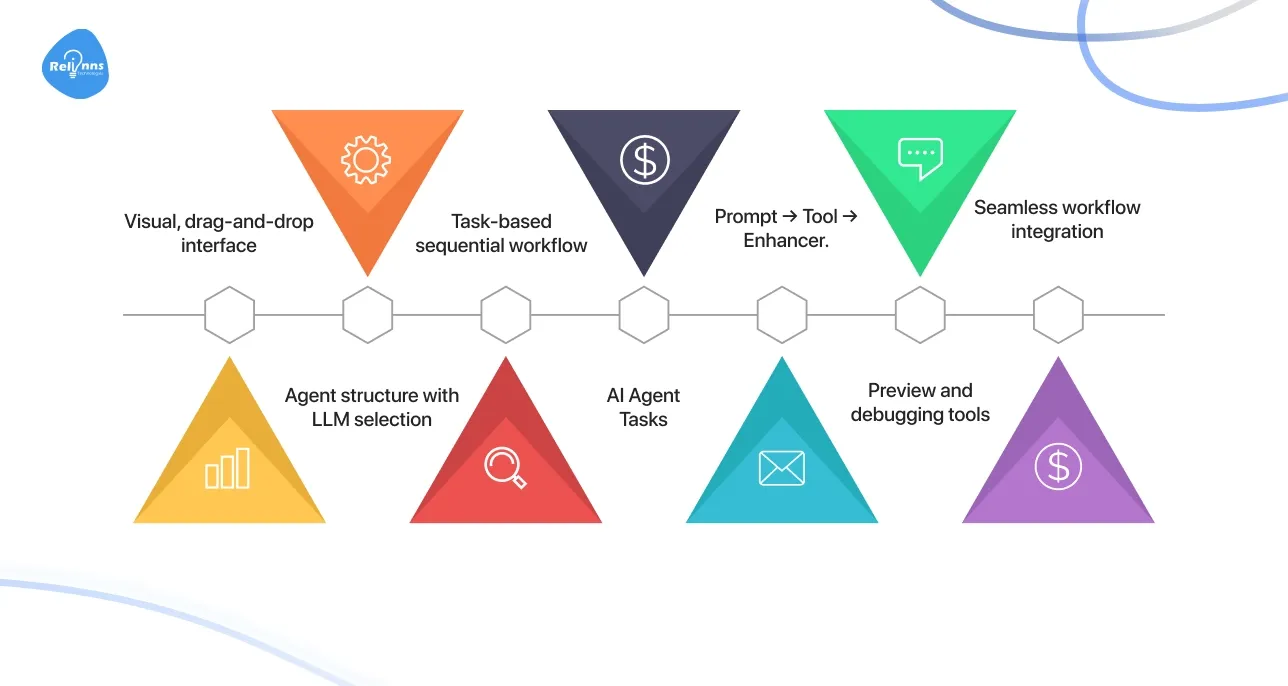
The Joget AI Agent Builder stands out with a blend of powerful, user-friendly features, designed to make AI agent development accessible, fast, and deeply integrated into enterprise workflows:
- Visual, drag‑and‑drop interface: Built on Joget’s low-code philosophy, the AI Agent Builder mirrors the intuitive Form Builder; anyone, regardless of coding background, can define agents visually.
- Task-based sequential workflow
- Each AI agent is built as a series of AI Agent Tasks, executed in order.
- Each task comprises three optional components: Prompt → Tool → Enhancer.
- Preview and debugging tools: You can test agents using a built-in Preview tab, which simulates real-world use cases, allows you to inspect payloads, refine prompt behavior, and debug flows before deployment.
- Seamless workflow integration
- Agents created in the Builder can be embedded into Joget apps via the AI Agent Tool in Process Builder workflows.
This maintains human oversight through review or approval steps where needed.
These features make the Joget AI Agent Builder Plugin a powerful tool for building Agentic AI Systems, adding intelligence, automation, and human-centered control directly into business processes across departments.
How does Joget AI Agent Builder use LLMs?
LLM Services power the AI engine, turning prompts into actions the agent can execute. The Builder currently supports OpenAI, Anthropic, Gemini, and IBM. Within OpenAI's integration you can pick from models like gpt-3.5-turbo, gpt-4, or gpt-4o, and you'll need an API key to activate whichever provider you choose.
Each agent runs its tasks in the same fixed order: Prompt, then Tool, then Enhancer. That structure is what lets an LLM's output trigger a database query or an email send without you writing the glue code yourself.
For the full picture of how AI Agent Builder fits alongside AI Designer and AI Assistant inside Joget's AI layer, read our [Joget Intelligence breakdown](link to joget-intelligence).
How AI Agent Builder Tasks and Components Run
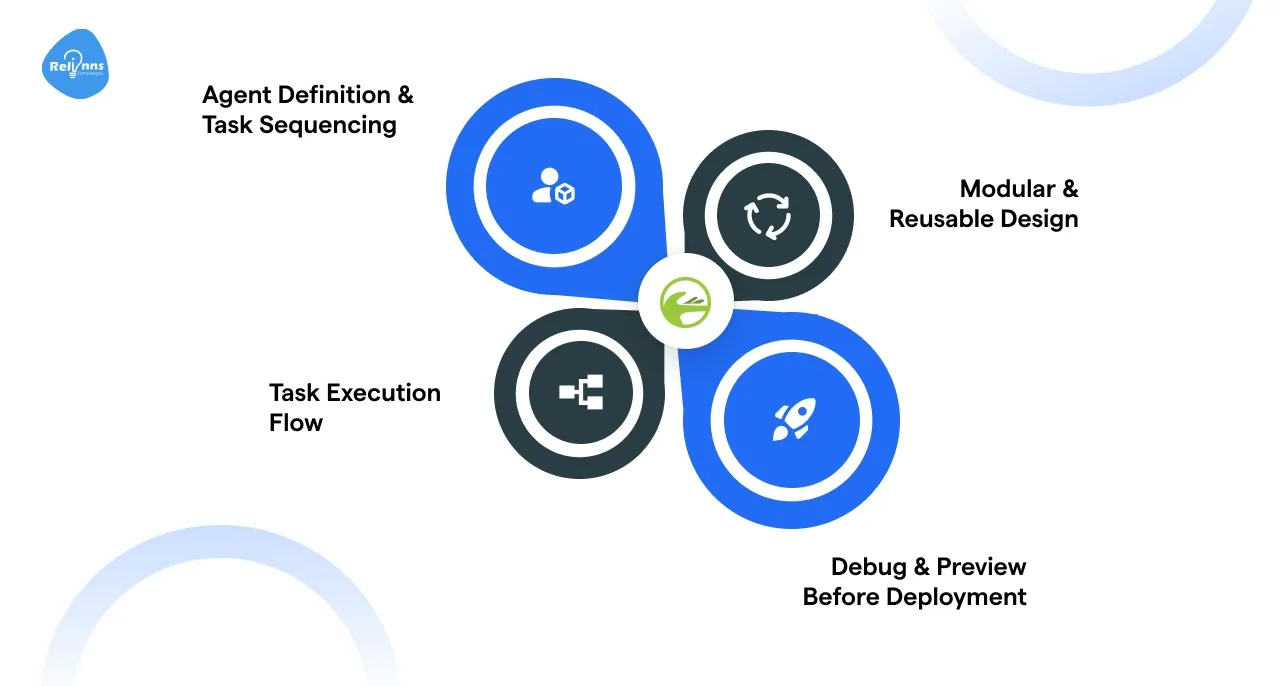
Here’s how the Joget AI Agent Builder orchestrates its task execution pipeline in a clean, step-by-step process:
1. Agent Definition & Task Sequencing
You define an AI agent visually, layering multiple AI Agent Tasks in sequence—each representing a distinct step in the workflow (e.g., data fetch, transformation, or response generation). Tasks are processed one after another, ensuring orderly flow control and logic execution.
2. Task Execution Flow
Each task executes a well-defined three-stage flow: Prompt → Tool → Enhancer (with Tool and Enhancer being optional).
- Prompt: The instruction sent to the LLM, such as summarizing, generating, or interpreting data. Joget offers various input options, including text, file, form data, JSON, persona, and more.
- Tool (optional): If defined, the agent then triggers external actions—like running a database query, sending an email, performing a web search, invoking another AI agent, or calling a JSON API. Joget includes tools like Beanshell, Google Web Search, JSON API, Email, and even a “Run Agent” tool for nested agent calls.
- Enhancer (optional): After the AI response, enhancers post-process and store results within Joget, e.g., saving output to a form or process variable, extracting code, or using Beanshell logic.
3. Modular & Reusable Design
With the Run AI Agent Tool, you can invoke another agent within a running workflow. This enables modular agents, simplify complexity by breaking workflows into smaller agents that call each other as needed.
4. Debug & Preview Before Deployment
Within the Builder, there's a Preview tab where you can simulate how your agent behaves, send test inputs, inspect the generated LLM payloads, verify tool calls, and check enhancer outputs, ensuring everything works as intended before going live.
Together, these components make the Joget AI Agent Builder a robust platform for designing agentic AI workflows that can chain tasks, interact with external systems, efficiently handle logic, and undergo thorough testing before deployment.
Is Joget a good no-code AI agent builder?
Yes, for teams that need agents wired into existing business workflows rather than standalone chat tools. Joget's drag-and-drop interface lets a business analyst build an agent's tasks, prompts, and integrations without touching code, and the Preview tab catches broken logic before anything goes live.
The no-code part covers construction, not judgment. Someone still has to decide what the agent should be allowed to touch, where a human needs to approve its output, and how you'll know when it starts failing quietly instead of loudly. Joget hands you the pieces. Deciding how they fit into your actual process is still a design problem, not a drag-and-drop one.
That's where the gap between demo and deployment usually opens up: a working prototype in an afternoon, then weeks figuring out governance, permissions, and failure handling before it touches real records.
Why choose Joget AI Agent Builder with a certified partner like Relinns?
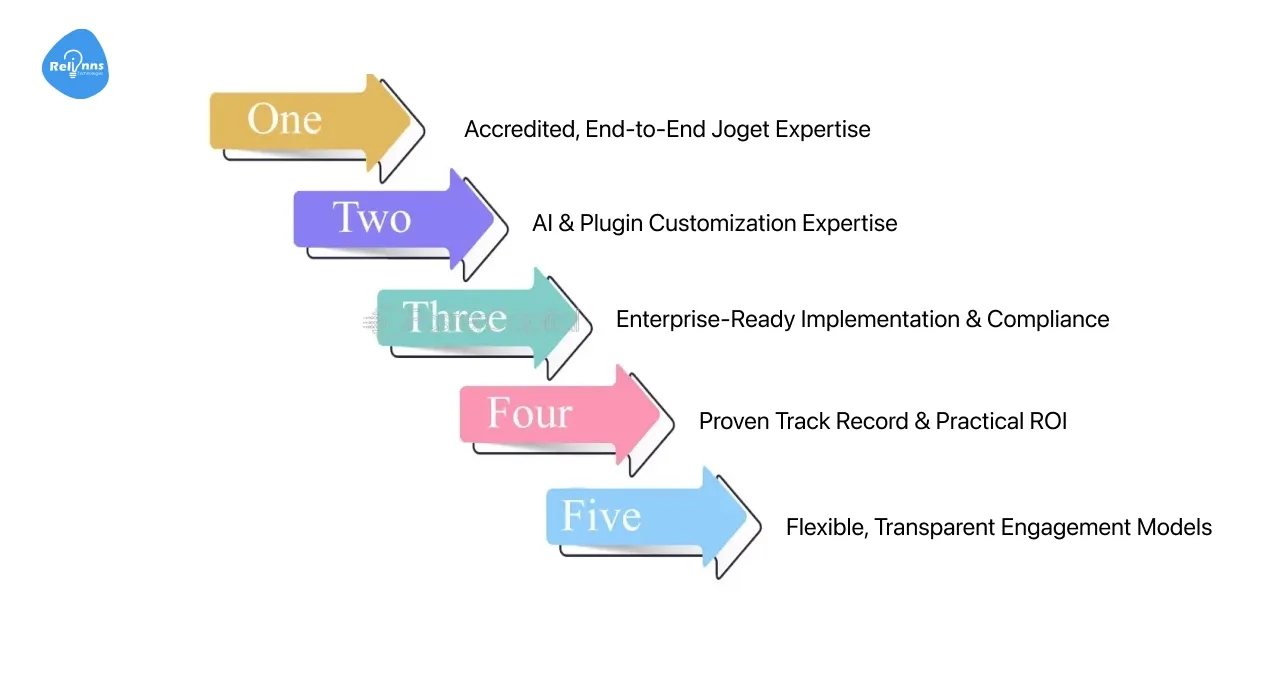
Partnering with a certified expert like Relinns transforms the use of Joget AI Agent Builder from a powerful tool into a strategic accelerator for enterprise-grade AI automation.
| Benefit | What It Means for You |
| Joget-certified team | Trusted, high-quality delivery |
| Custom AI & plugin build | Tailored capabilities and smoother integrations |
| Enterprise-grade readiness | Security, compliance, and scalability built in |
| Proven efficiency & ROI | Faster builds, lower costs, tangible results |
| Flexible support models | Fit for various budgets and project scopes |
1. Accredited, End-to-End Joget Expertise
- Official Joget Certified Partner: Relinns Technologies is an accredited Joget partner in India, authorized for software licensing, development, training, and implementation of Joget DX solutions for the period of 2025–2026.
- Full Lifecycle Services: From licensing and training to app architecture, plugin development, and support, Relinns offers consultancy and implementation across every stage of your Joget journey.
2. AI & Plugin Customization Expertise
- Custom Plugin Development: Whether it’s AI capabilities, scheduler logic, security, or integrations, Relinns can build tailored Joget plugins, including ones that harness the power of AI Agent Builder to align precisely with your business needs.
- Specialized AI Agent Integration: With experience in embedding intelligent workflows, they help you seamlessly extend and integrate Agentic AI Systems into your workflows, ensuring that automation is not only functional but also deeply aligned with your logic and governance needs.
3. Enterprise-Ready Implementation & Compliance
- Strong Governance, Security & DevOps: Relinns designs Joget solutions with enterprise concerns in mind—implementing SOC2, HIPAA, GDPR, and other compliance frameworks. They also support DevOps, CI/CD, and scalable deployment practices.
- Multi‑Model Workflows & Scalability: Take complex processes, break them into manageable Joget agents, and orchestrate them into composable workflows, crafted with modularity, reusability, and enterprise-level scaling in mind.
4. Proven Track Record & Practical ROI
- Slash Development Time, Maximize ROI: Working with Relinns, organizations report up to 200% faster development, 70% cost reduction, and delivery of enterprise features up to 50% quicker.
- Real-World Impact: A Qatar-based public sector agency leveraged our’ certified Joget services to build an AI-powered contract management platform in just eight weeks to automate clause detection, compliance checks, and stakeholder access.
5. Flexible, Transparent Engagement Models
- Tailored Collaboration Options: Relinns offers flexible engagement, from hourly hires to fixed projects or full-time offshore teams, making it easy to scale based on your organizational needs.
- Smooth, Secure Delivery: With NDA-backed security protocols, rapid onboarding (developers available in ~48 hours), and remote delivery setups, you get agile execution without risk.
Conclusion
The Joget AI Agent Builder is more than a plugin, it’s a gateway to building Agentic AI Systems that simplify workflows, automate decision-making, and scale with enterprise needs.
By combining LLMs, task sequencing, and visual low-code design, advanced AI becomes accessible to both developers and business teams.
But success with AI agents depends on more than tools, it requires the right implementation partner. As a certified Joget partner, Relinns Technologies delivers expertise in development, customization, and enterprise-grade deployment, ensuring your AI agents are secure, scalable, and driven by ROI.
If your business is ready to embrace intelligent automation in 2026, Relinns can help you unlock the full power of Joget AI Agent Builder.
Frequently Asked Questions (FAQ's)
Where can the Joget AI Agent Builder be applied?
The Joget AI Agent Builder is applicable across customer service, automation, data analysis, and compliance, enabling organizations to create scalable, intelligent workflows that save time and reduce costs.
How does Joget AI Agent Builder ensure oversight?
By embedding human-in-the-loop controls, every AI Agent Task undergoes checks, approvals, and logging. This ensures transparency, accountability, and compliance within enterprise workflows and automated processes.
How do I create my own AI agent?
Install the AI Agent Builder plugin, select your LLM, configure tasks step-by-step, preview results, refine behavior, and embed the agent into Joget workflows.
Why partner with Relinns for Joget AI Agent Builder?
Relinns, a certified Joget partner, delivers expertise in customization, plugin development, and enterprise deployment, ensuring secure, scalable, ROI-driven adoption of the Joget AI Agent Builder plugin.